Reality Capture and BIM: How Site Data and the Model Work Together
By Kush Agarwal, President and CEO, YelloSKYE. Published .
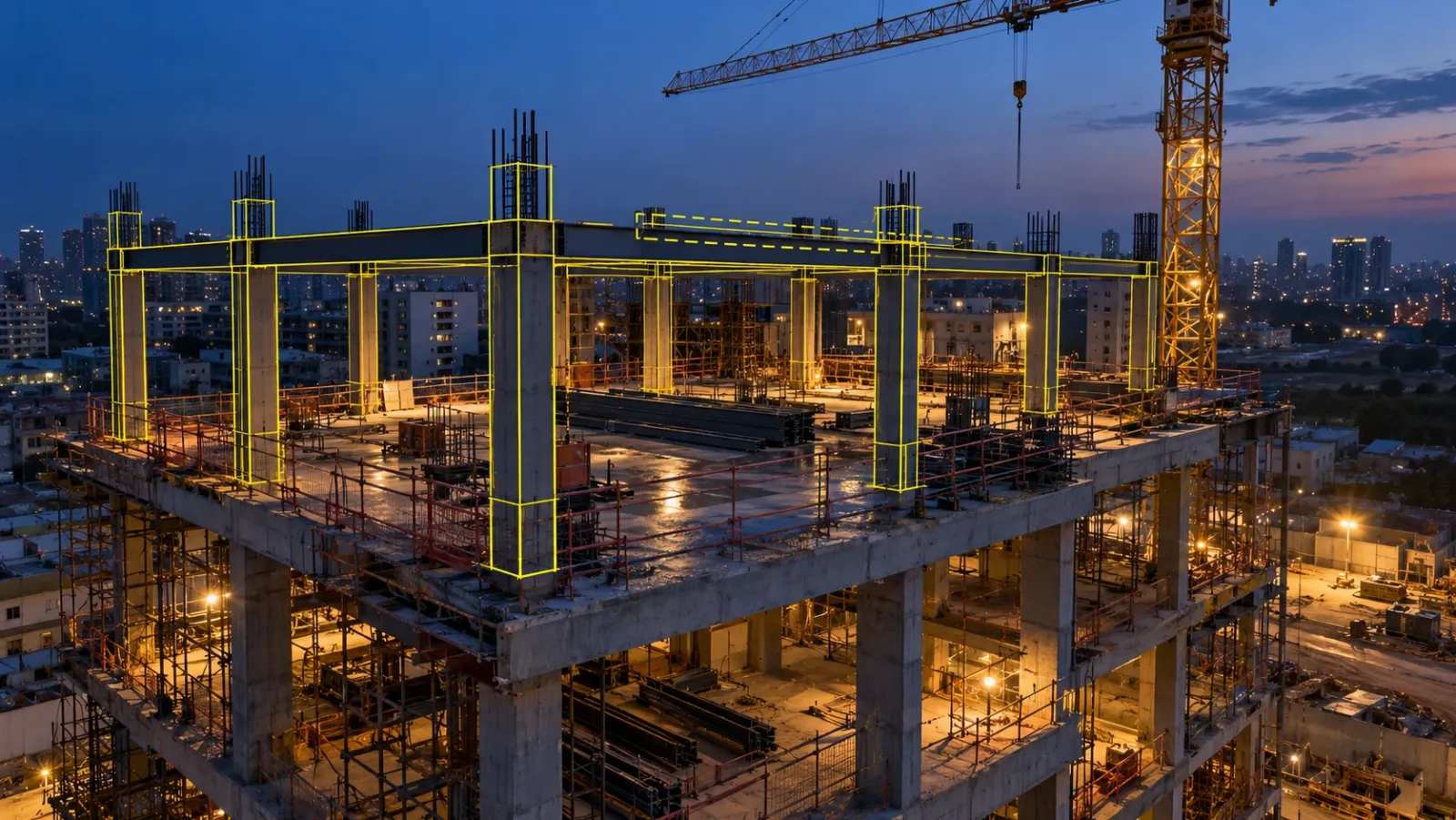
Executive Summary
- The Question: What is the difference between reality capture and BIM, and how do teams make site data and the model work together rather than in parallel?
- The Answer: BIM describes what should be built; reality capture measures what is actually there. Data flows both ways: captured conditions become or correct the model, and the model is laid over captures to check the build. It only works when both share one coordinate system, agreed tolerances and a common home.
- The YelloSKYE Angle: BIM IQ turns laser scan and drone point cloud data into as-built models, lays design models over site captures, and DEX holds both on one dated timeline.
Reality capture and BIM work together by putting a measured record of the site next to the model of what was designed. Captured data is used to build or correct the model, as in scan-to-BIM for an existing building, and the model is laid over fresh captures to check that the work on site matches the design. Neither replaces the other: BIM holds intent, and reality capture holds evidence.
YelloSKYE works on both sides of that exchange. BIM IQ builds as-built BIM models from laser scans and drone point clouds, then checks them against the design model. This guide explains how the two differ, the two directions data moves between them, which capture method suits which BIM task, and the technical setup that decides whether the comparison can be trusted. For the wider set of capture methods, see our reality capture guide.
Reality capture vs BIM: two different records
People often talk about reality capture and BIM as if they were competing tools. They are different kinds of record, answering different questions.
| BIM | Reality capture | |
|---|---|---|
| What it describes | The building as designed and coordinated | The site as it exists on the capture date |
| How it is made | Modelled by architects, engineers and BIM teams | Measured with laser scanners, drones, 360° and fixed cameras |
| What it contains | Discrete elements (walls, beams, ducts) with properties | Points, images and surfaces with no built-in meaning |
| How it changes | Revised when the design changes | A new capture each time the site changes |
| What it is good for | Coordination, quantities, fabrication, operations data | Evidence, measurement, verification, history |
| Main weakness | Can drift away from what was built | Says nothing about what was intended |
The last row explains why the two belong together. A model on its own cannot tell you whether the column was poured where it was drawn. A point cloud on its own cannot tell you where the column should have been. Put them in the same space and each covers the other's blind spot.
Two directions of travel
From site to model
In this direction, measured reality becomes model geometry. The classic case is an existing building before renovation: old drawings rarely match what is there, so the building is laser scanned and the point cloud is modelled into walls, slabs, columns, openings and service zones. Designers then work on a model that reflects the real structure. Our scan-to-BIM for renovation use case follows this route from scan to design-ready model.
The same direction applies during construction when a team updates the model to record what was actually installed, and at handover when the final model should describe the delivered building, not the tender design.
From model to site
In the other direction, the model is placed over captured reality to check the work. A scan taken after a slab pour or steel erection is aligned with the design model, and the software shows where elements sit away from their modelled position. A 360° walk can be viewed with model elements overlaid, so a site engineer sees whether ducts and sleeves are where the coordinated model put them before ceilings close.
During construction this is the comparison that pays back fastest: catching a deviation before the following trade moves in keeps the fix small. A structural check of this kind is set out in our as-built vs BIM clash detection use case. For how to compare progress and geometry against the plan as a routine, see as-built vs as-planned.
Where capture and model meet on a project
| Stage | What is captured | What happens in the model | Who relies on it |
|---|---|---|---|
| Before design (existing assets) | Laser scan of the building, drone survey of the site | Existing-conditions model built as the design base | Architects, consultants, owner |
| Coordination | Scans of interfaces with existing structure | Verified base added to the federated model | BIM manager, MEP consultants |
| Structure | Scans after pours and erection, drone surveys of the site | Structural elements checked against design positions | Structural engineer, site team |
| Services and fit-out | 360° walks and scans before close-up | Services checked against the coordinated model | MEP contractor, QA team |
| Handover | Final scans and visual record | As-built model updated to the delivered state | Owner, facility manager |
Coordination deserves a note. Clash detection between discipline models is only as good as the base those models sit on, which is why a scan of existing conditions usually comes first on renovation and expansion work. Our guide to BIM coordination covers the clash process itself.
Matching the capture method to the BIM task
Not every capture method belongs in the model. Choose by the question you need answered and the tolerance it demands.
| Capture method | What it gives the BIM workflow | Best for | Not suited to |
|---|---|---|---|
| Terrestrial laser scanning | Dense, measured point cloud of interiors and structure | Scan-to-BIM, structural and MEP verification, existing conditions | Large open sites, frequent repeat capture |
| Drone photogrammetry | Point cloud, surface model and orthomosaic of the site | Terrain, site layout, roofs, facades, context models | Interiors, fine structural tolerances |
| Drone LiDAR | Point cloud including ground under light vegetation | Terrain and corridors feeding civil models | Building interiors |
| 360° cameras | Dated imagery of every room, viewable with model overlays | Visual checks of services and finishes, issue tagging | Measured deviation analysis |
| Fixed cameras | Continuous footage of one zone | Sequence and activity records | Geometry |
BIM IQ accepts point clouds from the common scanner makes (Leica, FARO, Trimble and Matterport) as well as drone photogrammetry, in .e57, .las, .rcp, .pts, .xyz and .pcg formats.
Drone and BIM data also meet outside quality control. On residential towers, YelloSKYE takes the position and height of future units from the BIM model and flies a drone there to capture the actual view, which our view-from-floor use case describes.
Making capture and model line up
A comparison between site data and the model is only meaningful if both sit in the same place and everyone agrees what counts as a difference. Four decisions, made before capture starts, settle that.
One coordinate system from the start
The model and every capture must share a coordinate system and origin. On most projects that means the survey control network established at the start, with the model's base point tied to it. Drone surveys flown with ground control, and scans registered to control targets, then land in the same space as the model. Skip this step and every comparison begins with someone nudging a point cloud into place by eye, which defeats the purpose.
Registration you can check
Individual scans are first stitched into one point cloud (registration), then placed in model coordinates. Both steps should produce a report showing how well the pieces fit together and how they compare with known control points. Ask for it. A point cloud with no registration report is a picture, not a measurement. BIM IQ registers point clouds to the project's model coordinates as part of its workflow.
Tolerances agreed per element
A wall finish, a structural column and a prefabricated duct run do not need the same accuracy. Agree with the engineers, before capture, how far each element type may sit from its modelled position before it is flagged. YelloSKYE states scan-to-BIM accuracy of ±5 mm; site-level drone data suits terrain and layout checks rather than element tolerances.
The right level of development
Modelling everything at fabrication detail is slow and rarely needed. BIM IQ delivers models from LOD 200 to LOD 400, and most renovation and as-built verification work sits at LOD 300 to 350. Decide which elements need which LOD, so modelling effort goes where decisions depend on it.
| Decision | Who owns it | Where it is recorded |
|---|---|---|
| Coordinate system and origin | Surveyor with the BIM manager | BIM execution plan |
| Registration and accuracy reporting | Capture provider | Capture scope and delivery report |
| Tolerances by element type | Design engineers | BIM execution plan or quality plan |
| LOD by element and stage | BIM manager with the owner | BIM execution plan |
| File formats in and out | BIM manager | BIM execution plan |
Reading a flagged difference
When an overlay or deviation report flags an element, it does not always mean the site is wrong. There are three possible causes, and checking them in order saves time and arguments.
- The model is out of date. An approved change, an RFI response or a site instruction moved the element, but nobody updated the model. The site is right and the model needs revising.
- The data is wrong. Poor registration, scanner shadow or a temporary object in front of the element can produce a false flag. The registration report and the raw scan usually settle this quickly.
- The build is wrong. Only after the first two are ruled out is it a genuine deviation for the engineer to assess.
Teams that skip straight to the third cause damage trust in the process. Teams that keep the model current find that most flags are real and worth acting on.
Common reasons the link breaks
- Capture happens too late. Services are scanned after the ceiling is closed, or the structure after the next trade has fixed to it. Schedule capture against the milestones it is meant to check.
- The model and the site use different coordinates. This shows up as everything being slightly off, and wastes the first weeks of a programme.
- Nobody owns model updates. Approved changes stay in emails and the model slowly stops describing the design anyone is building to.
- The results stay with the BIM team. Coordination software is seldom opened by the engineers on site. On DEX, the site team, project manager and owner all open the same captures with the CAD or BIM model laid over them. In the interior fit-out use case, a shared, navigable 360° record cut coordination time by 70%.
BIM IQ works with Revit, Navisworks and ArchiCAD, handles open BIM exchange through IFC and links to Procore, BIM 360 and Autodesk Construction Cloud, so findings land in the tools the team already uses.
Next steps: what to write into your scope
Before commissioning capture for a BIM workflow, make sure the scope or BIM execution plan answers these questions.
- Which BIM tasks will the capture support: existing conditions, structural checks, services checks or the handover model?
- Which capture method suits each task, and at which milestones will it happen?
- What coordinate system and origin will both model and captures use, and who sets the control?
- What registration and accuracy report will the capture provider deliver?
- What tolerance applies to each element type, and who decides whether a flag is a real deviation?
- Which elements need which LOD, and in which file formats will point clouds and models be exchanged?
- Who keeps the model current with approved changes?
- Where will captures and models live so the site team, BIM team and owner see the same thing?
Answer those, and reality capture and BIM stop being two separate records. They become one picture of the project: what was meant, what was built and where the two differ.
Frequently asked questions
What is the difference between reality capture and BIM?
BIM is a model of what a building is meant to be: designed elements with their properties, built up by the design team. Reality capture is a measured record of what physically exists on a given date, collected with laser scanners, drones and 360° cameras. BIM tells you the intent; reality capture tells you the condition. Most of the value comes from comparing the two.
Can drone data be used to create a BIM model?
Yes, for the parts a drone can see. Drone photogrammetry and LiDAR give point clouds of terrain, roofs, facades and site layout that can be modelled or used as context. Interiors, services and anything under a roof need terrestrial laser scanning. YelloSKYE's BIM IQ accepts both laser scans and drone photogrammetry outputs.
What is scan-to-BIM?
Scan-to-BIM is the process of turning a laser scan or drone point cloud into a BIM model. The scans are registered into one point cloud, placed in the project's coordinates and then modelled element by element at an agreed level of development. It is used for existing buildings before renovation and for as-built records during and after construction.
How accurate does reality capture need to be for BIM?
It depends on the task. Checking structural elements and services against the model needs laser scan data, and YelloSKYE states scan-to-BIM accuracy of ±5 mm. Site layout, terrain and roofs can be handled with survey-grade drone data. Agree the tolerance for each element type before capture, so everyone knows what counts as a deviation.
Which file formats bring point clouds into BIM software?
Common point cloud formats include .e57, .las, .rcp, .pts and .xyz; .rcp is the Autodesk ReCap format that Revit and Navisworks read directly. Models are usually exchanged as native Revit files or as IFC for open BIM workflows. Agree formats in the BIM execution plan so data does not need converting at every handover.