As-Built vs As-Planned: How to Compare Site Reality with the Schedule and the Model
By Kush Agarwal, President and CEO, YelloSKYE. Published .
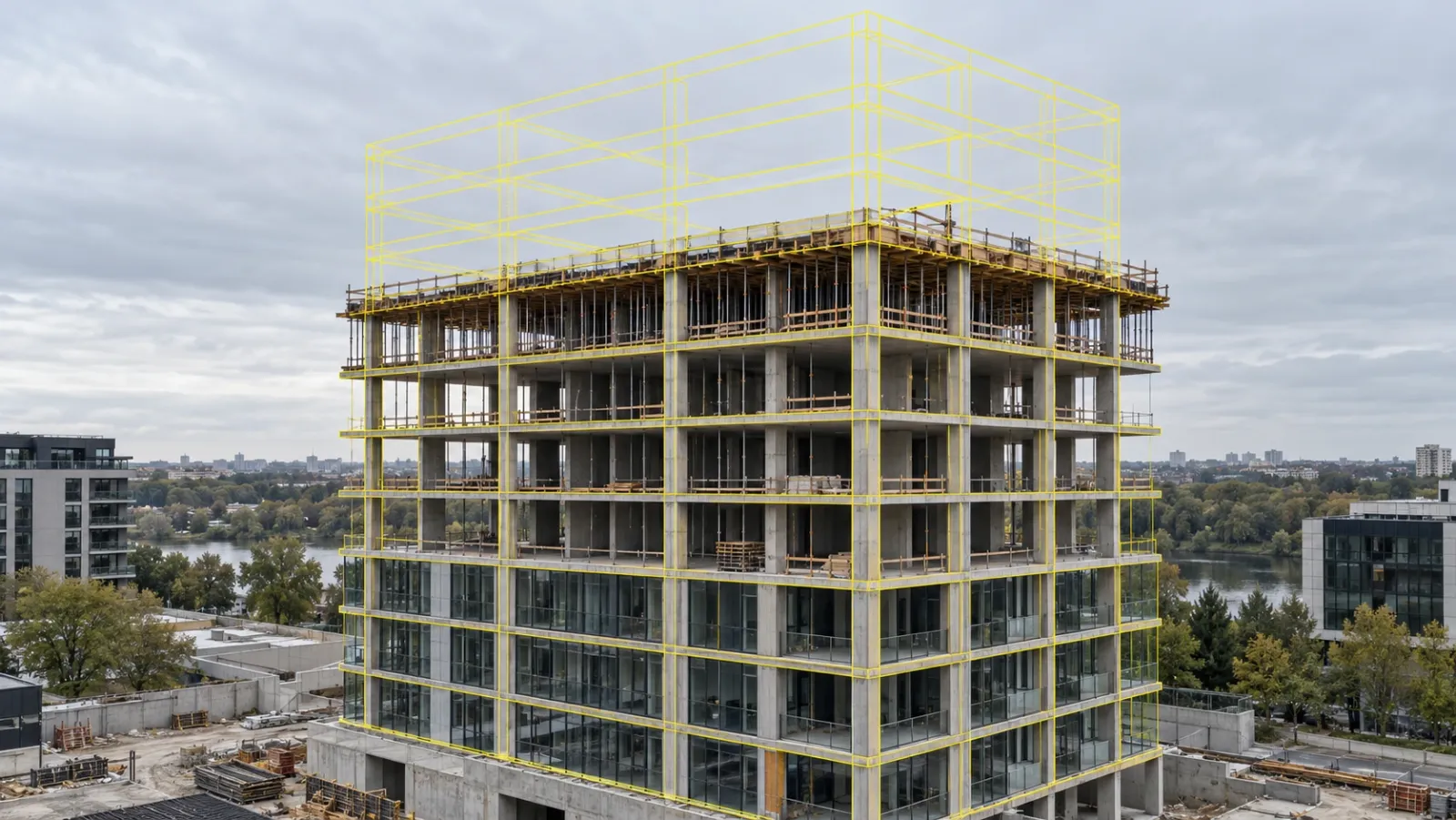
Executive Summary
- The Question: What is the difference between as-built and as-planned, and how do you compare them while there is still time to act?
- The Answer: As-planned is the approved programme and design; as-built is the verified record of what was built, when and where. The comparison is only as good as the site evidence behind it, so it should run on a fixed cadence using dated captures, not self-reported percentages.
- The YelloSKYE Angle: Multi-sensor capture feeds both checks: progress against the programme, and geometry against the model through BIM IQ, all held in one time-linked record on DEX.
As-built vs as-planned: the short answer
As-planned is what the project agreed to build and when; as-built is the verified record of what was actually built, when and where. Comparing the two tells you which activities have slipped, which elements are out of position, and whether either gap threatens completion, cost or the next trade.
Most teams treat this as a schedule exercise. In practice there are two comparisons running at the same time. One is about time: did the activity start and finish when the baseline programme said it would? The other is about geometry: is the column, slab edge, shaft or sleeve where the drawings and the BIM model say it should be? A project can be on programme and still be building the wrong thing, or be dimensionally perfect and three weeks late. This guide covers both, and how BIM IQ and the wider YelloSKYE stack help developers, EPC contractors and PMOs keep each one honest.
The two dimensions of as-built vs as-planned
| Comparison against the programme | Comparison against the design model | |
|---|---|---|
| As-planned source | Approved baseline programme (Primavera P6, MS Project or similar), with activities, logic and milestones | Issued-for-construction drawings and the coordinated BIM model |
| As-built source | Dated site records showing what is installed, by zone and activity | Point cloud from laser scanning or drone photogrammetry, or an as-built BIM model derived from it |
| What it reveals | Slippage, out-of-sequence work, float being consumed | Elements out of position, missing openings or sleeves, dimensional deviations |
| Who acts on it | Planning, project controls, PMO, contractors | Structural, MEP and BIM coordination teams, QA/QC |
| Typical capture | Drone flights, 360° walkthroughs, fixed cameras | Terrestrial laser scanning, drone point clouds |
| Cost of missing it | Late milestones, disputed payment claims, delay claims | Rework, broken concrete, blocked downstream trades |
The two checks share one requirement: an as-built record that is dated, located and objective. Without that, both comparisons fall back on what someone reported rather than what is on site.
Why "as-reported" is not "as-built"
On many projects the progress figure that goes into the monthly report is a percentage entered by a site engineer or the contractor. That figure is useful, but it is a claim, not a record. A floor marked 80% complete may have blockwork done and plastering not started, or services rough-in missing in two flats. When the same percentage also drives the contractor's progress payment claim, the incentive to round up is obvious.
A genuine as-built record is something a third party can check later: a timestamped image, an orthomosaic, a scan, tied to a specific location. If your comparison uses reported numbers on one side, it is really "as-planned vs as-reported", and the gap it hides tends to surface late.
Where the gap between plan and reality opens
Slippage rarely announces itself. It usually starts in one of these places:
- Coarse activities. A single programme line such as "Floor 7 finishes" can hide dozens of sub-steps. The activity can look nearly done while one missing step, say waterproofing in wet areas, is holding up tiling.
- Partial completion logged as complete. Shuttering is struck, but cube results or post-pour checks are pending. The activity reads finished; the next trade cannot start.
- Out-of-sequence work. A contractor moves to a tower that is ready instead of the one the programme expects. Totals look fine, but the planned sequence and the actual sequence diverge.
- Geometric drift. A column poured slightly off grid, a slab edge out of level, or a shaft that narrows over several floors. None of this shows in a progress percentage, and it often goes unnoticed until MEP contractors arrive with prefabricated runs that no longer fit.
The last point is where a schedule-only comparison falls short. Our as-built vs BIM clash detection use case describes exactly this pattern: a structural deviation that looks trivial on site becomes a stoppage weeks later, when the next trade tries to install against the design.
How to compare as-built with as-planned: a practical workflow
The steps below work for a single building or a portfolio. The point is to repeat them on a fixed cadence, not to run them once when a dispute is already under way.
1. Freeze the baseline
Confirm the approved programme, its data date and its critical path, and confirm which drawing revision and model version are current. If the baseline keeps changing informally, there is nothing stable to measure against. The US Government Accountability Office's Schedule Assessment Guide makes the same point: a well-built, approved schedule is the basis for measuring performance.
2. Tie activities to locations and elements
Map each programme activity to the towers, floors, zones or grid lines it covers. On BIM projects, link activities to model elements as well. This is what lets a captured image or scan be read against a specific activity instead of a vague "site overview".
3. Set a capture cadence that matches decisions
Choose the sensor to fit the question:
- Drones for site-wide progress, earthworks, façades and multi-acre layouts, delivered as orthomosaics, 3D models and video.
- 360° cameras for interiors, where drones cannot see.
- Fixed cameras for continuous records and time-lapse of critical zones.
- Laser scanners for geometry that must be checked against the model, after key structural milestones.
Align progress captures with review meetings and payment cycles. Align scans with pours, steel erection and the hand-off to services.
4. Verify, do not estimate
Compare the capture with the programme activity or the model element, and record what is actually installed. For geometry, BIM IQ registers the point cloud to the project's coordinate system and overlays it on the design model, so deviations show up as measured offsets rather than opinions.
5. Compare by zone, trade and element
Look at the variance where the work happens: which tower, which floor, which contractor, which element. A trade that looks slow overall may simply be working in a different zone because the planned one was not ready.
6. Feed the result into decisions
Take the findings into the lookahead, manpower and material plans, the programme update, payment certification and the coordination meeting. A comparison that does not change a decision is just a report.
Which deviations to act on first
Not every gap deserves the same response. A simple triage keeps attention on what threatens completion or creates rework.
| Deviation | What it usually signals | First response |
|---|---|---|
| Critical-path activity behind baseline | Direct risk to a milestone or completion date | Recover now: resequence, add resources or clear the constraint |
| Structural element out of tolerance against the model | Downstream clash with MEP, façade or finishes | Stop the next trade in that zone, review with the structural consultant, decide fix or redesign |
| Missing opening, sleeve or embed | Core cutting or rework later | Confirm against the model and rectify before the area is closed up |
| One zone stalled while others advance | Access, material, approval or labour constraint | Walk the zone (physically or virtually) with the contractor before changing the programme |
| Non-critical activity slipping | Float being consumed | Track it every cycle so it does not turn critical unnoticed |
| Reported progress ahead of captured progress | Over-reporting, possibly in a payment claim | Certify against the visual record, not the claim |
The order matters. Geometry problems are cheapest to fix before the next layer of work covers them, so they often deserve action before a schedule variance of similar size.
The as-built record as evidence
As-built vs as-planned comparison has a long history in delay analysis, where experts reconstruct what happened after the fact. AACE International's Recommended Practice 29R-03 on forensic schedule analysis treats the comparison of the planned schedule with the as-built record as one of its recognised observational methods. In the UK, the Society of Construction Law's Delay and Disruption Protocol stresses keeping the programme updated and maintaining contemporaneous site records.
Whatever method is used later, it depends on knowing when each piece of work actually happened. When that record is thin, people rebuild it from diaries, WhatsApp photos and email threads, and every gap becomes a point of argument. A weekly as-built record removes most of that work. The same captures that flag a slipping trade in month three are the evidence you need if a claim or a billing dispute surfaces in month eighteen. Our use case on resolving contractor billing disputes shows how cycle-aligned drone capture supported that kind of verification, with 80% fewer site visits needed.
How YelloSKYE supports the comparison
YelloSKYE combines multi-sensor capture, engineering processing and one shared platform, so the time check and the geometry check run on the same record.
Progress against the programme
Construct IQ captures site progress with drones, 360° cameras and fixed cameras, and delivers orthomosaics, milestone imagery and video that teams can review against the baseline. In our construction progress capture work, flying the site once a week took more than 15 hours of manual reporting off each site manager's week, and stakeholder meetings that used to run for two hours now finish in 30 minutes.
Geometry against the model
BIM IQ handles the second dimension. Point clouds from laser scanners and drones become as-built BIM models at LOD 300–400, accurate to ±5 mm, which are then laid over the design model so that misplaced structural elements, MEP conflicts and other deviations stand out. Input can come from Leica, FARO, Trimble, Matterport and other major scanner brands, as .e57, .las, .rcp, .pts, .xyz and similar files, and the resulting models open in Revit and AutoCAD.
| Need | YelloSKYE capability | Output |
|---|---|---|
| Is work on programme? | Construct IQ drone, 360° and fixed-camera capture | Orthomosaics, progress imagery, time-lapse, dashboards on DEX |
| Is it built where the design says? | BIM IQ laser scanning and scan-to-BIM | Point clouds, as-built BIM at LOD 300–400, deviation and clash reports |
| Can everyone see the same evidence? | DEX platform | Time-linked visuals, scans and BIM models in one place, with measurement tools and immutable visual records |
One record on DEX
DEX holds drone surveys, 360° captures, scans and BIM models in a single time-linked environment. Teams can overlay CAD or BIM models on site visuals, scrub back through months of site history, and measure distance, area and volume from their desks. Planning, QA, the PMO and leadership look at the same evidence, which turns the progress review from a debate about numbers into a discussion about what to do next.
Common mistakes to avoid
- Comparing against a moving baseline. Lock the programme and model version before you measure.
- Capturing only when there is a problem. A record that starts in month nine cannot explain month four.
- Treating geometry as a handover task. Scanning only at completion produces a good as-built model but misses the chance to prevent rework.
- Keeping evidence in personal phones and chats. If it cannot be found, dated and located, it does not count as a record.
- Leaving the comparison to one team. Planning, site execution and BIM coordination each own a piece; they need one shared view.
Bringing the two comparisons together
As-built vs as-planned is not a closeout report. It is a running check on two questions: are we on time, and are we building what was designed? Projects that answer both every cycle, from dated multi-sensor captures rather than reported percentages, catch drift while it is still cheap to fix and carry a complete record into handover, billing and any dispute that follows. For the geometry side, start with BIM IQ; for progress, pair it with Construct IQ, and bring both together on the DEX platform.
Frequently asked questions
What is the difference between as-built and as-planned in construction?
As-planned is what the project intends to deliver: the approved baseline programme and the design drawings or BIM model. As-built is what actually happened on site: the real start and finish dates of each activity and the real position and dimensions of what was installed. Comparing the two shows where, when and by how much execution has moved away from the plan.
Is an as-built schedule the same as an as-built drawing or model?
No. An as-built schedule records when work was done, while as-built drawings or an as-built BIM model record where and how it was built. Both rely on dated, located site records, and most contracts ask for both at handover.
How often should as-built conditions be compared with the plan?
Often enough to act before a gap reaches the critical path or gets covered by the next trade. For progress, that usually means a weekly or fortnightly capture aligned with review and billing cycles. For geometry, scan after each critical structural milestone, before services, finishes or the next pour close up the work.
Can you compare as-built and as-planned without a BIM model?
Yes. Progress can be compared against the baseline programme using drone orthomosaics, 360° walkthroughs and fixed-camera records tied to zones and activities. A BIM model adds a second check, letting teams overlay a point cloud on the design to find geometric deviations, not just schedule slippage.
Who should own the as-built vs as-planned comparison?
The planning or project controls lead normally owns the comparison and the programme updates. Site engineers and contractors own the accuracy of progress inputs, and the BIM or design coordination team owns the model-to-site check. Working from one shared visual record keeps all three aligned.