Reality Capture in Construction: Technologies, Uses and How to Get Started
By Kush Agarwal, President and CEO, YelloSKYE. Published .
Executive Summary
- The Question: What is reality capture in construction, which technologies does it use, and how do project teams put the data to work?
- The Answer: Reality capture records actual site conditions with drones, 360° cameras, fixed cameras and laser scanners, then processes that data into maps, walkthroughs, point clouds and models that can be compared over time and against design. Its value depends on capture frequency, choosing the right sensor for each question, and getting the data into the hands of the people who decide.
- The YelloSKYE Angle: We combine all four capture methods with engineering analysis and deliver the results through DEX, our digital execution platform, under Construct IQ for construction monitoring.
Reality capture in construction is the practice of digitally recording a site exactly as it stands, using drones, 360° cameras, fixed cameras and laser scanners, so that teams can measure, review and compare it without relying on memory or scattered photos. The output is a dated, location-referenced record of the project that supports progress tracking, quality checks, billing verification and BIM workflows.
For developers, EPC contractors and PMOs, the practical question is less "what is it" and more "which method, how often, and what do we do with the data". This guide covers both. It explains the main technologies, where each fits, how the data flows into project decisions, what limits reality capture and how to plan a programme that pays for itself. For construction-stage monitoring specifically, see Construct IQ.
What reality capture means on a construction site
Every project already captures reality in some form, from phone photos to level readings. What separates reality capture as a discipline is structure. Each capture is tied to a position, a date and a coordinate system, so it can be compared with the previous capture and with the design.
You will also hear the terms site capture, jobsite documentation and digital twin. They overlap. Site capture usually means routine visual documentation. Reality capture includes that but also covers measurement-grade outputs such as orthomosaics, terrain models and point clouds. A digital twin is what you get when repeated captures are organised over time and linked to plans and models, so the project can be explored and measured remotely.
Two processing approaches sit underneath most outputs:
- Photogrammetry reconstructs geometry from many overlapping photographs. Drone surveys use it to produce orthomosaic maps, surface models and 3D meshes.
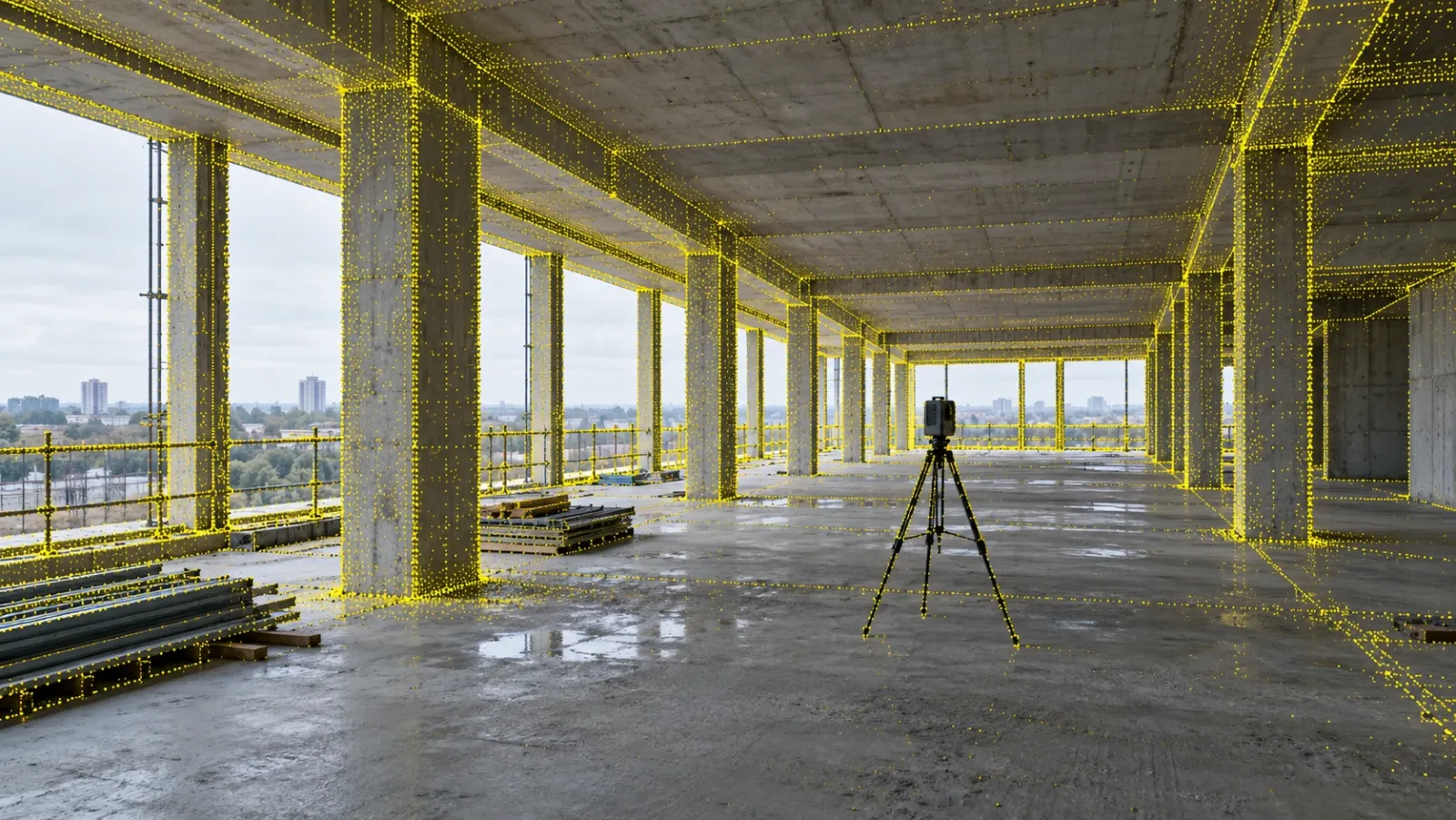
- Laser scanning (LiDAR) measures distance directly with laser pulses, producing dense point clouds of structures and interiors.
360° imaging and fixed cameras are primarily visual records rather than survey-grade measurement, but when each image is mapped to a floor plan or a fixed viewpoint, they become a searchable history of the site.
Reality capture technologies compared
No single sensor answers every question on a project. The table below compares the four methods YelloSKYE uses and the kind of question each one is best at answering.
| Method | What it produces | Best for | Typical cadence |
|---|---|---|---|
| Drone (aerial photogrammetry) | Orthomosaics, DTM/DSM, contours, 3D point clouds and meshes, aerial imagery | Site-wide progress, earthwork volumes, stockpiles, layout and logistics, external structure | Scheduled, often weekly or bi-weekly |
| 360° camera | Navigable interior walkthroughs pinned to floor plans | Fit-out, MEP and finishing work, snagging, interiors drones cannot see | With the pace of interior work |
| Fixed camera | Timestamped images from a stable viewpoint, time-lapse | Continuous view of priority zones, workforce and material flow, milestone records | Continuous, at set intervals |
| Laser scanner | Dense point clouds (for example E57, LAS, RCP) | As-built documentation, dimensional checks, Scan to BIM, renovation | At key stages or before design work |
Other methods exist for specialist needs. Thermal sensors detect temperature differences and are used for facade, roof and solar inspections, which YelloSKYE covers under Inspect IQ. Structured-light scanners suit small objects at close range, and sonar maps underwater structures.
How the methods work together
The methods are strongest in combination. A drone flight shows how the whole site has moved since the last flight, but it cannot see inside a slab-covered floor. A 360° walk shows the services in a corridor, but not whether the earthworks next door match the quantities billed. A fixed camera fills the gaps between scheduled flights with a continuous record of a crane zone or access gate. A laser scan gives the measurement precision needed when an existing structure has to be modelled.
YelloSKYE's fixed-camera construction monitoring work is a good illustration: fixed cameras track selected zones between drone missions, and both streams sit in one project record so reviewers see daily cadence and site-wide context together.
How a reality capture workflow runs
Whatever the sensor, the workflow follows the same four stages.
1. Capture
Capture plans start with the decision the data will support. Drone flights follow pre-programmed routes so each flight covers the same ground at the same overlap. For survey-grade outputs, YelloSKYE uses RTK-GNSS-equipped drones with ground control points, which delivers sub-5 cm positional accuracy. Interior 360° capture follows a walking route through each floor. Fixed cameras are positioned against active work fronts, viewing range, power and connectivity. Laser scans are planned around scan positions and registration targets.
2. Process
Raw data is turned into usable outputs. Drone imagery becomes orthomosaics, terrain models and volumetric reports. 360° images are mapped to their position on the floor plan. Scans are registered into a single point cloud. On a YelloSKYE project, this data is uploaded to DEX, where it is aligned with the project's CAD and BIM files.
3. Compare
Captures become useful when they are compared: this week against last week, actual against planned, as-built against design. In DEX, teams can scroll through site history by date, overlay CAD and BIM on site visuals, view planned versus actual progress, and measure distance, area and volume from their desk.
4. Act
The last step is where most of the value sits. Issues are tagged directly on the site visuals so contractors see exactly where a fix is needed. Progress evidence supports payment approvals. Reports are exported to the tools teams already use.
Where reality capture earns its keep
Progress monitoring and reporting
The most common use is replacing manual progress reports with visual evidence. Instead of compiling photos from WhatsApp groups and emails, teams review the latest capture against the schedule. On YelloSKYE's aerial progress capture projects, site managers have saved more than 15 hours a week by replacing manual site walks and photo reporting with scheduled drone capture.
Billing verification and dispute records
Dated captures create a record of what was built and when. Drone volumetrics let owners check earthwork quantities against contractor claims, and progress records support stage-wise payment decisions. Because each capture is timestamped and location-referenced, the same record helps settle disagreements over variations and delays long after the work is covered.
Quality control, safety and snagging
QA teams can review work remotely and flag issues on the visual record rather than from memory. In interiors, 360° capture shows MEP rough-ins and finishing work before ceilings close. Safety observations such as missing edge protection or obstructed access can be raised the same way. YelloSKYE's interior fit-out work used navigable 360° digital twins to reduce coordination time by 70%.
BIM, as-built and Scan to BIM
Laser scans and drone point clouds can be converted into as-built BIM models, which are then compared with the design model to find elements out of position or clashing services. Under BIM IQ, YelloSKYE processes scans from major scanner brands, including Leica, FARO, Trimble and Matterport, and delivers models from LOD 200 to LOD 400, with LOD 300 to 350 typical for renovation and as-built verification.
Land, terrain and earthworks
Before and during construction, drone surveys provide topographic maps, contours, DTM and DSM surfaces and cut-fill volumes. This work sits under Survey IQ and feeds directly into earthwork tracking once construction starts.
Handover and operations
A complete capture history becomes part of the handover package, showing what is behind walls and above ceilings. Facility teams can use it for maintenance and future renovation without opening up finished surfaces.
Working with BIM and project management tools
Reality capture is most useful when it connects to the systems a project already runs on.
- Project management platforms: YelloSKYE integrates with Procore, Autodesk BIM 360 and Autodesk Construction Cloud, syncing progress data and pushing updates into existing workflows without manual re-entry. Reports can also be exported to MS Project, and API access supports custom workflows.
- Model coordination tools: Point clouds can be registered to model coordinates and exchanged with Revit, Navisworks and ArchiCAD, with IFC supporting open BIM workflows. In a federated model, a captured as-built condition can be checked against design intent to spot clashes that only appeared during installation.
- Survey and GIS tools: Drone survey outputs are exported as GeoTIFF, DXF, LAS or PDF for AutoCAD and GIS workflows.
Limitations and how to address them
Reality capture is not effortless. These are the common problems and the practical responses.
| Limitation | What goes wrong | How to address it |
|---|---|---|
| Coverage gaps | Areas missed because of time, access or blocked routes | Agree a fixed route and schedule with site teams; use fixed cameras for zones that need continuous cover |
| Inconsistent quality | Light, weather, dust or poor overlap degrade outputs | Standard flight plans and walking routes, survey control for measured outputs, quality checks before publishing |
| Data volume | Large datasets that nobody can find or use | Organise captures by date and location on one platform rather than shared drives |
| Slow turnaround | Data arrives after the decision has been made | Choose a workflow with processing times that match the reporting cycle |
| Cost and equipment | Expensive equipment used occasionally | Match each sensor to the question; combine in-house 360° capture with managed drone and scanning services |
| Adoption | Captures happen but nobody reviews them | Use the capture data in progress meetings, bill approvals and RFIs so it becomes part of routine work |
Cost and return on investment
Reality capture pricing generally depends on site area, the sensors involved, capture frequency and the analysis required. A useful way to judge the return is to set the cost against what the current process already spends:
- Site visit time for senior staff, consultants and owners travelling to verify progress.
- Reporting effort spent compiling photos and progress reports by hand.
- Rework caused by deviations found after the next trade has covered them.
- Billing leakage from quantities claimed but never independently checked.
- Dispute effort spent reconstructing what happened months earlier.
YelloSKYE's own deployments give a sense of the levers. Fixed-camera monitoring has delivered up to 80% fewer site visits across verified deployments, and the interior and aerial results above show where time is recovered. Your numbers will depend on project size, the number of sites and how far the data is used in decisions. Most YelloSKYE projects are set up and first captured within 48 to 72 hours, so a pilot on one site is a low-risk way to measure the return before rolling out across a portfolio.
Best practices for a reality capture programme
- Start from decisions, not sensors. List the questions you need answered each week (Is the slab cycle on track? Has the contractor moved the earth claimed? Are services ready for ceiling closure?) and pick the method for each.
- Fix the cadence. Regular captures at the same intervals are worth more than occasional detailed ones, because comparison is where most insight comes from.
- Keep one record. Aerial, interior, fixed-camera and scan data should sit in one place, organised by date and location, so the whole team works from the same version of the site. This is the role DEX plays across YelloSKYE's multi-site portfolios.
- Bring the data into meetings. Open the latest capture in progress reviews and payment approvals rather than relying on slides.
- Tag issues where they are. Raise observations on the visual record so location and context travel with the issue.
- Plan for handover from day one. A complete, dated capture history is far easier to assemble as you go than at the end.
Choosing a reality capture approach
When comparing providers or building an in-house capability, ask:
- Which capture methods are supported, and can they be combined on one project?
- What accuracy is delivered for measured outputs, and how is it validated?
- How quickly is processed data available after capture?
- Can captures be compared with schedules, CAD and BIM, and by whom?
- Which project tools does it integrate with?
- Who does the capturing: your site team, the provider, or both?
YelloSKYE's answer is to combine drones, 360° cameras, fixed cameras and laser scanning with geospatial and civil engineering analysis, delivered through DEX and our solution families: Construct IQ for construction monitoring, Survey IQ for land and terrain, and BIM IQ for Scan to BIM and as-built verification.
Frequently asked questions
What is reality capture in construction?
Reality capture is the process of recording the physical condition of a site or building with sensors such as drones, 360° cameras, fixed cameras and laser scanners, then turning that data into maps, point clouds, navigable walkthroughs and 3D models. Construction teams use it to track progress, check work against design and keep a dated record of what was built.
What is the difference between reality capture and laser scanning?
Laser scanning is one reality capture method. It produces dense, highly accurate point clouds and suits as-built documentation and Scan to BIM. Reality capture is the wider category, which also includes drone photogrammetry, 360° imaging and fixed cameras, each suited to different questions and capture frequencies.
How often should a construction site be captured?
It depends on the pace of work and the decisions the data supports. Drone flights are commonly scheduled weekly or bi-weekly for site-wide progress, interior 360° walks follow the pace of fit-out and services, and fixed cameras capture selected zones continuously at set intervals. The rule is to capture often enough that the record is still current when a decision is made.
Can reality capture data be used with BIM and project management software?
Yes. Point clouds can be registered to model coordinates and exchanged with tools such as Revit and Navisworks, and progress data can be pushed into platforms such as Procore, Autodesk BIM 360 and Autodesk Construction Cloud. This lets teams compare as-built conditions with design intent without re-entering data.
Do site teams need specialist training to capture data?
Not for every method. Interior 360° walks can be done by site staff during routine rounds, while drone surveys and laser scanning usually need trained operators, flight permissions and survey control. Many teams combine their own 360° captures with a provider who handles drones and scanning.