Spatial AI in Construction: How Software Works Out Where Every Capture Sits
By Kush Agarwal, President and CEO, YelloSKYE. Published .
Executive Summary
- The Question: What does "spatial AI" actually do on a construction project, and why does it matter more than the clever analysis built on top of it?
- The Answer: Spatial AI is the part of the software that decides where each capture belongs: in site coordinates, on the drawing and in the model. Comparison over time, design overlays, measurement and issue tracking all assume that answer is right, so location is the foundation the rest stands on.
- The YelloSKYE Angle: We treat placement as engineering, not a background feature. Drone data is tied down with RTK-GNSS and ground control, 360° walks are mapped to their spot in the building and fixed cameras are aligned with the project plan, so every view in DEX starts from a known position.
Spatial AI in construction is software that works out, automatically, where a photo, scan or data point was captured and where it sits relative to the drawings and the design model. It turns "a picture from Thursday" into "grid line C4, level two, Thursday afternoon". Every later step, from comparing two dates to measuring a slab, depends on that placement being right. At YelloSKYE it is the starting point for Construct IQ, our construction monitoring solution, where drone, 360° and fixed-camera records are positioned before anything else happens to them.
This guide deals with location and nothing else. It explains how position is worked out for each kind of capture, how site and model are brought into one frame, how accurate the placement has to be and how location errors show up. For the wider set of things site imagery can do once it is placed, read our guide to visual intelligence in construction.
Why location comes before everything else
A site image without a position proves little. It cannot be set beside last month's image of the same spot, laid over the model or measured against a drawing. Most questions a project team asks of its records have a "where" hidden inside them.
| What the team wants to do | What it needs from location | What happens if placement is wrong |
|---|---|---|
| Compare this week with last week | Both captures tied to the same spot | The software compares two different places and reports "change" |
| Check work against the design | Capture and model in one coordinate system | Correct work appears out of position, or real deviations are hidden |
| Measure a length, area or volume | Known scale and a fixed reference | Quantities drift, and two surveys of the same pile disagree |
| Raise an issue for a trade | A pin on the drawing that the trade can find | Someone walks to the wrong bay or the wrong floor |
| Report progress by area | Each capture assigned to a zone | Work is credited to the wrong area of the programme |
This is why we describe spatial AI as the foundation rather than a feature. The recognition, comparison and reporting layers that get the attention are only as trustworthy as the position they inherit.
Three kinds of "where"
People talk about location as one thing, but on a project it has three meanings, and good software keeps all three linked.
Position on the earth
Outdoors, the reference is a real-world coordinate system, usually the one the surveyors set up for the project. A drone map, a terrain model or a stockpile outline is placed by easting, northing and height. This is what lets aerial data line up with survey drawings and with the next flight.
Position on the drawings
Inside a building, people think in floors, rooms and grid lines rather than coordinates. A useful placement says "level three, between grids 4 and 5", because that is how a site engineer will look for it.
Position in the model
The design model has its own origin, units and levels. To overlay a capture on BIM or CAD, the capture's position has to be translated into the model's frame. When these three meanings agree, a team can move between a drone map, a floor plan and the model without losing track of where they are.
How software works out position for each kind of capture
Each capture method gives the software different clues. The approach changes, but the goal is the same: a position that can be trusted without someone typing it in.
Drone imagery
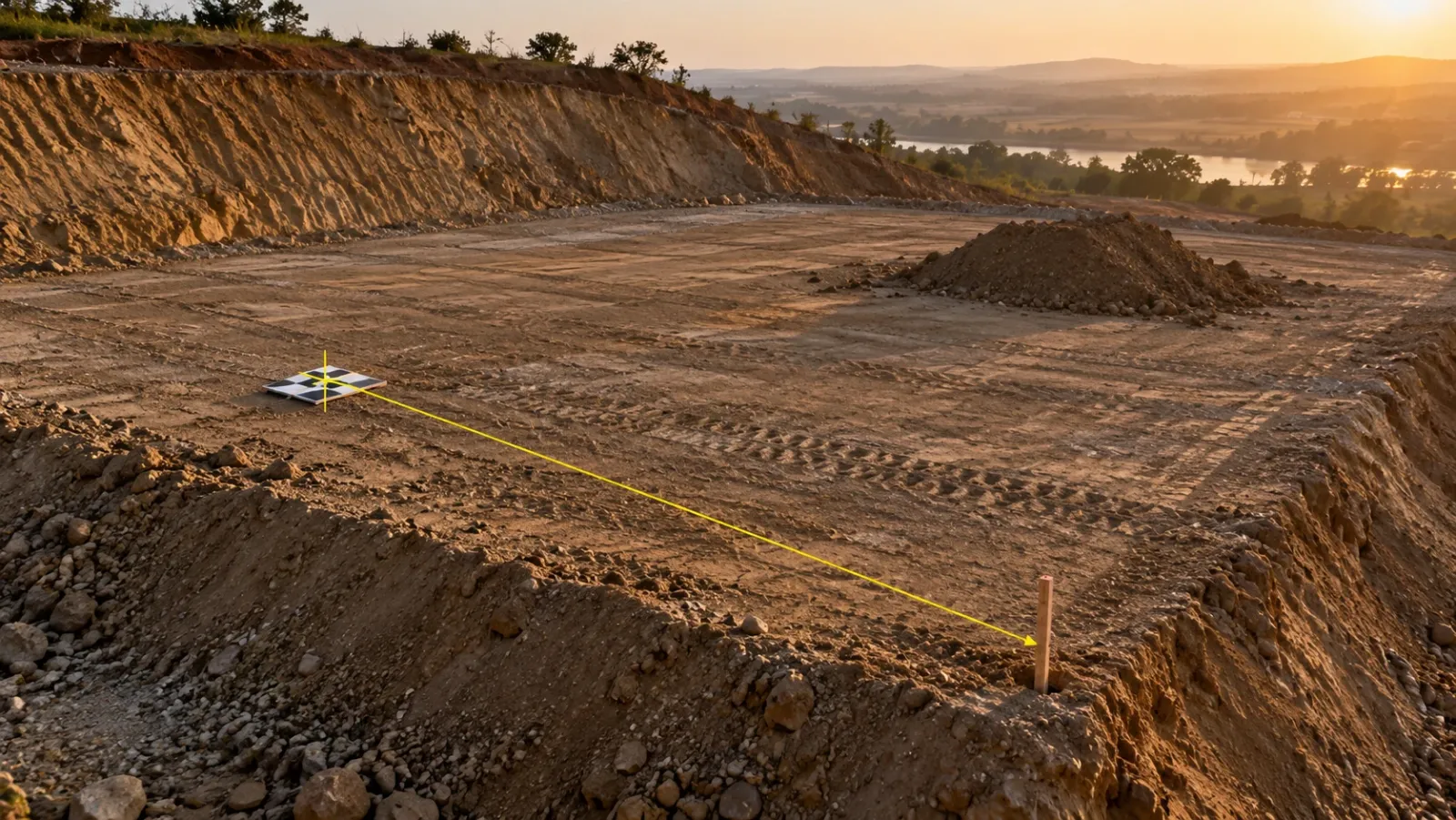
A survey flight produces hundreds of overlapping photos. Photogrammetry finds the same features in several photos and solves for where each camera was and how the ground is shaped. On its own, that solution has the right shape but a loose position. Two things pin it down: corrected satellite positions recorded by an RTK-equipped drone for every photo, and ground control points, which are marked targets measured on the ground with survey instruments. Extra measured targets kept out of the processing act as checkpoints to prove the result.
Our guide to drone imagery processing covers this chain in detail. The point for spatial AI is that outdoor placement is controlled by survey practice, and software alone cannot make up for missing control.
360° walks inside a building
Satellite signals are weak or absent under a slab, so indoor captures need another method. The usual technique follows distinctive features through the video as the camera moves, estimates the camera's path from how those features shift, and then fits that path to the floor plan. Room shapes, corridors and a few known start points help the fit. Over a long walk, small errors build up, so the software looks for places where the route crosses itself and uses them to correct the drift.
The person carrying the camera does not have to tag anything. In our interior fit-out use case, any site worker walks the floor with a 360° device, the software rebuilds the walk into a navigable record and each image is placed at its spot in the building.
Fixed cameras
A fixed camera answers the location question once, at installation. Its position and viewing direction are recorded, and every later frame inherits them. The useful extra step is relating parts of the view to the site plan, so that activity in one corner of the frame can be tied to a known zone. In our fixed-camera construction monitoring work, each camera position is chosen and aligned against the project plan and the active work fronts, and stable framing keeps every frame comparable with the last.
Laser scans
A terrestrial scanner captures millions of measured points from each set-up. The set-ups are joined into one point cloud by matching the overlap between them, a step called registration, and the combined cloud is then tied to project coordinates through surveyed targets or known features. Because scans are measured rather than inferred from photos, they are the usual choice when position has to be checked against the model at fine tolerance.
Phone photos and field notes
A phone's satellite position is good to a few metres outdoors and much worse indoors. Phone photos therefore need help: a pin dropped on the plan by the person taking them, or matching against earlier captures of the same area. Newer indoor methods are improving, but test them on your own site before relying on them for anything you will measure.
Getting the site and the model into one frame
The hardest location problems on real projects are rarely in the software. They come from mismatched references between teams.
| Common mismatch | How it shows up | How to prevent it |
|---|---|---|
| Model built around a local origin | Overlays sit hundreds of metres from the site | Agree a survey point and orientation with the design team at the start |
| Different height datums | Everything looks a fixed distance too high or too low | Confirm the vertical datum and floor levels in writing |
| Floor plans not to scale | 360° placements drift towards one end of the building | Load drawings issued for construction, not marketing plans |
| Superseded drawings | Captures appear in walls that have moved | Replace plans and models as revisions are issued |
| Control points disturbed | Flight-to-flight comparisons show false movement | Protect control, re-survey it after heavy works |
| Repeated floors in a tower | A capture lands on the wrong level because floors look identical | Start each walk at a known point on the correct level |
Repeated floors deserve a special mention. On a residential tower, levels five to twenty may look almost the same at the fit-out stage. Software that matches by appearance can put a walk on the wrong floor while every other detail looks correct. Starting walks from a known point, such as a numbered stair core, removes the ambiguity.
Keeping location consistent over time
Placing one capture is only half the job. Comparison needs every new capture to land in the same frame as the old ones, week after week, while the site itself keeps changing.
- Outdoors, that means flying each survey against the same control, so a stockpile measured in March can be subtracted from the same pile in April.
- Indoors, it means walking from the same start points and keeping plans current as partitions go up, so the software has stable features to match.
- For fixed cameras, it means not knocking the camera. A small shift in viewing angle breaks the alignment for every frame that follows until it is reset.
On long linear projects, consistency also means a shared way of describing position along the route. In our linear corridor mapping use case, aerial data is mapped to chainage sections in DEX, so planned alignment and built work are compared section by section rather than by eye.
How accurate does placement need to be?
Not every question needs survey-grade position. Matching the accuracy to the question saves money and avoids false confidence.
| Question | Placement needed | Typical source |
|---|---|---|
| Which room is this snag in? | Room or bay level | 360° walk placed on the floor plan |
| What did this wall look like before it was closed? | Within a metre or so, at the right date | Repeat 360° walks from fixed start points |
| How much material is in this stockpile? | Centimetre-level, on both survey dates | Controlled drone survey |
| Is this kerb line on its design alignment? | Centimetre-level in project coordinates | Controlled drone survey or ground survey |
| Is this steel member where the model says? | Fine tolerance against the model | Laser scan registered to project control |
For outdoor work, our drone surveys combine RTK-GNSS with surveyed ground control to keep positional error under 5 cm, which supports volume and alignment checks. Where a structural element must be checked against BIM at tighter tolerance, as-built vs BIM clash detection uses terrestrial laser scanning instead.
How to tell when location has gone wrong
Location errors tend to look like real findings, which is what makes them dangerous. A few signs should prompt a check of placement before anyone acts:
- A deviation that is the same everywhere. If every element appears shifted by the same amount in the same direction, the overlay is misaligned, not the building.
- Change in places nobody worked. Apparent movement in an untouched area usually means two captures were placed differently.
- A walk that passes through walls. On the floor plan, the route should follow corridors and doorways.
- Volumes that will not repeat. Two surveys of an untouched stockpile should agree closely; if they do not, check the control.
- Pins that people cannot find. If trades keep arriving at the wrong spot, placement or plan version is off.
A short placement check at the start of each review costs minutes and prevents the much larger cost of acting on a false deviation.
What spatial AI does not do
Knowing where a capture belongs is not the same as knowing what it shows. Recognising that a duct is installed is a separate step built on top of location; what AI does on a jobsite walks through how those steps follow each other. Placement says nothing about quality either, and it cannot recover work that was covered before anyone captured it.
As software starts taking multi-step actions on site data, covered in AI agents in construction, reliable position matters even more: a person may notice a misplaced image, but a program acting on it will not. For the wider picture, see AI in construction.
How DEX handles location
In DEX, our platform, placement is the first thing that happens to each capture:
- Drone maps are geo-referenced, controlled with RTK-GNSS and ground control points, and lined up flight to flight so dates can be compared and volumes measured.
- 360° walks are reconstructed into a navigable record, with every image mapped to its location in the building.
- Fixed cameras are positioned against the project plan and work fronts, and their stable views are kept alongside drone captures in one project reference.
- CAD and BIM are overlaid on site captures so deviations can be flagged, and issues are tagged directly on the site view at the spot where they appear.
Our civil and geospatial engineers check processed outputs before they reach a dashboard, and that check includes position.
Checklist: setting up location on a new project
- Agree one coordinate system and vertical datum with the surveyor and design team before the first capture.
- Survey and protect control points, and re-survey them after major earthworks.
- Load construction-issue drawings and the current model, and replace them as revisions come out.
- Fix start points for indoor walks, one per floor at a numbered core or stair.
- Record each fixed camera's position and view, and check framing after any disturbance.
- Decide the accuracy each question needs, and choose the capture method to match.
- Begin every review with a placement check before looking at deviations or quantities.
Frequently asked questions
What is spatial AI in construction?
Spatial AI is software that works out, without manual tagging, where each photo, scan or data point was captured: its position in site coordinates, on the floor plan and in the design model. Once every capture has a reliable position, it can be compared with earlier dates, overlaid on the design and measured.
How does spatial AI locate images inside a building with no satellite signal?
Indoors, the software usually tracks how the camera moved by following features from frame to frame, rebuilds the route as a path, then fits that path to the floor plan using the shape of the rooms and a few known points. Repeated captures of the same floor help it stay consistent from one walk to the next.
What is the difference between spatial AI and BIM?
BIM is the design model: what should be built and where. Spatial AI is about the captured record of what is there, and in particular where each piece of that record belongs. The two meet when the captures and the model share one coordinate system, which is what makes a design overlay meaningful.
How accurate does location need to be for construction use?
It depends on the question. Finding the right room for a snag needs only rough placement, while checking whether a column or kerb line sits on its design position needs centimetre-level control. YelloSKYE's drone surveys use RTK-GNSS with ground control points to keep positional error under 5 cm.
Why do location errors matter so much?
Because everything built on top of location inherits the error. An image placed on the wrong floor makes a progress comparison wrong, and a model overlay that is shifted by half a metre shows deviations that do not exist. Checking placement is therefore the first step in any review.