Drone Image Processing: How Aerial Photos Become Maps, Surface Models and Measurements
By Kush Agarwal, President and CEO, YelloSKYE. Published .
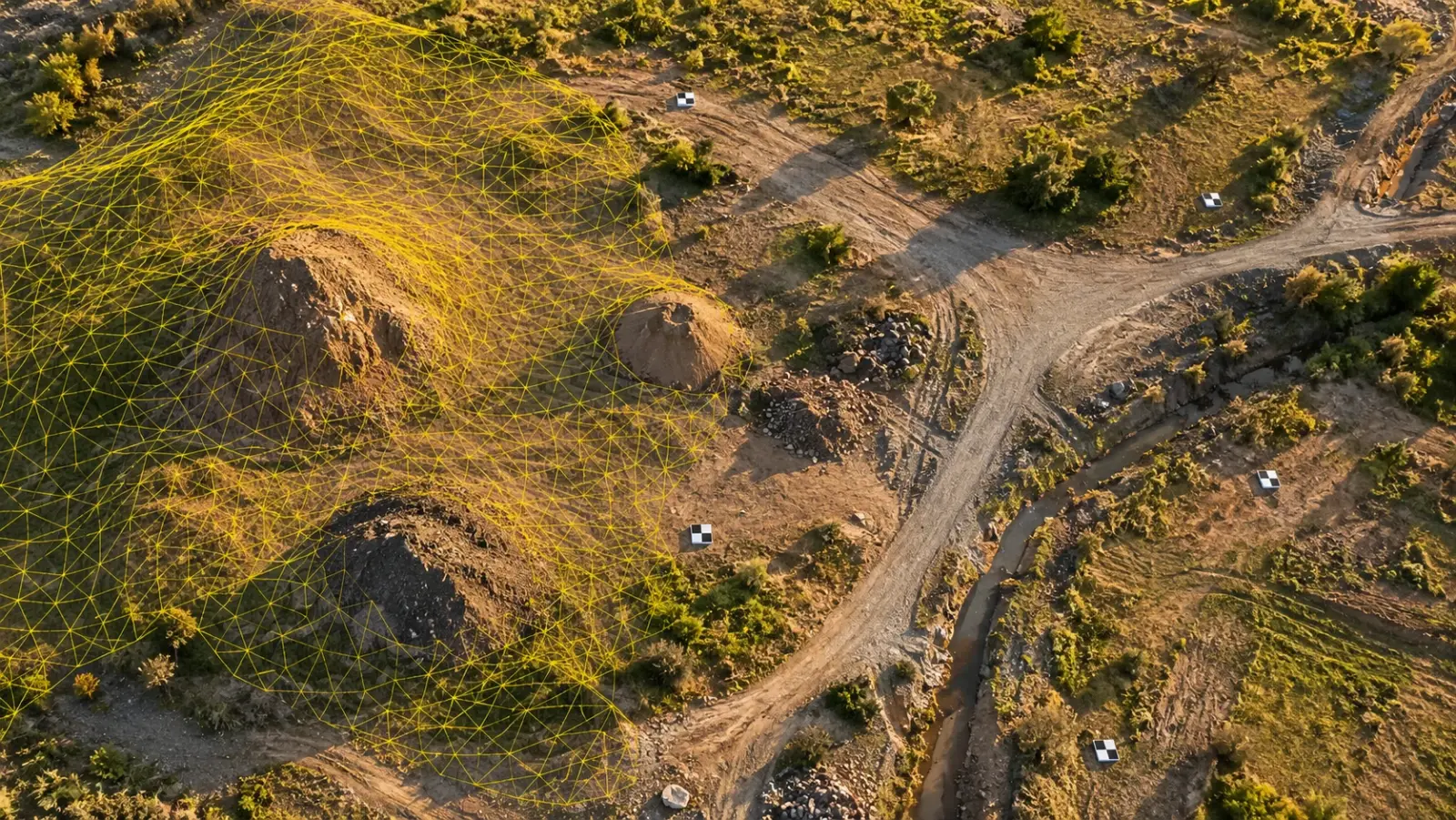
Executive Summary
- The Question: What actually happens to drone photos after the flight, and how do you know the maps, surface models and volumes that come out are fit to use?
- The Answer: Processing software solves where every photo was taken, ties that solution to surveyed ground coordinates, rebuilds the site as millions of 3D points, then derives the terrain surface, the orthomosaic and the measurements from it. Each step has its own checks, and the processing report tells you whether the numbers can be trusted.
- The YelloSKYE Angle: Survey IQ runs this chain with AI-assisted processing and publishes the results to the DEX platform, where volumes, design comparisons and dated surfaces sit in one shared record.
Drone image processing is the computing stage that converts a folder of overlapping aerial photos into measurable products: a point cloud, a surface model, a bare-earth terrain model, an orthomosaic and the distances, areas and volumes taken from them. The flight collects raw evidence. Processing decides whether that evidence becomes something an engineer can sign off.
This guide follows the data from the moment the drone lands. It explains each stage of the chain, what can go wrong at each one, how to read the quality report and how measurements such as cut and fill are derived. Flight design and positioning methods are covered in our guide to drone mapping in construction, and the orthomosaic itself in what is an orthomosaic. At YelloSKYE this processing work sits within Survey IQ, our land survey and terrain solution.
The processing chain at a glance
Every photogrammetry package follows broadly the same order, even if the menus use different names. Each stage depends on the one before it, so an error early on is carried all the way to the final volume figure.
| Stage | Goes in | Comes out | Typical problem if it goes wrong |
|---|---|---|---|
| Image review | Raw photos and their geotags | A clean, complete image set | Blurred or missing photos leave holes in the model |
| Alignment | Clean image set | Camera positions, lens model, sparse tie points | Photos fail to calibrate; the block splits in two |
| Georeferencing | Sparse model, ground control, geotags | Model fixed to project coordinates | Shifts, tilts or a bowl-shaped surface |
| Densification | Georeferenced cameras | Dense point cloud | Noise, gaps over water, glass or plain surfaces |
| Surface generation | Dense cloud | DSM, DTM, mesh | Vegetation or machinery left in the "ground" |
| Orthorectification | Photos plus DSM | Orthomosaic | Leaning edges, ghosted vehicles, visible seams |
| Measurement | Surfaces and ortho | Volumes, contours, sections, areas | Wrong base surface gives the wrong quantity |
Stage 1: Reviewing the images before anything runs
A ten-minute review before loading the photos saves hours later.
- Sharpness and exposure. Motion blur, burnt-out concrete and deep shadow all weaken feature matching. A few soft frames can go if overlap is generous; a whole soft flight line cannot.
- Coverage. Plot the photo centres on a map and look for gaps at the site edges and around tall objects.
- Stray frames. Remove take-off, landing and test shots.
- Metadata. Confirm each photo carries a position and whether it is standard GNSS or corrected RTK or PPK, because the software weights them very differently.
Stage 2: Alignment, or finding the cameras
Alignment is the core of photogrammetry. The software detects thousands of distinctive features in every photo, such as a corner of a kerb, a stone or a tyre mark, and finds the same features in neighbouring photos. Each matched feature is a tie point.
With enough tie points, the software runs a bundle adjustment: a large least-squares calculation that solves, at the same time, the position and angle of every camera, the 3D location of every tie point and the internal geometry of the lens. The output is a sparse point cloud and a set of calibrated cameras.
Two things deserve attention here. First, the share of photos that calibrated successfully: a site where a fifth of the images failed usually has a coverage or texture problem. Second, the lens model. Self-calibration works well when the photos view the ground from varied angles. A flight of perfectly parallel, straight-down photos gives the solver little to separate lens distortion from terrain shape, which is one reason survey teams add a cross grid or a few oblique lines.
Stage 3: Tying the model to real coordinates
After alignment, the model is internally consistent but its position, scale and tilt rest only on the drone's own geotags. Georeferencing fixes it to the project's grid.
Marking control in the photos
Each ground control target is located by eye or automatically in every photo that shows it, usually several per target. The surveyed coordinates are then imported and the bundle adjustment is re-run with them as constraints. Careless marking, or a target that was nudged by a vehicle after it was measured, pulls the whole surface out of shape.
Choosing the coordinate system and height datum
This decision belongs at the start of a project, not in the processing room. The horizontal system must match the one the designers use, and the heights must use the same vertical reference. GNSS measures heights above a mathematical ellipsoid, while most drawings use a geoid-based or local datum. Mixing the two produces a surface that looks perfect but sits a fixed amount above or below the design everywhere.
Holding back checkpoints
Some surveyed targets should be left out of the adjustment entirely. Comparing their known coordinates against the finished model gives an honest measure of accuracy, because the software never had a chance to fit to them.
Stage 4: Densification
The sparse cloud from alignment holds tens of thousands of points. Densification fills it in. Using the solved camera positions, the software compares small patches of pixels between pairs of overlapping photos and computes depth for almost every pixel, producing a dense cloud of many millions of points.
Quality settings matter. Full-resolution densification extracts the most detail but multiplies processing time and file size. Lower settings are often enough for a monthly progress record; a design-grade terrain model or a stockpile audit usually justifies the extra time. Dense clouds also pick up noise: floating points above water, speckle around reflective cladding and stray points under shadows. Filtering this out before building surfaces prevents spikes and pits in the terrain.
Stage 5: Building the surfaces
The digital surface model (DSM) is a grid of heights taken from the top of whatever the cloud recorded: ground, shrubs, cabins, excavators and stockpiles. The digital terrain model (DTM) needs a further step called ground classification, where an algorithm labels each point as ground or non-ground and the DTM is interpolated from ground points only.
Automatic classification handles open soil well and struggles with low dense scrub, steep cut faces and parked plant. A good processor checks the result visually and edits it, for example removing a parked roller that the algorithm treated as a small hill. Where canopy hides the ground completely, the DTM is an interpolation across the gap, and that area should be flagged or filled with ground survey points.
Stage 6: Orthorectification and mosaicking
To make the orthomosaic, each photo is projected down onto the surface model so that height-related distortion is removed, then the photos are blended into a single image along seamlines.
Two artefacts are common. Sharp-edged objects such as cabins or a crane mast can look smeared or leaning, because the surface model rounds off their edges, and moving vehicles can appear cut in half or as faint ghosts. Neither affects measurements on open ground.
From surfaces to measurements
Volumes and the base surface
A volume is the space between two surfaces. The measured surface is usually the DSM or DTM; the second surface, the base, is where judgement comes in.
| Base surface | How it works | Suits |
|---|---|---|
| Lowest point | Flat plane at the lowest point around the pile | Quick checks on piles sitting on flat ground |
| Triangulated edge | Surface stretched between points traced around the toe | Stockpiles on sloping or uneven ground |
| Earlier survey | Surface from a previous flight of the same area | Cut and fill moved between two dates |
| Design surface | Formation or grading level from the design model | Remaining earthwork against the design |
On one highway project, comparing each new terrain model against the design grading plan in DEX gave both client and contractor the same quantity to check, cutting survey turnaround from two weeks to a few hours, as described in our earthwork volumetric analytics use case.
Contours, sections and slopes
Contours are traced from the DTM at a chosen interval; too fine an interval on rough ground produces noisy lines that suggest more precision than the data holds. Cross-sections and long profiles cut through the surface along a road or drain alignment. Slope and aspect maps show where gradients exceed design limits. Run water flow analysis over the same terrain model and you can see where surface water will collect, as in our flood risk and drainage planning use case.
How to read a processing report
The quality report is the only evidence that a good-looking map is also a correct one.
| Item in the report | What it tells you | What to look for |
|---|---|---|
| Calibrated images | How many photos joined the model | Close to all of them; a large share missing needs an explanation |
| Matches per image | How well photos tie to their neighbours | Consistent across the site, without thin patches at the edges |
| Mean reprojection error | Internal agreement between cameras and points, in pixels | A fraction of a pixel; values rising above one pixel deserve a look |
| Camera calibration change | How far the solved lens model moved from its starting values | Small, stable changes; large swings suggest weak geometry |
| Control point error | How closely the model fits the targets used to fix it | Low and evenly spread, with no single target far off |
| Checkpoint error | Accuracy on targets the solver never saw | The figure to quote, and to compare against the project tolerance |
| Overlap map | How many photos saw each part of the site | No low-overlap patches over areas that will be measured |
The one figure to ask for is the checkpoint error. Control point error measures how well the model was fitted; checkpoint error measures how well it predicts the ground.
Common processing failures and their causes
- A bowl or dome in the surface. Typically weak lens calibration from purely parallel imagery, made worse by sparse or edge-only control.
- The site splits into two blocks. A gap in overlap or a strip of featureless ground, such as fresh asphalt or water, broke the chain of matches.
- A constant height offset. Mixed vertical datums or a geoid model left out of processing.
- Holes over water, glass or wet concrete. These surfaces give the matcher nothing stable to lock on to.
- Lumps in the terrain model. Plant, vehicles or vegetation classified as ground.
- Two dates that disagree where nothing changed. Different control, settings or coordinate systems between flights.
Desktop, cloud or managed processing
The three common set-ups differ less in their algorithms than in who holds the controls.
| Approach | Who runs it | Strengths | Watch for |
|---|---|---|---|
| Desktop software | An in-house specialist on a powerful workstation | Full control over every parameter | Needs trained staff; outputs live on one machine until exported |
| Cloud processing | Anyone who can upload photos | No local hardware, results online quickly | Fewer controls; easy to skip checkpoint review |
| Managed service | A survey provider | Control, checks and analysis included | Agree formats, coordinate system and report contents up front |
Keeping repeat processing comparable
Comparing flights over time only works if processing is repeatable. Keep the same coordinate system, height datum, permanent control, quality settings and classification approach for every flight, and version each dataset by capture date.
How YelloSKYE processes drone data
Within Survey IQ, YelloSKYE uses AI-assisted processing to turn drone captures into georeferenced orthomosaics, contour maps, DTM and DSM surfaces, point clouds, volumetric reports and slope analysis. Captures can come from YelloSKYE's certified pilots or from a client's own site team, and the processed data is published to the DEX platform, where it is aligned with the project's CAD and BIM models and volumes are calculated against them. Each product leaves in a standard file type: drawings as DWG or DXF, the orthomosaic as GeoTIFF, point clouds as LAS, LAZ or RCP, and meshes as OBJ or FBX.
Processing is also where design checking starts. Our terrain-based design validation use case shows a freshly processed DTM used as the base for a CAD layout, so level mismatches and encroachments are found before design is locked. When drone data needs to be combined with GNSS and terrestrial survey, our guide to hybrid construction surveys covers how the datasets are tied together.
A practical checklist for processed drone data
- Agree the coordinate system, height datum and units with the design team before the first flight.
- Review the image set for blur, gaps and stray frames before processing.
- Hold back checkpoints and ask for checkpoint error, not only control point error.
- Check the terrain model visually for plant, vehicles and vegetation left in the ground.
- State the base surface used for every volume figure.
- Keep settings and control identical across repeat flights.
- Store each processed dataset by date in a shared platform, alongside its processing report.
Frequently asked questions
How long does drone image processing take?
It depends mainly on the number of photos, the quality settings chosen and the computing power available. A small site at standard settings can be ready in a few hours, while a large parcel processed at full resolution with careful ground classification takes longer. Checking control, cleaning the terrain model and reviewing the report add time that is worth spending.
Can you process drone images without ground control points?
Yes. A drone with RTK or PPK positioning records corrected camera positions that the software can use to place the model on real coordinates. For anything that feeds design, quantities or payment, you still need surveyed checkpoints on the ground to prove the result, and a few control points remain good practice on most sites.
Why does my drone map not line up with the design drawings?
The usual cause is a mismatch in coordinate reference system, vertical datum or units rather than a bad flight. A constant shift in plan points to the wrong projection or grid, and a constant height offset usually means ellipsoidal heights were used where the design uses a local or geoid-based datum. Agree the coordinate system with the design team before processing, not after.
What is reprojection error in photogrammetry?
Reprojection error measures how far, in pixels, each matched feature lands from where the solved camera model says it should be. Low values mean the cameras and the 3D points agree with each other. It says nothing about whether the model sits in the right place on the ground, which is what checkpoints are for.
What is the difference between a point cloud and a mesh?
A point cloud is a large set of individual 3D points, each with a position and a colour, and it is the raw geometric result of processing. A mesh joins those points into a continuous surface of small triangles and drapes the photo texture over it. Engineers measure and classify the cloud; the mesh is easier to view and present.