What AI Does on a Jobsite: One Day of Site Imagery, Step by Step
By Kush Agarwal, President and CEO, YelloSKYE. Published .
Executive Summary
- The Question: When a construction team captures its site with drones, 360° cameras and fixed cameras, what does the AI actually do with those images, in what order, and where does a person step in?
- The Answer: In one day the software checks each capture, places it on the site, builds maps and walkthroughs, compares them with the previous date and with the design, measures quantities and raises flags. An engineer reviews the flags, and the project manager receives a short list of things that need a decision rather than a folder of photos.
- The YelloSKYE Angle: We run this chain for clients through Construct IQ and DEX: our pilots or the site team capture, the platform aligns and measures, our engineers review, and the project team acts on evidence it can open and check.
AI on a jobsite does a sequence of narrow, practical jobs with the imagery the site produces each day. It checks the captures are usable, places every image on the site and the drawings, assembles maps and walkthroughs, compares them with yesterday and with the design, measures what can be measured and flags what looks wrong. It does not decide what happens next; a project manager does that, with better evidence and less sorting. At YelloSKYE this is the daily loop behind Construct IQ, our construction monitoring solution.
Rather than describe the technology in general terms, this guide follows a single day on one illustrative project, from the first drone flight to the decisions made the next morning. It is written for site managers and project managers who want to know what will land on their desk, and what they still have to do themselves.
The day we are following
This is an illustration built from typical project conditions, not a customer story.
The project is a six-storey office building with a basement car park. The frame is complete on the upper floors, fit-out is under way on levels one and two, and the external car park is being graded. The contractor submits a monthly progress payment claim, and the owner's project manager wants a weekly update.
Four capture streams feed the record on this particular day:
| Time | Capture | Who does it | What it covers |
|---|---|---|---|
| 07:30 | Drone survey flight | Pilot | Whole site, including roof slab and car park earthworks |
| All day | Two fixed cameras | Automatic | Loading bay and the car park grading area |
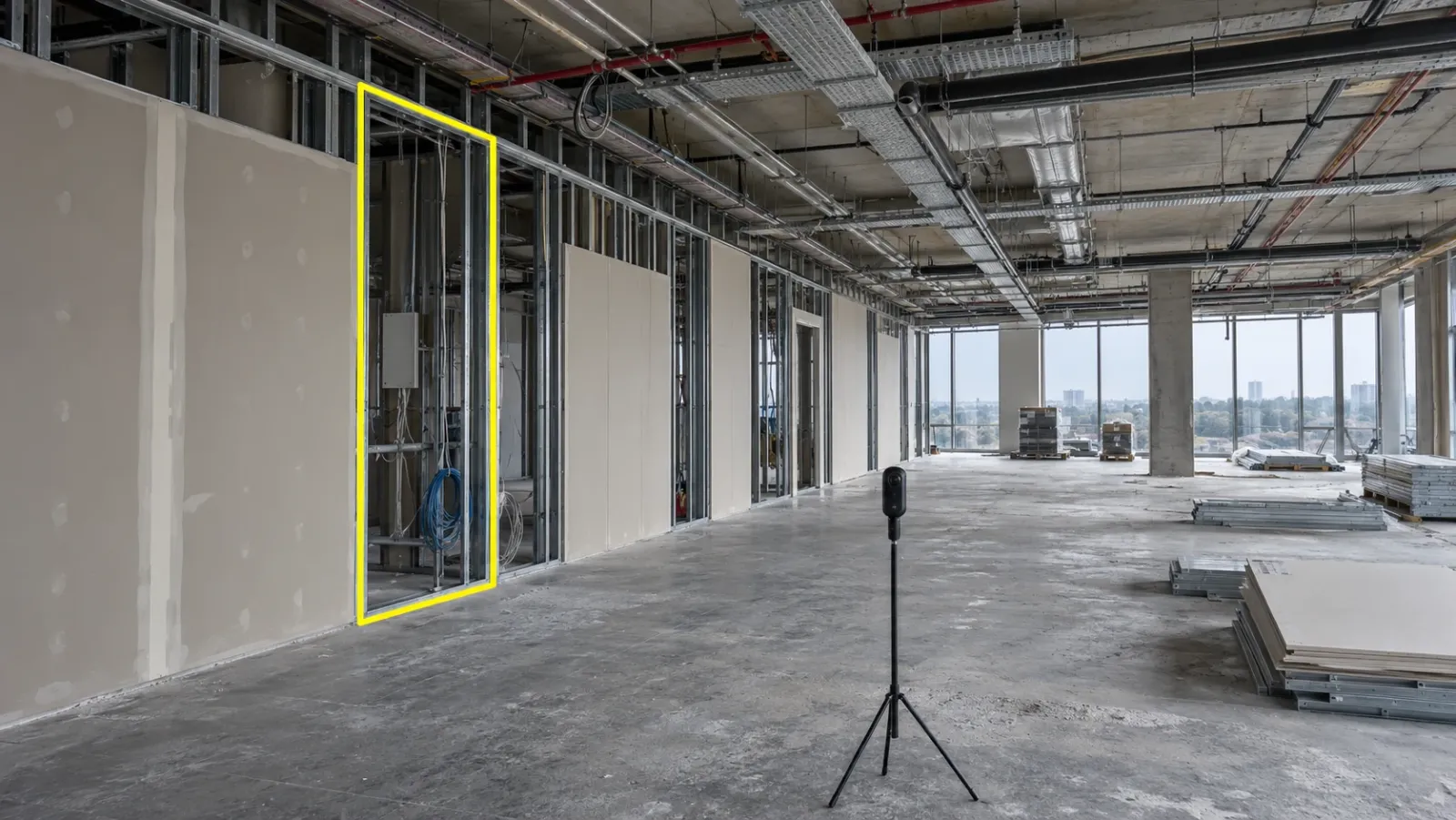
| 14:00 | 360° walk of level two | Site engineer | The fit-out floor, room by room |
| Through the day | Phone photos and notes | Site team | Snags and queries as they arise |
Step 1: Checking the captures before anything else
The first job the software does is quality control on the raw inputs. A drone survey is checked for coverage gaps, blurred frames and enough overlap between photos. A 360° walk is checked for missing sections and for frames that are too dark to use. Fixed-camera frames are checked for a shifted view or a lens covered in dust.
What the person does: if a section of the flight is missing or the walk skipped a room, someone has to recapture it, ideally the same day. A gap now means a hole in the record that cannot be filled later.
Step 2: Placing every image on the site
Next, each capture is given a position. The drone images are tied to project coordinates using the drone's corrected satellite positions and the ground control points on site. The 360° walk is reconstructed into a path and fitted to the level two floor plan, so every frame is pinned to its room. The fixed cameras already have known positions. How this works, and how it goes wrong, is the subject of our guide to spatial AI in construction.
What the person does: a quick look to confirm the walk sits on the right floor and the drone map lines up with the site boundary.
Step 3: Building the views people will open
With positions known, the software turns raw captures into things a team can use:
- the drone photos become a scaled site map, a surface model and a 3D view of the roof and car park;
- the 360° walk becomes a navigable tour of level two, room by room;
- the fixed-camera frames are added to a dated sequence that can be played back or turned into a time-lapse.
None of these is analysis yet. They are the base layers that every later step reads from.
Step 4: Comparing with yesterday
Now the software lines up today's views with the previous ones for the same places. On the car park, today's surface model is compared with last week's to show where ground has been cut or filled. On level two, today's tour is set beside the last walk, so a reviewer can see which partition bays have been boarded. The loading bay camera shows when deliveries arrived and how long the bay was occupied.
What the person does: decide whether the change matches what the programme expected. The software can show that a bay is still open; it cannot say whether that is a delay or a deliberate hold for services.
Step 5: Comparing with the design and the programme
This is where the record starts to answer the questions a project manager actually asks. The drone map and surface model are overlaid with the design drawings and the grading plan, so areas that sit above or below design level show up. Progress is compared with the programme activity by activity and area by area, and anything that has slipped against the baseline is marked.
The comparison is only as good as the design data behind it. If the grading plan was revised last week and nobody loaded the new version, every "deviation" on the car park may be a false one. Keeping models and drawings current is part of the routine, not an IT task.
Step 6: Measuring
Some answers are numbers. From the controlled drone survey, the software calculates the volume of material cut and filled on the car park since the last flight, and the volume in each stockpile. Lengths and areas can be taken from the site map or the level two tour, so a reviewer can check how many metres of partition have been boarded without going upstairs.
How far those numbers can be trusted is set by the survey, not the software. Our flights pair an RTK-GNSS drone with surveyed ground control, which holds position to within 5 cm and puts earthwork volumes within 1 to 3 per cent of a conventional ground survey. A quantity needs that kind of confidence before anyone uses it to check a payment claim.
Step 7: Raising flags and alerts
By late evening the software has a set of candidate findings: an area of the car park below design level, a partition bay on level two still open when the programme says it should be boarded, a stockpile that has grown more than expected, a period when the loading bay was blocked. Issues logged by the site team during the day are pinned to the spot where they were raised.
Alerts can also be set for particular events. In Construct IQ, the team can be notified when a critical milestone is reached or when activity stops in a zone marked as high priority.
Step 8: The human review
Before any of this goes to the wider team, an engineer reviews the flags. This step is what turns software output into something a project manager can rely on. Typical false flags the reviewer removes:
| Flag | Why it may be wrong | What the reviewer checks |
|---|---|---|
| Area below design level | Fresh topsoil not yet placed, or an old design surface loaded | Programme sequence and the current grading plan |
| Work shown as installed | Materials stacked in place look like finished work | Close look at the 360° frames |
| Change in an untouched area | Shadow, standing water or a parked machine | Earlier captures at a similar time of day |
| Activity stopped in a zone | Planned break, inspection hold or weather | Site diary and the daily plan |
| Stockpile grew too much | Survey edge drawn differently | Pile boundary compared with the previous survey |
At YelloSKYE, civil and geospatial engineers carry out this check before results reach the dashboard. Whoever does it, it needs a name attached to it. Flags that nobody owns quickly become noise that people learn to ignore.
Step 9: What reaches the project manager next morning
When the project manager opens the dashboard the next day, the output is short:
- progress against the programme, by area, with yesterday's change highlighted;
- a reviewed list of deviations, each linked to the image or map location that shows it;
- updated earthwork quantities for the car park;
- open issues pinned to the drawings and assigned to the responsible trade;
- the latest views, ready to open in a meeting rather than described from memory.
Progress data can be exported to Procore, Autodesk Construction Cloud and MS Project, so it lands in the tools the team already uses instead of in another place to check.
The decisions it supports
The point of the whole chain is to make specific decisions faster and easier to defend. Here is how one day's record supports the decisions a project manager makes most often.
| Decision | Evidence prepared by the software | What the project manager still judges |
|---|---|---|
| Approve or query a payment claim | Measured quantities and dated images against claimed progress | Whether the work meets the specification and the contract terms |
| Chase a subcontractor | Areas behind programme, with the images that show it | Whether the cause is the subcontractor, design or access |
| Allow a ceiling or wall to be closed | A dated 360° record of services before closure | Whether inspections and tests have been signed off |
| Update the owner | Progress by area, site views and time-lapse sequences | What the owner needs to hear and what it means for completion |
| Send someone to site | A short list of flagged locations | Which flags justify a visit today |
In the resolving contractor billing disputes use case, drone captures aligned with the billing cycle are used to check claimed progress against the site, an approach that reduces physical site visits by up to 80%. On level two of our illustration, the same approach as our interior fit-out work applies: compare dates side by side, measure remotely and log issues on the site view.
Where the daily loop breaks
The software chain is the reliable part. The routine around it is where days are lost.
- A capture is skipped because the site is busy, which is exactly the day the record matters most.
- The design data is out of date, so the comparison produces confident, wrong deviations.
- Nobody owns the review, so flags pile up unread.
- The output is not used in meetings, so people go back to describing progress from memory.
- Captures are not timed before concealment, so services disappear behind boards before they are recorded.
For the broader view of what AI does well and badly across a project, beyond site imagery, see our guide to AI in construction. For the step after this, where software takes several actions on its own rather than preparing evidence for a person, see AI agents in construction.
What changes in a manager's week
The change is less about new information and more about where time goes. Sorting photos, writing up walks and assembling reports move to the software and the reviewer. Site visits become targeted. Meetings start from a shared record instead of competing versions. In the construction progress capture use case, aerial capture with remote review saved site managers more than 15 hours a week, and continuous views from fixed-camera construction monitoring fill the gaps between scheduled flights.
What does not change is responsibility. The project manager still signs the payment certificate, accepts the work and answers to the owner. The record makes those calls better informed; it does not make them.
Checklist: setting up the daily loop on your project
- Fix the capture plan: which streams, which areas, what time of day, and who captures each one.
- Load current drawings, models and the programme, and assign someone to replace them when revisions are issued.
- Break the programme down by area, so progress can be read zone by zone.
- Name the reviewer who checks flags each day before they go out.
- Agree what reaches the project manager: a short reviewed list, not every flag.
- Time interior walks before concealment of ceilings, walls and slabs.
- Use the record in every progress meeting, so it becomes the reference everyone works from.
Frequently asked questions
What does AI actually do with construction site photos?
It checks the captures are usable, works out where each one was taken, builds maps and walkthroughs from them, compares them with earlier dates and with the design, measures quantities and flags anything that looks different from the plan. A person then reviews those flags before they reach the wider team.
Does AI on a jobsite replace the site walk?
No. It changes what the walk is for. Routine checks of position, change and quantity can be done from the record, so walks can focus on the areas the record flags and on things a camera cannot judge, such as fixings, tests and workmanship.
How long does it take for site imagery to become useful?
That depends on the capture type and the processing chain. Fixed-camera frames are available almost at once, while drone surveys and 360° walks need processing before they can be compared or measured. The practical aim is to have yesterday's captures processed and reviewed before the next morning's meeting.
What can go wrong with AI analysis of site imagery?
Missed or poor captures, an out-of-date model, shadows or stored materials mistaken for installed work, and flags that nobody reviews. Most failures come from the routine around the software rather than the software itself.
Who should review the AI output on a project?
One named engineer, with enough site knowledge to tell a real deviation from a false one. On YelloSKYE projects, our civil and geospatial engineers check processed outputs before they reach the dashboard, and the client's project team decides what to act on.