Automated Construction Progress Tracking: How It Works and What It Replaces
By Kush Agarwal, President and CEO, YelloSKYE. Published .
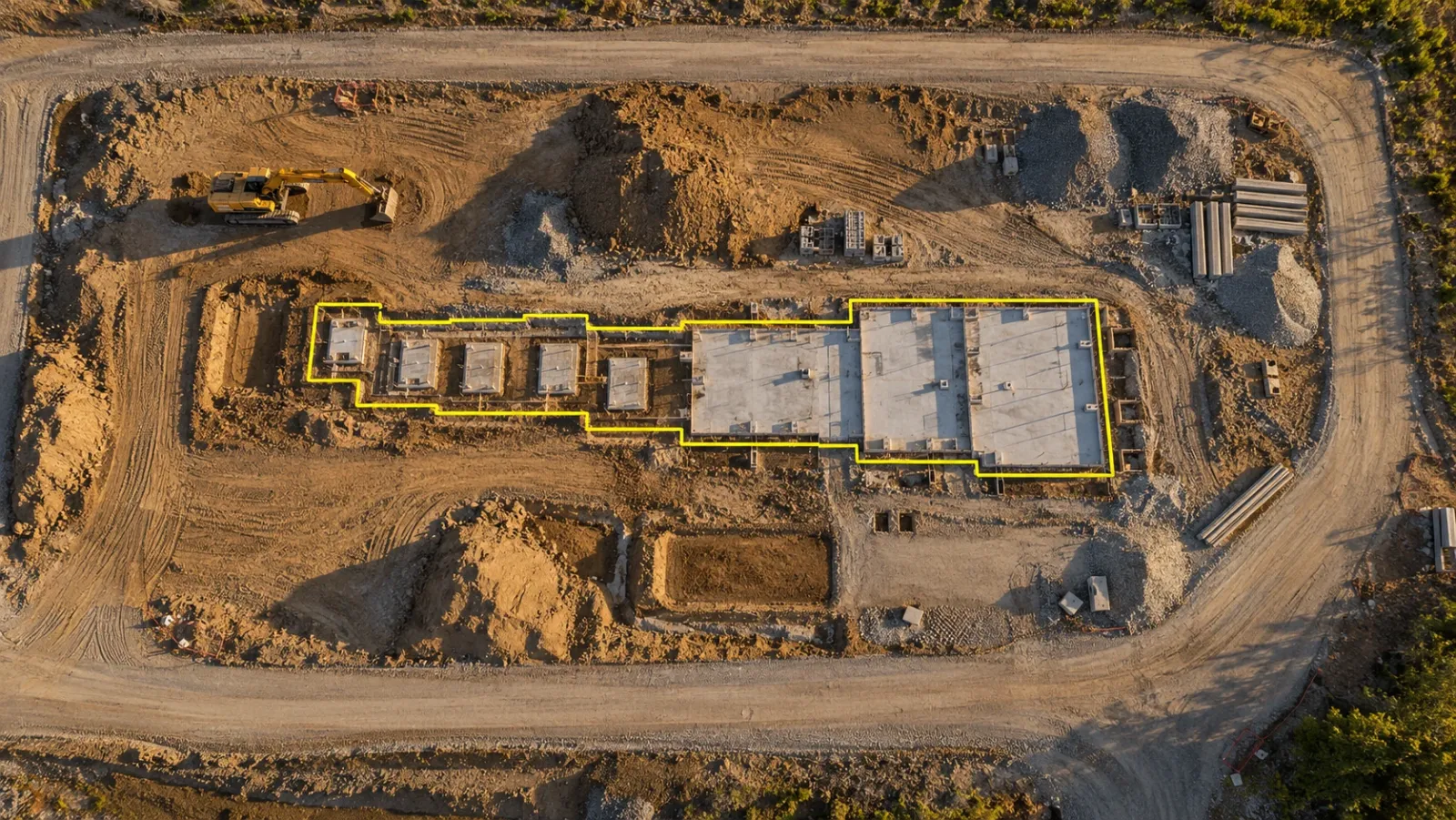
Executive Summary
- The Question: What does automated construction progress tracking actually automate, and which parts of the old reporting routine does it take over?
- The Answer: It automates the repetitive chain between the site and the report: capturing the site on a routine, placing each image in its true location, comparing it with the programme and design, and publishing the result. It replaces marked-up drawings, re-typed spreadsheets and self-reported trade progress. It does not replace engineering judgement.
- The YelloSKYE Angle: Construct IQ runs drones, fixed cameras and 360° capture as one routine and delivers the results through DEX, where every capture is aligned with your drawings and schedule.
Automated construction progress tracking is a method of recording what has been built in which the routine steps, from capturing the site to comparing it with the plan, are carried out by cameras and software instead of by an engineer with a drawing and a notebook. The project team still owns the decisions. What changes is that the evidence arrives on time, in the same format every cycle, without someone spending a day assembling it.
For developers, contractors and PMOs, the appeal is simple: progress figures that are current, consistent and backed by imagery anyone can open. This guide breaks the process into its parts, explains what each capture method contributes, and is honest about where automation stops. It draws on how we deliver tracking through Construct IQ, YelloSKYE's construction monitoring solution.
What "automated" really covers
Progress tracking is not one task. It is a chain of five steps, and each can be done by hand or by machine. Most projects that call themselves automated have only automated one or two links.
| Step | The manual version | The automated version | What still needs a person |
|---|---|---|---|
| Capture | An engineer walks the site and photographs what seems relevant | Drones, fixed cameras and 360° cameras record on a set routine with fixed settings | Deciding the capture plan and cadence |
| Locate | Photos are named or described by hand, if at all | Each image is placed on the site plan or model by position | Checking the alignment on complex sites |
| Compare | Someone marks progress on a printed drawing from memory | Captures are lined up with the programme, drawings and BIM | Interpreting deviations that matter |
| Measure | Quantities are estimated or sent for a separate survey | Areas, lengths and volumes are calculated from the capture data | Confirming measurement rules for billing |
| Report | Notes are typed into a spreadsheet and compiled into a weekly report | Dashboards and alerts update as new captures are processed | Deciding what action to take |
When only capture is automated, you get more photos and the same reporting burden. The value comes when all five links run together, so a capture on Tuesday becomes a planned versus actual view on Wednesday without anyone retyping it.
The routine it replaces
It helps to be specific about what goes away, because that is where the time and the errors were.
The marked-up drawing
On many sites, an engineer still tours each floor with a printed plan, colours in what looks finished and estimates a percentage for each trade. That estimate depends on the person, the time they had and what they could see. Two people rarely produce the same figure for the same floor.
Retyping into the programme
The marked-up drawing then has to become numbers in a spreadsheet and updates in the scheduling software. Every transfer is a chance to enter the wrong activity, the wrong figure or last week's status. By the time the programme is updated, the site has moved on.
Progress reported by the people being paid
Trade contractors often submit their own progress figures with their payment claims. Without independent evidence, the main contractor or PMO is left to accept the figure or argue about it. Neither is a good use of time.
The monthly photo report
The familiar monthly report, with a few dozen photos and a narrative, shows that work happened somewhere. It rarely shows where, compared with what, or whether the pace is enough. It is also out of date the day it is circulated.
Automating the chain does not just speed these steps up. It removes the hand-offs where information was lost.
Three capture streams, three kinds of automation
No single sensor sees the whole project. Automated tracking works when each method covers the part of the job it is suited to, and all of them feed the same record.
Drones: the site-wide measurement
A drone flies a pre-programmed route at the same height and overlap each time, so every flight produces a map and surface model that can be compared directly with the last one. That is what makes aerial capture suited to automation: the software is comparing like with like. Drones measure earthworks, structural progress, roads, external works and site logistics. For more on the aerial side, see our guide to drone construction progress tracking.
The aerial progress capture use case shows the scale of the change: once weekly flights replaced manual reporting on a multi-acre development, site managers got back over 15 hours a week and stakeholder meetings shrank from two hours to 30 minutes.
Fixed cameras: the continuous view
A fixed camera captures timestamped images of one zone at defined intervals, all day, from a stable viewpoint. Nobody has to remember to take the picture. That makes fixed cameras the natural source for activity data between drone flights: whether crews are present, when a pour started, whether work in a priority zone has stopped. Construct IQ can alert the team when a critical milestone is reached or when activity stops in a high-priority area. Our fixed-camera construction monitoring use case describes how this fills the gaps between aerial captures.
360° walks: the interior record
Once the envelope closes, the drone sees only the roof. Interior progress, including services, partitions and finishes, needs a 360° camera carried through the building. The capture is still a walk, but the walk itself becomes the record: the imagery is reconstructed into a navigable model of the space and each frame is placed at its location on the plan. In YelloSKYE's approach, any site worker can carry the camera, with no specialist technician needed. Our interior fit-out use case reports a 70 per cent reduction in site coordination time once teams worked from navigable 360° records.
| Capture stream | How it is triggered | What it measures best | Where it goes blind |
|---|---|---|---|
| Drone | Scheduled flight on a fixed route | Earthworks, structure, external works, logistics | Inside the building once enclosed |
| Fixed camera | Automatic, at set intervals | Activity, sequence and milestones in chosen zones | Anything outside its field of view |
| 360° camera | A walk through the building | Services, partitions, finishes, fit-out | Areas not walked; detailed geometry |
| Laser scanner | Planned scans at key stages | Precise as-built geometry against BIM | Too slow for frequent, site-wide updates |
How the comparison with the plan works
Captures become progress tracking at the point where they are compared with something. There are three useful comparisons, and a good system runs all of them.
Against the programme
Each zone or element in the capture is linked to activities in the schedule. Construct IQ compares actual execution with the planned schedule in 4D, so a lagging zone shows up as a gap between planned and actual curves rather than as a line in someone's notes. The result answers the question every project meeting asks: which activities are behind, and by how much.
Against the design
The platform overlays CAD or BIM models on the captured site, so elements that are missing, misplaced or out of sequence stand out. In DEX, uploaded captures are aligned with your CAD and BIM models before deviations are flagged. If you want the detail of this comparison, our guide to as-built vs as-planned covers it step by step.
Against claimed quantities
For earthworks, the software calculates cut and fill volumes from successive drone surveys. That gives the PMO an independent quantity to set against a contractor's claim without commissioning a separate resurvey.
Where automation stops
Automated tracking is strong at answering "what is there, and where?" It is weaker, or silent, on several questions that still decide project outcomes.
- Quality and workmanship. A capture shows a wall is built. It does not certify that the wall meets specification. Inspections and tests still matter.
- Partly finished work. Software can see that services are installed but not whether they have been tested. Your rules for what counts as complete have to be defined by people.
- Why something is late. The record shows that a zone stalled. Finding out whether the cause was design, labour, materials or access still needs a conversation.
- Formal sign-off. Certified levels, legal boundaries and statutory inspections remain with qualified professionals.
- Model output without review. Automated classification can be wrong, especially on cluttered or unusual sites. YelloSKYE combines its own processing with review by civil and geospatial engineers, so what reaches the dashboard has been checked before a PMO acts on it.
Being clear about these limits makes the system more credible, not less. A tracking routine that claims to replace engineering judgement tends to lose the trust of the engineers it depends on.
What changes for each role
Automating the routine shifts how people spend their time more than it removes tasks.
- Site engineers stop compiling reports and spend that time on coordination and quality.
- Project managers check progress and payment claims against the same dated record, instead of chasing updates from each trade.
- PMOs and owners look at a current view of the site whenever they need it, rather than waiting for the monthly report.
- Leadership on multi-site portfolios compares projects on a common baseline. In our portfolio monitoring use case, standard capture across every site let leadership review more than ten sites in 30 minutes.
Because every capture is dated and kept, the same record also settles later questions about what was in place and when. Our guide to construction progress monitoring explains how this record supports payments and disputes across a project.
Fitting it into your existing tools
Automated tracking should feed the systems your team already uses, not sit beside them as another place to check. Construct IQ integrates with Procore, Autodesk BIM 360 and Autodesk Construction Cloud, so progress data and flagged deviations reach existing workflows without re-entry. Ask any provider how results reach your schedule and document systems before you commit.
Getting started: a practical checklist
- List the decisions the data must support. Payment certification, schedule updates, owner reporting and dispute records each need different evidence.
- Assign a sensor to each phase. Drones for earthworks and structure, fixed cameras for critical zones, 360° capture once interiors start, laser scans where geometry has to be exact.
- Fix the capture routine at mobilisation. Agree routes, camera positions, cadence and zones with the contractors, and keep them constant so each capture is comparable.
- Time a capture to each payment cycle. That way the evidence and the claim cover the same period.
- Link zones to schedule activities early. Comparison against the programme only works if the mapping exists before the first capture.
- Write down what "complete" means for key activities. Automation shows what is in place; your definitions decide how that becomes a percentage.
- Name an owner for reviewing the output. Someone has to read the flags each cycle and act on them, or the record becomes another unopened folder.
Frequently asked questions
What is automated construction progress tracking?
It is a way of recording site progress in which capture, location tagging, comparison with the plan and reporting happen through software rather than by hand. Drones, fixed cameras and 360° cameras collect the evidence on a set routine, and a platform lines each capture up with drawings, models and the programme. People still review the output and decide what to do about it.
Does automated progress tracking mean nobody needs to visit the site?
No. Engineers and managers still go to site, but they go with a purpose: to resolve an issue, check quality or meet a contractor. What disappears is the routine trip made only to find out how far work has got, because the current state is already captured and viewable from anywhere.
Which technologies are used to automate progress tracking?
The common capture tools are drones for site-wide aerial mapping, fixed cameras for continuous views of selected zones, 360° cameras for interiors and laser scanners where precise geometry matters. Software then places the captures on the site plan, compares them with the schedule and design, calculates quantities such as earthwork volumes and flags deviations.
Can automated tracking judge whether work is complete?
It can show what is physically in place and how that compares with the plan, which covers most progress questions. Judgements about quality, workmanship, the cause of a delay or formal sign-off still belong to qualified people. The strongest systems pair automated analysis with engineering review before results reach a dashboard.
How long does it take to start automated progress tracking on a project?
It depends on the provider and the site. With YelloSKYE Construct IQ, most projects are set up and first captured within 48 to 72 hours, with the YelloSKYE team handling mobilisation, equipment and platform onboarding.