Visual Intelligence in Construction: Turning Site Imagery into Answers
By Kush Agarwal, President and CEO, YelloSKYE. Published .
Executive Summary
- The Question: Most projects now collect thousands of site images. What does it take for that imagery to answer questions instead of filling a server?
- The Answer: Visual intelligence is the layer that makes imagery answerable. It rests on five capabilities: knowing where each image sits, comparing the same place over time, comparing it with the design and programme, measuring from it, and finding things in it. Each one depends on disciplined capture, and none of them replaces engineering judgement.
- The YelloSKYE Angle: Through Construct IQ, drones, 360° cameras and fixed cameras record the site, and DEX places every capture by location and date, lays CAD and BIM over it and lets teams measure and compare from a browser.
Visual intelligence in construction is the step that turns site imagery into answers. Capture gives you pictures; visual intelligence places each one on the site, lines it up with earlier dates and with the design, makes it measurable and lets you find what you need without opening folders one by one. The practical test is simple: can someone in the office answer "where is it, what changed, does it match, how big is it?" from the record alone? At YelloSKYE this is the job of DEX, our platform, which sits behind Construct IQ, our construction monitoring solution.
Below we explain each of those capabilities in practical terms, what a project has to put in place for them to work, and the limits you should expect. It is about site imagery specifically. For the broader picture of AI across scheduling, estimating, documents and safety, see our guide to AI in construction.
Why a folder of photos is not an answer
Site teams rarely look at imagery for its own sake. They open it because they have a question. The trouble is that an ordinary photo archive cannot answer most of those questions, because the images carry no reliable information about position, scale or relation to the plan.
| Question someone actually asks | What the imagery must carry to answer it | Typical output |
|---|---|---|
| Where exactly is this? | A position in site coordinates or on the floor plan | A pin on a map or drawing |
| What changed since last month? | The same place captured on both dates, from comparable viewpoints | Side-by-side or slider view |
| Is it where the drawing says? | Alignment with CAD, BIM and the schedule | Overlay with deviations marked |
| How big is it, or how much is there? | Known scale and ground control | Length, area or volume |
| Where else does this occur? | Tags, notes or detected features that can be queried | A filtered list of locations |
Each row is a capability. A product that does the first two well and the rest poorly can still be useful, but it is worth knowing which rows you are buying.
The five capabilities
Location: knowing where every image sits
Everything else depends on position. Outdoors, drone imagery is tied to real coordinates using satellite positioning and ground control points, so a drone map lines up with survey drawings. Indoors, satellite positioning does not work, so 360° walks are placed on the floor plan by matching the path through the building. Fixed cameras have a known position by design.
Once position is solved, an image stops being "a photo from Tuesday" and becomes "the north-east stair core, level three, on Tuesday". That is the difference between a record you browse and one you can query.
Comparison over time
The commonest question on any site is what has changed. Answering it reliably needs the same areas captured on a regular cadence, from routes and viewpoints that repeat. Then two dates can be shown side by side, or a slider can move through the weeks.
Done well, this shows when a zone stalled, when a service run appeared and what an area looked like before it was closed up. Done poorly, with different angles and gaps of several weeks, it creates arguments rather than settling them.
Comparison with the design and the programme
Placing imagery against the plan is where visual records start to support decisions. A drone map or point cloud overlaid with CAD or BIM shows elements that sit away from their intended position. The same record compared with the programme shows which activities are behind in which areas. On earthworks, a terrain model compared with the design grading surface shows where material still needs to be cut or filled.
This only works if the design data is current and shares a coordinate system with the capture. An overlay against an out-of-date model produces confident, wrong deviations. For more on the practice of checking built against designed, see as-built vs as-planned.
Measurement
Imagery that has been processed into an orthomosaic, a surface model or a point cloud has scale, so it can be measured: the length of a trench, the area of a slab, the volume of a stockpile. This removes the need to send someone with a tape or book a survey for many routine checks.
Accuracy depends on how the data was captured, not on the software alone. Our drone surveys combine RTK-GNSS positioning with surveyed ground control, which keeps positional error under 5 cm, and earthwork volumes measured this way come within 1 to 3 per cent of what a traditional ground survey reports. Fly the same site without control and the same software will give you less reliable numbers.
Search and retrieval
Search is the least mature of the five. The dependable form today is search by place and date: open the location, pick the day. Search by content is developing. Annotations, issue tags and notes attached to a location can be filtered, and some systems detect particular features, such as thermal anomalies or specific objects, so that their locations can be listed.
Free-text questions about what is in the imagery ("show me every exposed rebar on level two") are an active area of development across the industry. They are worth testing on your own data before relying on them, because the accuracy of the results varies with lighting, clutter and the type of object.
What visual intelligence needs to work
The capability lives in the software, but the conditions for it are set on site. These are the prerequisites we see make or break a project.
| Prerequisite | Why it matters | What good looks like |
|---|---|---|
| A fixed capture routine | Comparison over time needs repeat coverage | Set routes and cadence, agreed at mobilisation |
| Shared coordinates and plans | Location and overlay need a common reference | Control points surveyed; current floor plans loaded |
| Current design data | Comparisons are only as good as the model | Revisions tracked and replaced as they are issued |
| A schedule broken down by area | Progress must be read zone by zone | Activities tied to locations, not just trades |
| Captures before concealment | Hidden work cannot be recovered later | Walks timed before ceilings, slabs and walls close |
| A named reviewer | Automated flags need checking before action | An engineer who owns the weekly review |
The most common failure is not technical. It is a capture routine that slips when the site gets busy, so the record has gaps exactly when the most is happening.
Limits you should expect
Visual intelligence answers questions about what is visible, where and when. It is honest to be clear about what falls outside that.
- It cannot see through finishes. Services in a ceiling void or reinforcement in a slab are visible only if they were captured before closing.
- It shows what, not why. A record proves a zone stopped; the cause still comes from people.
- It does not certify quality. An element in the right place may still have failed a test or be badly fixed.
- Detection is imperfect. Clutter, shadow, rain and temporary works confuse automated recognition, which is why flags need review.
- Volume brings cost. Imagery accumulates fast. Without a clear retention and naming policy, storage grows while usefulness does not.
- People are in the frame. Cameras on site raise privacy questions to settle with the workforce before capture starts.
How it looks in practice with DEX
In YelloSKYE's platform, each of the five capabilities has a concrete form, and the use cases on our site show them at work.
Location. Drone maps in DEX are geo-referenced, and in the interior fit-out use case the 360° walk is reconstructed into a navigable record with every image placed at its location in the building.
Change over time. Users can move back through a site's history one day at a time, or set two capture dates next to each other. In our facade inspection from a desk example, an owner uses this to check whether a reported crack looked different at an earlier capture before booking access.
Design and programme. DEX overlays CAD and BIM on site captures and flags deviations, and Construct IQ compares progress against the schedule baseline in 4D. On linear projects, the linear corridor mapping use case maps aerial data to chainage sections so planned alignment can be checked against what has been built.
Measurement. Lengths, areas and volumes are taken in the browser, and cut and fill quantities are worked out automatically from drone surveys.
Search and issues. Records are organised by location and date, and each issue is pinned to the spot where it appears in the capture and assigned to a team, so it can be followed to closure.
Behind this sits review by our civil and geospatial engineers, so flags are checked before they reach a dashboard.
A worked example: a drainage run on a new road
This is an illustration, not a customer story.
A project manager on a new access road is told that a cross-drainage culvert has been installed and backfilled, and the contractor has included it in a progress payment claim. The questions are familiar: is it where the drawing shows, was it there before the backfill date claimed, and how long is it?
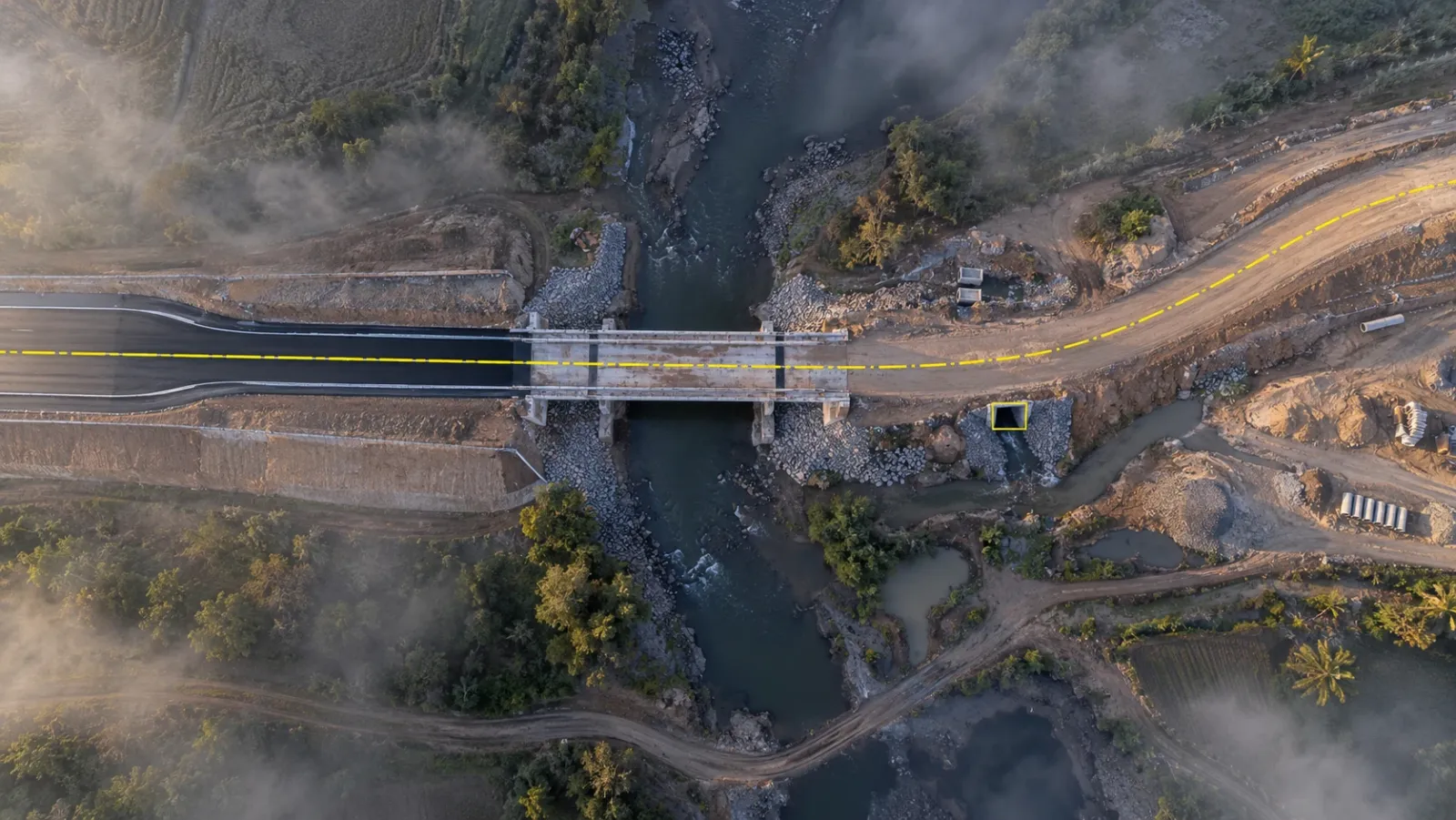
With a visual record, the manager opens the latest drone map at that chainage and sees the culvert headwalls. Turning on the design layer shows the culvert sitting on its intended line. Moving back two captures shows the open trench with the pipe laid, dated before the backfill. A measurement along the pipe confirms its length against the drawing. Four questions answered without a site visit, and a record that the contractor, the project manager and the owner can all look at.
What the record cannot say is whether the pipe was bedded correctly or the joints tested. That still comes from the inspection records, and the visual evidence tells the inspector exactly where to look if there is doubt.
Checklist: making your site imagery answerable
- Write down the questions first. List the five or six questions your team asks most often, and check which capability each one needs.
- Fix routes and cadence. Agree capture routes, viewpoints and frequency at mobilisation, and protect them when the site gets busy.
- Set up a common reference. Survey control points, load current floor plans and agree the coordinate system with the design team.
- Keep the design data current. Replace models and drawings as revisions are issued, so overlays compare against the right version.
- Capture before concealment. Schedule walks and scans ahead of ceilings, slabs and wall linings being closed.
- Assign a reviewer. Make one engineer responsible for checking automated flags each cycle before they go to the wider team.
- Test search on your own data. Before relying on content search or automated detection, try it on a few weeks of your own captures and compare with what an engineer finds.
For how the progress side of this fits into a weekly reporting routine, see our guide to automated construction progress tracking.
Frequently asked questions
What is visual intelligence in construction?
Visual intelligence is the work of organising site imagery so it can answer questions: where a picture was taken, what changed since an earlier date, whether the work matches the design, how big something is and where else a condition appears. It sits on top of reality capture, which only collects the images.
How is visual intelligence different from reality capture?
Reality capture produces the raw record: photographs, 360° walks, drone maps and point clouds. Visual intelligence is what happens next, when that record is placed in site coordinates, lined up across dates and against the plan, and made measurable and searchable. A capture programme without that step mostly produces storage.
Can visual intelligence detect defects automatically?
Some, within limits. Software can flag visible anomalies, such as thermal hot spots on a solar array or an element that sits away from its modelled position, so an engineer knows where to look. It cannot confirm that work meets the specification, and it cannot see anything hidden behind finishes.
What do you need for visual intelligence to work on a project?
A regular capture routine, a shared coordinate system or floor plans for placing images, current design and schedule data to compare against, and a person who reviews the results. Consistency matters more than resolution: the same routes and viewpoints each cycle make comparison reliable.
Does visual intelligence replace site inspections?
No. It changes their order. Teams can check location, change, size and alignment with the design from a desk, then send people only where the record suggests a closer look is needed. Tests, hands-on checks and formal sign-off still happen on site.