
Key takeaways
- The Question: What is a digital twin in construction, how is it different from a BIM model or a laser scan, and how do you tell whether one is worth building and keeping?
- The Answer: A twin is a model that is regularly corrected by data from the real asset and used to make decisions. Its value comes from the decisions it supports and the discipline that keeps it current, not from how realistic it looks. Start from a few clear uses and a named owner for each data stream.
- The YelloSKYE Angle: BIM IQ builds and checks the geometric side of a twin from scan and drone data, and the DEX platform holds those alongside dated drone, 360° and fixed-camera captures with the design model laid over them.
A digital twin in construction is a digital representation of a building, structure or site that is kept in step with the physical asset by data captured from it, and that people use to make decisions about the asset. The two parts of that definition matter equally. Without regular updates from the real thing it is just a model; without decisions that depend on it, it is an expensive archive. YelloSKYE works on the side of the twin that records physical reality: BIM IQ models as-built geometry from laser scan and drone point cloud data and compares it with the design.
This guide sets out how a twin differs from BIM and reality capture, the kinds of twin you will hear about, what one does during construction and in operation, the data that keeps it current and the questions that decide whether it is worth the effort.
Model, capture and twin: three different things
The three terms are often swapped freely. They describe different things, and confusing them leads to projects that buy one and expect the benefits of another.
| BIM model | Reality capture | Digital twin | |
|---|---|---|---|
| What it represents | The intended building and its information | Physical conditions on the day of capture | The asset as it currently is, linked to its design and history |
| How it changes | When the design changes | It does not; each capture is new | Regularly, from captures, records and sometimes live feeds |
| Main question it answers | What are we building? | What was there on that date? | What is the state of the asset now, and what should we do? |
| Typical owner | Design team, then contractor | Survey or capture provider | Owner or operator, with contributors feeding it |
| Typical failure | Never updated after design | Captured once and filed | Set up with energy, then left to drift |
A twin usually combines the other two. The design model provides structure, classification and identifiers; repeated captures provide evidence of what is really there. The technical side of lining those two up is set out in reality capture and BIM.
The test: which way does the data flow?
The idea of a digital twin came from manufacturing and aerospace, where Michael Grieves described it in the early 2000s for product lifecycle management. A useful later classification, from a 2018 review by Kritzinger and colleagues, sorts digital representations by how data moves between the physical and digital versions:
- Digital model: data moves by hand in both directions. A design model that someone occasionally updates sits here.
- Digital shadow: data flows automatically from the physical asset into the digital one, but decisions are taken and applied by people. Most construction "twins" are, strictly, shadows.
- Digital twin: data flows automatically both ways, so the digital version can change the physical one, as when a control system adjusts plant.
In buildings, the fully automatic two-way loop exists mostly in building management systems. For construction teams, the useful target is usually a reliable shadow: a record that updates on a known cycle and that people trust enough to act on.
Kinds of digital twin
Twins are described by what they cover and by when in the asset's life they are used.
| Kind | Scope | Example decision it supports |
|---|---|---|
| Component twin | One item of equipment | When to service a chiller based on its run hours |
| Asset twin | One building or structure | Where a riser runs before cutting a new opening |
| System twin | Several assets that work together | How a campus cooling loop behaves when one plant room is offline |
| Portfolio or network twin | Many assets across sites or a region | Which projects or buildings need attention first |
| Construction twin | A project while it is built | Whether the installed work matches design and schedule |
| Operational twin | A completed asset in use | How space, maintenance and energy should be managed |
Some public bodies have set out principles for twins that connect across organisations. In the UK, for example, the Centre for Digital Built Britain published the Gemini Principles in 2018 to guide a national approach, built on purpose, trust and good governance. For a single project or owner, the same three ideas are a good test: a clear purpose, data people can trust and someone responsible for it.
Using a twin during construction
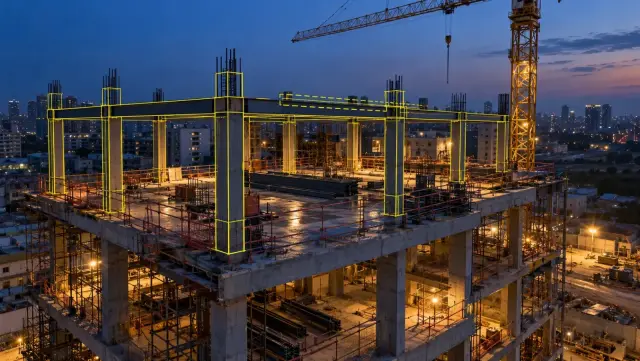
On a live project, a construction twin is the design model plus a dated record of the site, organised so the two can be compared. It earns its keep in four places.
Checking built work against design
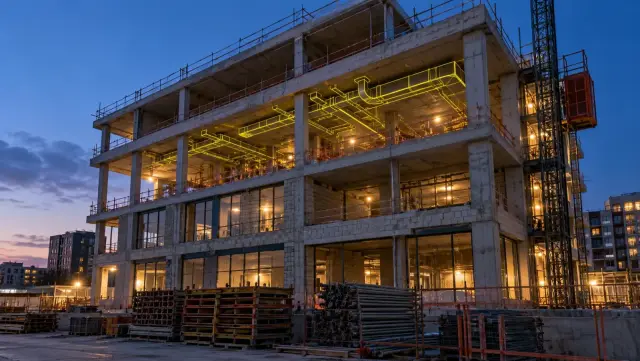
Laying the model over a scan or a 360° image of the same location shows whether columns, openings, sleeves and services are where they should be, while there is still time to fix them cheaply. On DEX, CAD and BIM models can be overlaid on site captures to spot deviations, and BIM IQ compares scan-derived models with the design model to flag elements out of position.
Measuring progress against plan
When model elements are linked to the schedule, captures show which activities are physically complete. DEX includes a progress versus plan view against the 4D schedule, and Time Travel Playback lets a user scroll back through earlier captures to see when each piece of work appeared.
Recording what will be hidden
Services in walls, ceilings and slabs are the part of the building owners most want to see later and can least easily reach. A walk or scan taken before closure, located on the plan, becomes part of the twin. The interior fit-out use case describes navigable, time-stamped 360° records of interiors, a record credited there with cutting coordination time by 70 per cent and making the path from snag to closure five times quicker.
Giving everyone the same picture
When site engineers, the project manager and the owner look at one dated record, fewer meetings are spent establishing facts. For owners with several projects, the portfolio monitoring use case shows more than ten sites brought into one standard view on DEX.
Using a twin in operation
After handover, the twin's users change from builders to facility managers, maintenance contractors and asset owners, and so do the questions. Typical uses include:
- Finding assets and services without opening up the building, using the verified model and the visual record taken before closure.
- Planning works such as refurbishments, tenant changes and plant replacement from measured geometry rather than old drawings.
- Managing maintenance by linking model elements to the asset register and work orders.
- Watching performance where building systems such as energy meters or the building management system feed data into the twin.
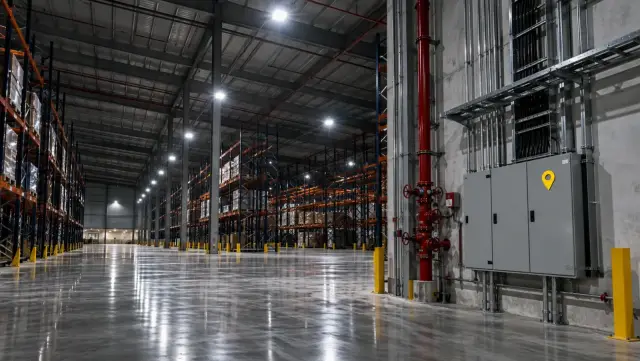
YelloSKYE does not supply sensors or building management systems. Its contribution in operation is the geometric and visual record: verified as-built models, dated captures and the history behind them. In the warehouse handover use case, the operator received role-based access to a time-stamped record of the whole build on DEX, maintenance teams used it to locate utilities behind concrete, and the hours spent on site for pre-delivery inspections dropped by 70 per cent. For how facility teams put that kind of record to work every day, read reality capture for facility management.
The data that keeps a twin current
A twin is only as current as its slowest important data stream. Before building one, list the streams, how often each must refresh and who is responsible.
| Data stream | What it keeps current | Typical refresh | Usually owned by |
|---|---|---|---|
| Design and change models | Intended geometry and element information | Each issued revision | Design team, then contractor |
| Drone surveys | Site layout, roofs, external works, earthworks | Weekly to monthly during construction; on change or annually in operation | Capture provider |
| 360° walks | Interior conditions, services before closure | Weekly and before each concealment | Site team |
| Laser scans | Precise geometry of structure and dense services | At structural milestones and before major alterations | Survey or scan provider |
| Fixed cameras | Activity in busy zones between other captures | Continuous | Site or facility team |
| Asset and maintenance records | Equipment data, warranties, service history | On every installation and work order | Contractor, then facility manager |
| Building system feeds | Energy, temperature, occupancy | Live | Operator |
Four habits stop the streams drifting apart:
- One coordinate system for every capture and model, fixed at the start.
- One identifier per element and space, used in the model, the asset register and the capture platform.
- Dates on everything, so a user always knows how old the view in front of them is.
- Change as a trigger. Any alteration to the physical asset should prompt an update to the twin, not wait for the next cycle.
Information management standards such as the ISO 19650 series give a framework for naming, versioning and approving this information in a common data environment.
Is a digital twin worth it?
Twins are easy to start and hard to keep. Before committing, work through these questions honestly.
| Question | Good sign | Warning sign |
|---|---|---|
| Which decisions will it change? | Named decisions with a named decision-maker | "Better visibility" with no specific use |
| Who will keep it current? | A budgeted owner for each data stream | Nobody after the project team leaves |
| How often must it refresh? | A cadence matched to how fast the asset changes | Live data everywhere, whether needed or not |
| Can existing systems use it? | Exports to the tools teams already work in | A separate system nobody opens |
| How will you know it is accurate? | Periodic checks against a scan or survey | Trust based on the date it was set up |
| What happens at handover? | The operator has agreed what they will receive | The contractor's data is archived and forgotten |
A twin tends to justify itself where assets are complex, change often or are expensive to open up: hospitals, laboratories, data centres, airports, campuses and large portfolios. On a simple building with few alterations, a verified as-built model and a dated visual record may deliver most of the value at a fraction of the effort. It also helps that the twin uses tools the team already has: YelloSKYE's progress data can go out to MS Project, Procore and Autodesk Construction Cloud by API or in standard file formats, so the twin feeds existing workflows instead of replacing them.
Next steps
- Write down three to five decisions the twin must support and who makes each one.
- Decide whether you need a construction twin, an operational twin or one that runs from the first to the second.
- List the data streams, their refresh cycle and a named owner for each.
- Fix the coordinate system, identifiers and naming before the first capture.
- Agree with the future operator what they will receive at handover and in what format.
- Start with one building and one or two uses, check the twin against the real asset after six months, then decide whether to extend it.