BIM in Construction: Using the Model on Site, During the Build and at Handover
By Kush Agarwal, President and CEO, YelloSKYE. Published .
Executive Summary
- The Question: How do you get value from BIM once design is finished, when the model has to serve people pouring concrete, installing services and, eventually, running the building?
- The Answer: Treat the model as a working tool for the whole build. Put the current version in front of the field, measure progress and installed work against its elements, update it as changes are approved, and verify it against the real building before it is handed to the owner.
- The YelloSKYE Angle: BIM IQ checks what was built against the design model, produces as-built models from laser scans and drone point clouds, and DEX puts the model and dated site captures in one place for site teams, owners and operators.
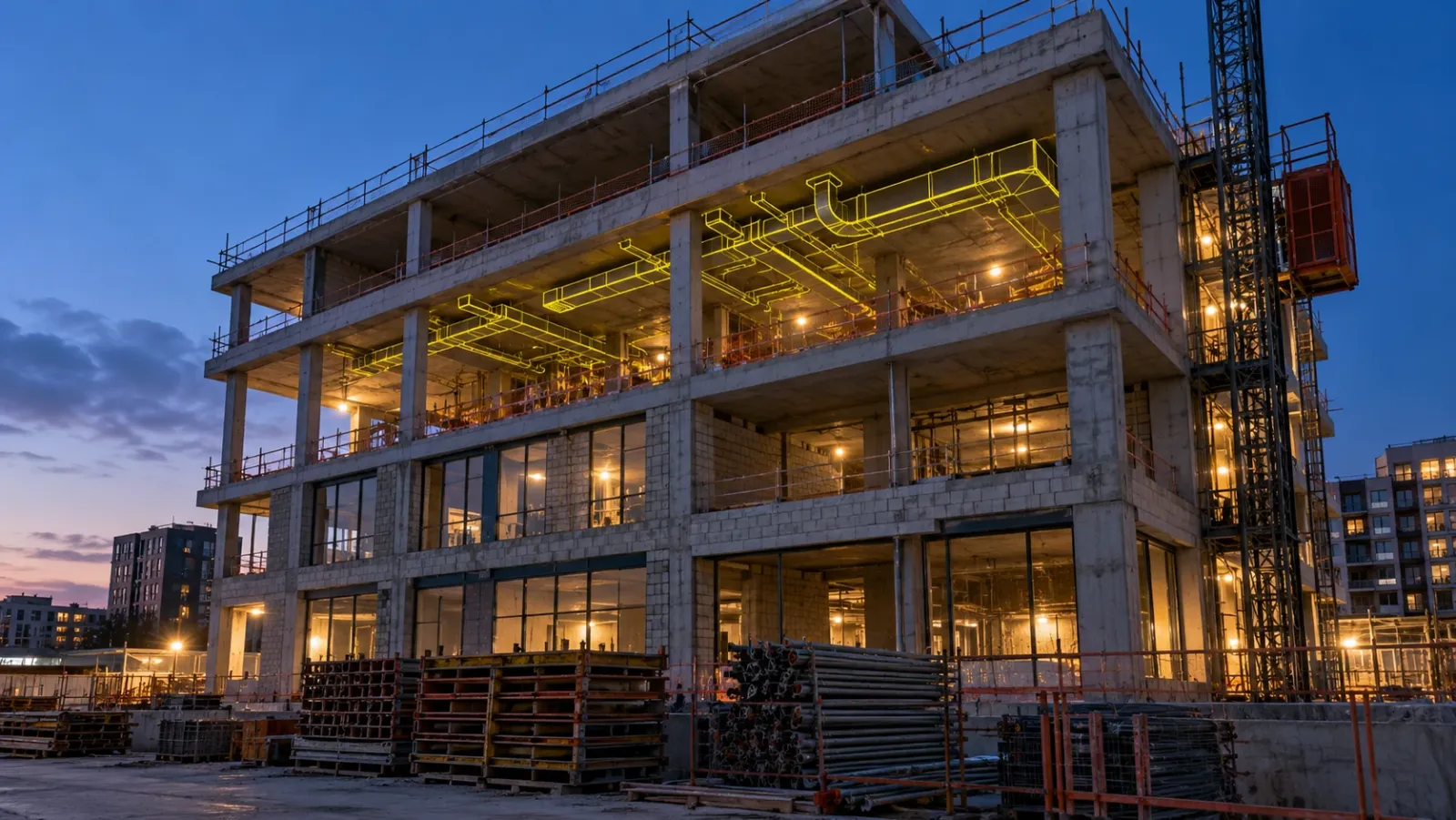
BIM in construction means using the building information model as a live reference from the first pour to the day the keys change hands, not only as the output of the design phase. On site it answers location and routing questions at the workface. During the build it becomes the yardstick for progress, quality and quantities. At handover it becomes the record an owner relies on to run and alter the building.
Most projects get the first part of that journey right and lose the model somewhere between the design office and the site cabin. This guide looks at the stages after design: how the model's job changes, the practical field uses, how to keep it trustworthy while the building changes around it, and what a useful handover model contains. YelloSKYE works on the verification side of this through BIM IQ. For the clash process that happens before construction, see our guide to BIM coordination in construction.
Why so many models never reach the workface
Design teams put months into a model. Then the project moves to site and the people building it carry printed sheets or PDFs on a tablet. There are understandable reasons.
- The tools are built for specialists. Authoring and coordination software needs licences, capable hardware and training that most supervisors and trade foremen do not have.
- Drawings are the contract. Many contracts still name 2D drawings as the governing documents, so the field builds from them by default.
- Questions queue up. When only the BIM team can open the model, every question from site goes into their inbox, and the answer arrives after the crew has moved on.
- Trust erodes quickly. One instance of the model showing something that was changed weeks ago is enough for a site team to stop checking it.
None of these is a technology problem alone. They are questions of access, responsibility and version control, which is why the rest of this guide is mostly about process.
How the model's job changes through the project
The same model serves a different purpose at each stage, and the people relying on it change too.
| Stage | What the model is used for | Main users | What keeps it useful |
|---|---|---|---|
| Design | Developing and coordinating the design between disciplines | Architects, engineers, BIM managers | Agreed standards, LOD targets and a shared origin |
| Preconstruction | Quantities, sequencing, logistics and procurement packages | Estimators, planners, main contractor | Elements that map to cost items and schedule activities |
| Construction | Workface reference, progress tracking, quality checks | Site engineers, trade supervisors, project managers | Field access to the current version, regular checks against site |
| Commissioning and handover | Confirming what was installed and where | Commissioning team, owner's representative | Updates for every approved change, verification against the building |
| Operation | Locating assets, planning maintenance and alterations | Facility managers, maintenance teams | Asset data the owner actually asked for, geometry that matches reality |
Two points follow from the table. First, the model needs different things at different stages, so the BIM execution plan should say what it must contain by handover, not only by tender. Second, the construction stage is where the model is most at risk of falling behind reality, because the building is changing every day.
Putting the model to work in the field
Answering questions where the work is
A supervisor standing in a plant room wants to know the invert level of a drain, the size of a sleeve or which side of a beam a duct passes. If the model is available on a tablet, filtered to the relevant discipline and level, that question takes a minute instead of an email chain. The aim is not to turn site staff into modellers. It is to let them look up the design intent for the spot they are standing in.
Checking installed work against design
The more valuable field use is comparison. When the model sits next to an image or scan of the same location, anyone can see whether the ductwork, sleeves, openings or columns are where the design put them. On the DEX platform, teams overlay CAD and BIM models on site captures and use split views to compare design with execution, so a misplaced element is visible before the next trade covers it.
Raising issues against a location
An issue described in a message ("the sleeve on level 4 is wrong") wastes time. An issue pinned to a model location with an image attached tells the responsible trade exactly where to go. Where the project uses a separate coordination tool, open formats such as BCF let field issues travel into it without being retyped.
Catching problems before they are hidden
Every project has moments after which a mistake becomes expensive: before a slab is poured over embedded services, before a ceiling is closed, before a wall is boarded. Scheduling a model check at each of these points is one of the cheapest controls a contractor can add.
Running the build against the model
Progress measured by element, not by estimate
When schedule activities and cost items are linked to model elements, progress can be reported against what is actually installed. Linking the model to time is often called 4D, and linking it to cost 5D. In practice this means a slab or a run of pipework is either verified as complete or it is not, which makes progress reviews shorter and payment claims easier to check. YelloSKYE's platform verifies site progress against BIM models, schedules and BOQs, and the BIM IQ page describes general contractors using it to show that execution matched approved designs for billing and compliance. Our guide to as-built vs as-planned covers how to run that comparison as a routine.
Structure checked before the next trade arrives
The highest-stakes check during construction is structural. A column or core that sits away from its design position may look fine to the eye, then stop a prefabricated services installation weeks later. Scanning after major pours or steel erection and comparing the point cloud with the design model catches this while the fix is still small. The as-built vs BIM clash detection use case follows this workflow after a structural milestone.
Keeping the model current
A model is only as reliable as its last update. Approved variations, site instructions, RFI answers and substitutions all change what will be built, and each needs to reach the model. Three rules help:
- Name an owner for updates in the BIM execution plan, with each discipline responsible for its own elements.
- Set a deadline for updates after a change is approved, so the model never lags the site by more than a short, known period.
- Show the version and date wherever the field views the model, so nobody mistakes an old release for the current one.
When a site check flags a difference, someone still has to decide whether the site or the model is wrong. Our guide to reality capture and BIM explains how to work through that question.
BIM at handover
What the owner actually needs
Owners rarely need every element at fabrication detail. They need to know where things are, what they are and how to maintain them. The information requirements should be written early, ideally by the owner, so the contractor knows what to collect during the build rather than hunting for it in the final weeks. ISO 19650, the international standard for managing information with BIM, frames this as the owner setting out their information requirements at the start. Many owners also ask for asset data in a structured format such as COBie.
A model that matches the building
The design model with a few late edits is not an as-built model. Before handover, the delivered building should be checked against the model, and the model corrected where they differ. BIM IQ registers laser scans and drone point clouds to the project's model coordinates and models them at LOD 200 to LOD 400, with LOD 300 to 350 the usual level for as-built and renovation work. The result gives the facility management team a starting point that reflects what is really there.
The visual record behind the walls
A model shows where a pipe should be. A dated 360° image taken before the ceiling closed shows where it is. Pairing the two gives maintenance teams the confidence to drill, cut or reroute. Our warehouse handover documentation use case shows this on an industrial facility: the operator was granted role-based DEX access to a timestamped history of the build, and physical site hours for pre-delivery inspections fell by 70%.
The model after handover
The model's value continues long after completion. Renovation, tenant fit-outs and plant replacement all begin with the question of what is already there. Where no reliable model exists, a scan of the existing building is the usual starting point, as our scan-to-BIM for renovation use case shows. A verified handover model saves that step.
Who needs what from the model
| Role | What they need from the model during construction | What they need at handover |
|---|---|---|
| Site engineer | Current design for their area, viewable on site | A record that their work matched the design |
| MEP contractor | Confirmation that structure is where the model says before installing | As-installed routes for their systems |
| Quality team | A design reference to measure installed work against | Evidence that tolerances were met |
| Project manager | Progress by element, linked to schedule and cost | A closed list of model deviations |
| Owner | Confidence that the design is being built as approved | A verified model and the asset data they specified |
| Facility manager | Little, until late in the project | Geometry that matches reality and data for maintenance |
What gets in the way
- The model is not the current design. If approved changes sit in emails, the field soon learns to ignore the model.
- Too much or too little detail. A model at LOD 200 cannot answer installation questions; a model at fabrication detail everywhere is slow to update and heavy to open in the field.
- Different coordinates on site and in the model. Surveys, scans and the model must share one origin, or every comparison starts with manual adjustment.
- Handover data collected at the end. Asset information gathered in the last month is incomplete and expensive. Collect it as each system is installed.
- Nobody checks the model against the building. Without a verification step, the as-built model is an assumption.
Next steps: a checklist for using BIM beyond design
- Write down what the model must contain at handover, and who will use it, before construction starts.
- Name an owner for model updates and set a maximum delay between an approved change and the model update.
- Give site teams a simple way to view the current model for their area, with the version date visible.
- Schedule model checks before every cover-up point: pours, ceiling close-up and wall boarding.
- Scan structure after major pours or steel erection and compare it with the design model.
- Link schedule activities and cost items to model elements so progress is measured, not estimated.
- Capture services visually before they are enclosed and keep those records with the model.
- Verify the final model against the delivered building before it goes to the owner.
A model that stops at design is a drawing set with extra steps. A model that follows the building through construction and into operation becomes the most reliable description of the asset the owner will ever have.
Frequently asked questions
How is BIM used during construction?
During construction the model becomes a reference for the people building, not only the people designing. Site teams use it to check locations, dimensions and routing at the workface, project managers track installed work and quantities against model elements, and quality teams compare finished structure with the design. The same model is updated as approved changes happen, so it can become the as-built record at the end.
Do site teams need BIM software to use the model?
Not usually. Authoring and coordination tools such as Revit or Navisworks stay with the BIM team, while the field works from lighter viewers or platforms that show the model next to site imagery. What matters is that the site sees the current version, filtered to the discipline and area they are working on, without needing modelling skills.
What is the difference between a design model and an as-built model?
A design model shows what the project team intends to build. An as-built model records what was actually built, including approved changes and the real position of elements. Owners and facility managers need the as-built version, because maintenance and future alterations depend on where things really are.
Who keeps the BIM model up to date during construction?
The BIM execution plan should name an owner for model updates, usually the main contractor's BIM or design management team, with each discipline revising its own elements. Updates should follow approved changes, site instructions and answered RFIs, not wait for the end of the project. Without a named owner the model drifts and the field stops trusting it.
What should a BIM handover include?
At minimum, a model that matches the delivered building, the asset information the owner asked for in their requirements, and a clear link between the model and the operation and maintenance documents. A dated visual record of services before they were enclosed is a useful addition, because it shows what sits behind finished walls and ceilings.