
Key takeaways
- The Question: Which construction inspections can be carried out remotely, who decides whether a remote result is acceptable, and what does a well-run virtual inspection look like?
- The Answer: Acceptance depends on who is inspecting. Building authorities set their own rules and usually limit remote inspections to particular stages; owners, lenders' monitors and QA teams can accept far more if the evidence is located, dated and complete. Both live video and recorded capture work when the method is planned around the specific check.
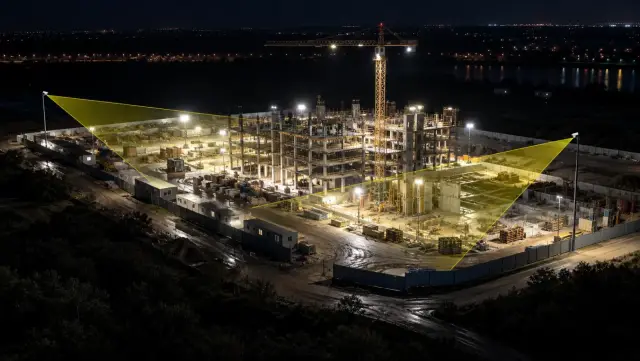
- The YelloSKYE Angle: Construct IQ records sites on a fixed rhythm with drones, 360° cameras and fixed cameras, so an inspector can open any zone on any capture date in DEX and decide what still needs a person on site.
A virtual construction inspection is an inspection in which the person judging the work is not physically present. They review it either through live video streamed from site or through a recorded capture such as a 360° walk, a drone map, fixed-camera footage or a laser scan. Whether the result counts depends on who is inspecting and what they are checking: a building authority, an owner's representative and a contractor's QA lead each apply different rules.
This guide explains who accepts remote inspections and on what terms, which checks suit each method, and how to run both live and recorded inspections so the result is not challenged. For the wider practice of watching progress from a distance, see our guide to remote construction site monitoring. YelloSKYE supports recorded inspections through Construct IQ, which captures sites regularly and keeps every capture on a shared timeline.
Live and recorded: two different kinds of virtual inspection
The phrase "virtual inspection" covers two quite different methods. Choosing the right one is the first decision.
| Live video inspection | Recorded capture inspection | |
|---|---|---|
| How it works | Someone on site streams video; the inspector directs the camera in real time | Site is captured on a plan; the inspector reviews later |
| Typical tools | Phone or tablet on a video call | 360° camera, drone, fixed camera, laser scanner |
| Strengths | Inspector controls what is shown; immediate questions and answers | Systematic coverage; reviewable by several people; comparable over time |
| Weaknesses | Depends on the person holding the camera and the connection | Inspector cannot ask for a different angle once capture is done |
| Best suited to | Formal sign-offs, re-inspections, short targeted checks | Progress, quality reviews, pre-cover records, dispute evidence |
| Record kept | Call recording if enabled, plus inspector's notes | The capture itself, dated and located |
Many projects use both: recorded captures as the routine, and live calls when an inspector needs to see something specific before work continues.
Who decides whether a remote inspection counts
Building authorities
Statutory inspections are controlled by the authority having jurisdiction, and rules differ by country, region and often by individual building department. Some authorities run formal remote inspection programmes, typically for lower-risk stages, minor works, re-inspections of corrected items and some residential work. Others allow remote inspections only in exceptional circumstances, or not at all.
Where programmes exist, the authority normally decides the video platform, how the inspection is booked, what the contractor must show and when an in-person visit is still required. In the United States, the International Code Council has published recommended practices for remote virtual inspections that many departments use as a reference, but each department still sets its own policy. The practical rule is to ask early, ideally at the pre-construction meeting, and record the answer.
Owners, lenders' monitors and consultants
Inspections carried out for an owner, a funder or a design consultant are governed by the contract and by what that party is willing to accept. These are often the easiest to move online, because the purpose is usually to confirm progress, check quality at milestones or verify a payment claim. Agree in writing which inspections can be done remotely, what evidence is required and how often captures will be made.
Internal QA and safety teams
A contractor's own QA and safety teams have the most freedom. Remote review of captures can replace a large share of routine checks, leaving site visits for hold points, tests and anything that needs touch. The constraint here is discipline rather than permission: if captures are irregular or incomplete, the remote review misses things.
What suits remote inspection, and what does not
| Check | Remote suitability | Conditions |
|---|---|---|
| Progress against programme | High | Regular captures from the same route or flight plan |
| Payment claim verification | High | Capture timed just before each claim; measurable data for quantities |
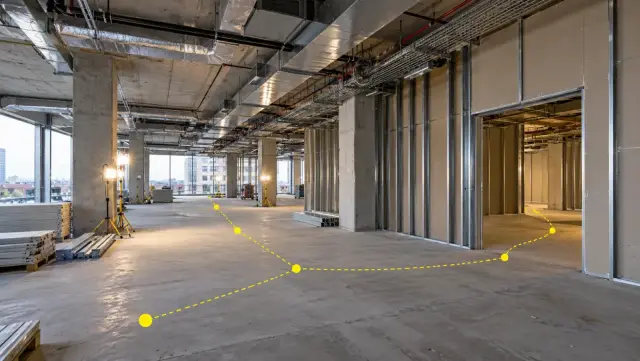
| Services before boarding or ceilings close | High | 360° capture of every room plus close-ups of key details |
| Re-inspection of a corrected defect | High | Image from the same viewpoint as the original finding |
| Reinforcement before a pour | Medium | Live video with a tape shown in frame; many authorities still require attendance |
| Fire-stopping and penetrations | Medium | Close, well-lit images of each penetration; product labels visible |
| Facade and roof condition | Medium | Drone imagery at sufficient resolution; follow-up access for close checks |
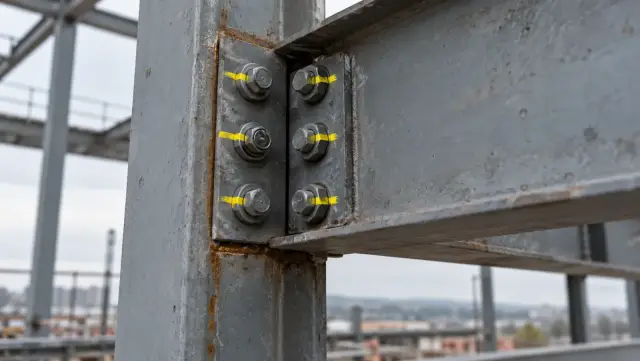
| Structural connections and bolt torque | Low | Needs physical testing |
| Sealant adhesion, render or tile soundness | Low | Needs touch or tapping |
| Commissioning tests | Low | Test results can be reviewed remotely; the test itself needs witnesses |
The middle category is where judgement matters. A remote check can still be valuable if it narrows down where a physical inspection should focus. Our guide to construction site inspections covers the full range of inspection types and who carries them out.
What makes a remote inspection hold up
Whatever the method, an inspector or a third party may later ask whether the evidence really showed what it claims. Build these safeguards in from the start:
- Proof of place. Start every live call at a recognisable point, such as the site entrance, and show the route to the inspected area. For recorded captures, each image should be tied to a position on the plan.
- Proof of time. Captures should carry the date and time they were taken, not just when they were uploaded.
- Continuity. Live video should not be cut or edited. Recorded captures should cover the whole area, not selected views.
- Scale. Show a tape or a known dimension in frame whenever a measurement matters.
- Light and clarity. Poorly lit or blurred images are the most common reason a remote inspection is refused.
- Retention. Keep the recording or capture with the inspection result for the life of the project and beyond.
How to run a live video inspection
Before the call
- Confirm the scope with the inspector: which areas, which elements and what they need to see.
- Check connectivity in the actual inspection area at the same time of day. Basements and cores often need a booster or a different network.
- Prepare the area. Clean up, remove obstructions, set up temporary lighting and place labels or gridline markers where they help orientation.
- Charge everything and bring a spare battery, a tape measure, a torch and a small step ladder.
During the call
- Start at a fixed point and walk the inspector to the area without cutting away.
- Follow their direction. Hold the camera steady, move slowly and pause on each element.
- Show measurements clearly, with the tape and the element in frame together.
- Agree the outcome before ending the call, including any items that need a return visit.
After the call
Record the result, the findings and any conditions in your inspection log. Attach the recording if one was made. Raise each defect as a separate issue with an owner and a due date.
How to run a recorded inspection
Recorded inspections succeed or fail on the capture plan.
- Define what the inspection must answer. "Are services complete and correctly installed in level 3 before boarding?" is a better brief than "capture level 3".
- Fix the route or flight plan so that each capture is directly comparable with the last. 360 cameras for construction explains how to set a walking route that stays consistent.
- Time the capture to the decision: before a covering activity, before a payment claim, or at a milestone.
- Review against the design. Compare the capture with drawings or the model, and with earlier captures of the same area.
- Pin findings where they are seen, with an owner and a due date.
- Decide what still needs a visit. List the items the capture could not settle and send someone with a marked location.
Where YelloSKYE fits
Under Construct IQ, drone flights, 360° walks and fixed cameras record the site on a regular schedule, and DEX lets reviewers open any zone on any capture date, compare dates side by side and mark findings at the point they refer to. Several of our use cases show how much of an inspection workload can move to a desk:
- In facade inspection from a desk, an owner reviews a reported crack on a facade map, lays the elevation drawing over it, takes a first measurement and compares it with an earlier capture before deciding whether to book access. The use case is explicit that close checks of fixings and joints still need a person at the wall.
- In warehouse operator handover documentation, stakeholders reviewed structural milestones and compliance records remotely, with a 70% reduction in physical site deployment hours for pre-delivery inspections.
- In resolving contractor billing disputes, drone captures timed to each billing cycle let project managers verify claims with 80% fewer site visits.
The result is not the end of site visits. It is visits that are fewer, better targeted and backed by a record that everyone can see.
Virtual inspection checklist
- Ask each inspecting party, in writing, which inspections they will accept remotely and on what terms.
- Decide for each inspection type whether it will be live, recorded or in person.
- Fix capture routes and flight plans so successive captures are comparable.
- Time captures to covering activities, payment claims and milestones.
- Test connectivity in the inspection areas before any live call.
- Keep a tape measure, torch and spare battery with whoever holds the camera.
- Show place, time and scale in every piece of evidence.
- Store recordings and captures with the inspection result.
- List the items a remote inspection could not settle and schedule targeted visits for them.