360 Cameras for Construction: Choosing One and Building a Capture Routine
By Kush Agarwal, President and CEO, YelloSKYE. Published .
Executive Summary
- The Question: Which 360 camera should a construction team use, how should site walks be organised, and what turns a pile of panoramas into a record people rely on?
- The Answer: Choose a camera for low-light quality, battery life, durability and compatibility with your capture platform, not headline resolution. Then fix the route, the start points and the rhythm of walks, and make sure every image lands on the floor plan with a date so it can be compared and acted on.
- The YelloSKYE Angle: Construct IQ uses 360 walks for interiors alongside drones and fixed cameras. Any site worker can capture, and the DEX platform maps each image to its place on the plan so teams can compare dates, measure, check against design and tag snags remotely.
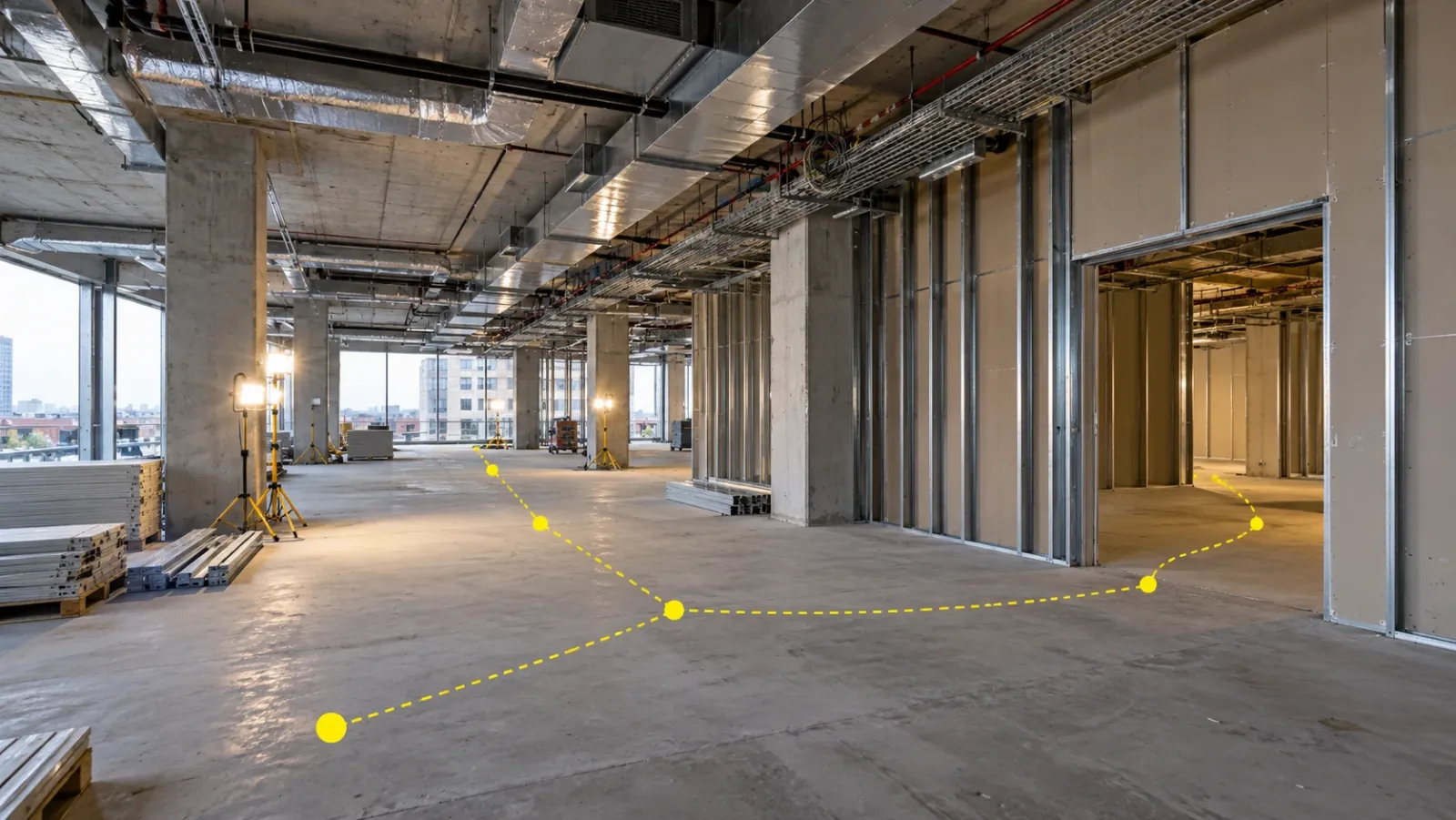
A 360 camera records the whole space around it in a single shot, which makes it the quickest way to document building interiors during construction. Walk a floor with one mounted on a helmet or pole and you get a complete visual record of services, partitions and finishes, including the parts nobody thought to photograph. The camera is the easy decision; the routine around it decides whether the record is any use.
This guide is for project managers, site engineers and owners' teams who want to use 360 cameras for site walks and interior progress documentation. It covers how to choose a camera, the difference between video and still capture, how to set up a walking routine that people will keep to, and what separates a useful 360 record from a folder of spherical images. It also shows how 360 capture fits into Construct IQ, the YelloSKYE construction monitoring solution.
What a 360 camera adds on site
A 360 camera uses two or more wide lenses facing in different directions. Their images are stitched into one sphere, so the viewer can look up, down and around from the point where the camera stood.
On a building site, this changes documentation in three ways:
- Coverage is automatic. A phone photo records what the person holding it chose to point at. A 360 image records the whole room, so the cable tray above the ceiling line and the valve behind the door are in the record whether anyone noticed them or not.
- Context comes free. Every frame shows where a detail sits in the space, which answers the classic question of which of fifty identical risers a close-up shows.
- Remote review becomes realistic. A reviewer in the office can stand, virtually, at any point on the route and look in any direction, instead of asking someone on site for another photo.
What a 360 camera does not give you is survey-grade measurement. It is a visual record. For precise as-built geometry you need laser scanning, and for site-wide external progress you need drones. Our reality capture guide compares these methods side by side.
Choosing a 360 camera for construction
Consumer and professional 360 cameras look alike in a catalogue, but sites expose the differences quickly. Unfinished interiors are dim, dusty and full of hard contrast between dark corners and bright work lamps.
| Feature | Why it matters on site | What to look for |
|---|---|---|
| Sensor size and low-light performance | Most interior capture happens before permanent lighting is on | A larger sensor and good noise handling; test it in your darkest typical space |
| Stitching quality | Poor stitching creates seams and ghosting, worst on objects close to the camera | Clean joins in narrow corridors and plant rooms, not only in open floors |
| Video resolution and frame rate | Video walks extract frames from the recording, so video quality sets image quality | Sharp video at walking pace, with effective stabilisation |
| Battery and heat | A large floor plate can take a long time to walk, and cameras get hot in video mode | Enough battery for your longest walk, or a way to power it externally |
| Durability | Dust, knocks and temperature swings are routine | A robust body, a lens guard or protective case, and spare lenses or covers |
| Platform compatibility | The capture software has to support the model and its video mode | Confirm with your platform provider before buying a fleet |
| File size and transfer | Long walks create large files that site connections struggle with | Practical ways to offload: phone app, cable, desktop upload |
Two points deserve extra weight. First, headline resolution figures are often quoted for still photos, while most site capture uses video, which is recorded at a lower resolution per frame. Compare video quality, not the brochure number. Second, buying the camera before checking platform support is the most common and most avoidable mistake.
How to mount it
The mount affects image quality as much as the camera does.
- Helmet mount. Hands-free and above most obstructions, so it sees over benches and stacked materials. The walker's head and shoulders sit at the bottom of every frame, and the camera height varies slightly with posture.
- Pole or monopod. Held upright, the pole keeps the camera further from the body, so the walker takes up less of the image. It needs one hand, which matters on ladders and stairs.
- Tripod. Best for still capture at fixed points, giving the sharpest images and a consistent height. Too slow for routine walks of whole floors.
Whichever you choose, keep the same mount and camera height from walk to walk, so views on different dates line up.
Video walks or fixed-point stills
Modern capture platforms can turn a continuous video walk into a sequence of positioned images. The walker presses record at a known start point, walks the route at normal pace, and software works out where each frame was taken and places it on the floor plan. Fixed-point capture is the older approach: stop, take a still, mark the point on the plan, move on.
| Video walk | Fixed-point stills | |
|---|---|---|
| Speed on site | Fast; walk at normal pace | Slow; stop and position at every point |
| Coverage | Continuous along the route | Only where you stopped |
| Image quality | Good; limited by video resolution and motion | Best; full still resolution, no motion blur |
| Effort to locate images | Done by software against the plan | Usually manual pinning |
| Best use | Weekly progress walks, whole-floor records | Key rooms, plant areas, handover detail |
Most teams settle on video for the routine walk and stills for spaces that need more detail, such as plant rooms or a ceiling void just before it is boarded.
Setting up a capture routine
A camera used enthusiastically for three weeks and then forgotten produces a record with a hole in the middle, usually where the dispute turns out to be. The routine is what keeps capture going.
Decide what the walks are for
Write down the questions the walks have to answer. Typical ones are: is each floor on programme, what is installed in walls and ceilings before they close, what snags are open, and what did the space look like when one trade handed it to the next. The answers set the route, the timing and who needs to see the results.
Fix the route and the start points
Mark a start point on each level, ideally at a fixed feature such as a core door, and walk the floor in the same direction every time. Cover every room, including risers, stairs, plant rooms and storerooms; skipped spaces are the ones questions come back to. Start a new capture each time you change level or zone, so images are not attached to the wrong plan. For a site-wide view of what to record at each stage, see our guide to construction photo documentation.
Set the rhythm by phase
- Services rough-in: weekly, plus a walk immediately before any ceiling, wall or riser is closed.
- Partitions and finishes: weekly or fortnightly, following the trades.
- Snagging and pre-handover: a full walk at the start of snagging and another when snags are closed out.
- Handover: a final walk of every space, kept with the earlier history.
Put the walks in the programme as tasks with named owners. "Someone will walk level 6 this week" does not survive a busy week.
On the walk
Switch on temporary lighting before you start and keep a steady pace. Pause briefly in doorways and at junctions so the software has clear frames to work with. Keep other people out of shot where possible, and treat any images that show workers' faces as personal data under your project's privacy rules. Carry a phone for close-ups of specific details, because a sphere shows everything at a modest resolution, not one bolt in sharp focus.
After the walk
Upload the same day where you can, while the walker still remembers the context. Check the route for gaps, flag anything that needs action, and let reviewers know the new walk is available.
What makes a 360 record useful
Spherical images are only half the job. The record earns its keep when it has these qualities.
- Every image has a place. Images pinned to their position on the floor plan can be found in seconds. Images in a folder named by date cannot.
- Every date is comparable. The same route, start points and camera height mean a reviewer can stand at one point and step back through time to see when something changed.
- Design is in view. Being able to place a design model next to the captured space shows where installation differs from the drawings.
- Findings are actionable. An issue tagged at the exact spot in the 360 view, with an owner and a due date, gets fixed. A screenshot pasted into an email often does not.
- The right people have access. Site teams, project managers, consultants and owners each need to open the record without asking someone to send files.
On YelloSKYE projects, a site team member walks the interiors with a 360 capture device, with no technician dependency, and AI reconstructs the walk into a navigable record in which every image is mapped to its location. In DEX, reviewers move between capture dates, place design models beside actual conditions in a split view, measure and verify installations remotely, and flag snags directly on the site view. In our interior fit-out use case, this cut site coordination time by 70% and made snag-to-closure cycles five times faster.
The same history matters at the end of the job. In the warehouse operator handover use case, 360 cameras and drones logged MEP placements across all zones before they were enclosed, and the complete record passed to the operator at handover. If the purpose of a walk is mainly to show spaces to buyers or remote stakeholders, a presentation-focused tour is a different product; our guide to the virtual construction walkthrough covers that use.
Where 360 records go wrong
| Problem | What it causes | Fix |
|---|---|---|
| Walks stop after the first month | Gaps exactly when services are being covered up | Schedule walks as programme tasks with named owners |
| Different routes each week | Views on two dates do not line up | Fixed start points and a marked route per level |
| Images not linked to the plan | Hours spent searching for one room | Use a platform that positions images on the floor plan |
| Dark, blurred frames | Unreadable detail in risers and ceilings | Turn on work lights, slow down, choose a low-light camera |
| Issues raised outside the record | Snags lost in email and messaging threads | Tag issues in the 360 view and close them there |
Where 360 cameras stop and other methods take over
A 360 camera is an interior tool. It is limited outside, where drones cover large areas far more efficiently, and it cannot see through finished surfaces, so capture has to happen before they close. It is also not a measuring instrument: when you need precise geometry for an as-built model or a tolerance check against BIM, a laser scan is the right tool. And because walks happen at intervals, activity between them is invisible; fixed cameras fill that gap for critical zones.
That is why YelloSKYE treats 360 as one sensor among several. Construct IQ combines drone surveys, 360 interior capture, fixed cameras and laser scanning, and certified YelloSKYE pilots or the client's own site teams carry out the capture. Everything lands in DEX, which integrates with Procore, Autodesk BIM 360 and Autodesk Construction Cloud. On portfolios, using identical drone, 360 and fixed-camera parameters on every site gives leadership one consistent baseline, as described in our portfolio monitoring use case.
Checklist: starting 360 capture on your project
- List the questions the walks must answer, and who will review them.
- Confirm which cameras your capture platform supports, then test the shortlist in your darkest typical space.
- Choose one mount and one camera height, and use them for every walk.
- Mark a start point and route on each level, covering every room, riser and plant area.
- Put walks into the programme with named owners, plus extra walks before ceilings and walls close.
- Agree how issues are tagged in the 360 view, who owns them and how they are closed.
- Keep every walk, from the first to the handover, in one place on the floor plan.
Frequently asked questions
What is the best 360 camera for construction?
The best camera is the one your capture platform supports that still gives sharp images in dim, unfinished interiors. Prioritise a larger sensor for low light, reliable stitching, a battery that lasts a full floor walk, and a sturdy body. Headline resolution matters less than how the camera performs in a dark riser or a corridor lit by one work lamp.
Should I capture 360 video or 360 photos on site?
Video walks are faster and give continuous coverage, because software pulls frames from the recording and places them along your route on the floor plan. Still photos taken at fixed points give higher image quality but take longer and leave gaps between points. Most teams use video for routine progress walks and stills for rooms that need extra detail.
How often should a 360 site walk be done?
Follow the pace of interior work. Weekly walks suit most floors during services and fit-out, with an extra walk just before ceilings or walls are closed. Slower phases can drop to fortnightly. What matters most is that the same route is walked on a fixed rhythm, so dates can be compared.
Can a 360 camera replace a laser scanner?
No. A 360 camera gives a visual record of what was installed and where, which is enough for progress, snagging and remote review. A laser scanner measures geometry precisely and is the right tool for as-built models and tolerance checks against BIM. Many projects use 360 walks routinely and scan at a few key stages.
Who should carry out 360 site walks?
Anyone who walks the site regularly can do it, such as a site engineer during daily rounds. With YelloSKYE, capture needs no specialist technician: any site worker can walk a floor with a 360 camera, and the platform places the images on the plan. Assigning a named person to each floor and day is what keeps the routine going.