Construction Photo Documentation: What to Capture, How Often and How to Organise It
By Kush Agarwal, President and CEO, YelloSKYE. Published .
Executive Summary
- The Question: Which site photos should a project team take, how often, and how should they be stored so they still count when someone challenges what happened?
- The Answer: Capture a baseline before work starts, every element before it is covered, each zone on a fixed rhythm and every event that changes cost or time. Then file images by location and date in one shared system, linked to the report, issue or claim they support.
- The YelloSKYE Angle: Construct IQ captures sites with drones, 360° cameras and fixed cameras, and the DEX platform places every image on the site plan and timeline so it can be found, compared and relied on.
Construction photo documentation is the planned, dated and located photographic record of a site, from the condition of the ground before mobilisation to the finished building at handover. Good documentation is not about taking more pictures. It is about taking the right ones at the right moments, and storing them so that any image can be found in seconds and trusted months later by someone who was never on site.
Most project teams already take thousands of photos. The trouble is that few of them answer the questions that come up later: was this wall waterproofed before backfill, when did this damage appear, how far had the slab progressed on the date of the payment claim? This guide sets out what to capture at each stage, how to set a capture rhythm, and how to organise the results so they work as evidence. It also explains how YelloSKYE approaches the problem through Construct IQ, our construction monitoring solution.
Why most site photos fail as evidence
A photo becomes useful evidence when it answers four questions without anyone having to explain it:
- When was it taken? A trustworthy date and time, recorded by the device, not typed in afterwards.
- Where was it taken? A position on the site plan, a level and a zone, not "somewhere on level 3".
- What does it relate to? The activity, issue, inspection or claim it supports.
- What else was there? Enough surrounding context to show the photo is not a selective close-up.
Phone photos shared in chat groups usually fail on at least two of these. The timestamp may be lost when the image is forwarded, the location is in the sender's head, and the context is a cropped view of one corner. Each photo looked useful on the day it was taken. Six months later, during a final account negotiation or a defect claim, nobody can say with confidence what it shows.
For the wider picture of how site records are tested in a disagreement, see our guide to construction dispute documentation. The rest of this guide focuses on getting the photos themselves right.
What to capture at each stage of a project
The value of a photo depends on timing. Some conditions can be recorded at any point; others exist for a few hours before the next trade covers them. The table below is a starting capture plan you can adapt to your project.
| Stage | What to photograph | Trigger | Best method |
|---|---|---|---|
| Before mobilisation | Whole site, boundaries, existing structures, roads and footpaths, neighbouring facades, visible services, access points | Once, before any work, plus any later boundary change | Drone survey, ground photos of neighbours |
| Groundworks and below grade | Excavation levels, footings, drainage and buried services, waterproofing and membranes | Before each backfill or pour | Drone survey, close-up photos |
| Frame and envelope | Reinforcement before pours, connections, embedded items, fire stopping, insulation and vapour control layers | Before each pour and before cladding closes a bay | Drone survey, 360° walk, close-ups |
| Services rough-in | Ducts, pipes, cable routes, supports, valves, access points | Before ceilings and walls are boarded | 360° walk, close-ups of key junctions |
| Fit-out and finishes | Each room as finishes go in, damage, protection measures | Weekly, and when a trade hands an area to the next | 360° walk |
| Handover | Every space complete, external works, plant rooms, defects and their rectification | At practical completion and at each defect close-out | 360° walk, drone survey |
The baseline is the one capture you cannot repeat
Once excavation starts, the original state of the site is gone. A full baseline protects the project against claims of damage to neighbouring property and roads, and it gives every later quantity something accurate to be measured against. Include the edges as well as the plot itself: kerbs, boundary walls, adjacent facades and anything a crane or delivery lorry could touch.
Cover-up moments matter more than milestones
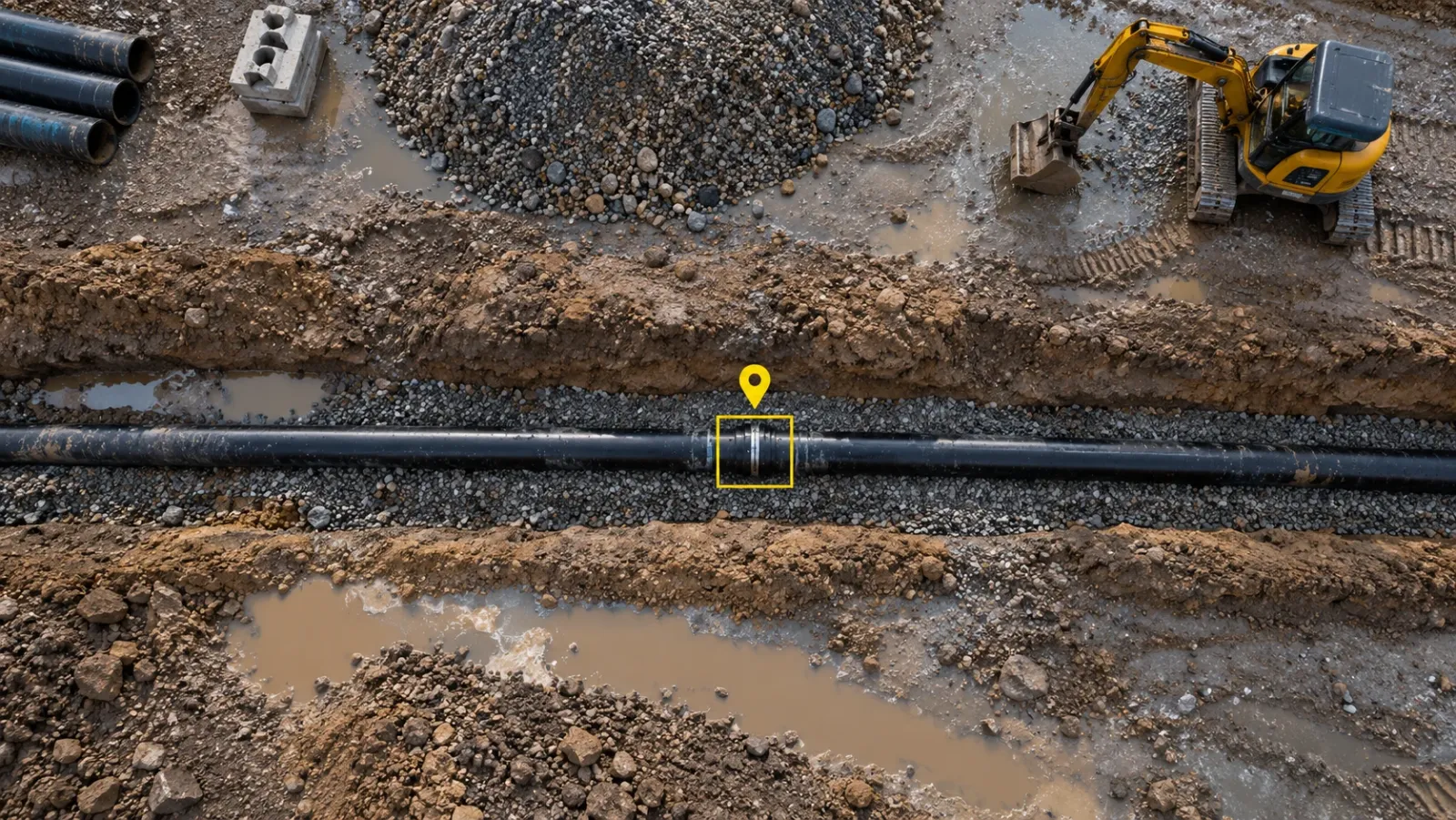
The photos most often asked for in a dispute are of things that are now hidden: a membrane under a slab, a fire stop inside a riser, a pipe joint under a backfilled trench. Make "photograph before you cover" a hold point in the same way an inspection is. If the trade that closes the work cannot proceed until the photos are uploaded, they will be taken.
Context first, then the detail
For each important element, take one wide view that shows where it sits in the building, then the close-up. A close-up of a correctly installed bracket proves little if nobody can tell which of four hundred brackets it is. A 360° capture solves much of this automatically, because every frame records the whole space around the camera.
How often to capture
A capture rhythm that depends on someone remembering will fail in the busiest weeks. Set two schedules and write both into the project plan at mobilisation.
| Capture type | Rhythm | Purpose |
|---|---|---|
| Aerial survey | Weekly or fortnightly, and before each progress payment claim | Whole-site progress, quantities, external works |
| Interior 360° walk | Weekly during active interior work | Room-by-room record of services and finishes |
| Fixed camera | Continuous in selected zones | Activity between scheduled captures, time-lapse of milestones |
| Event photos | Whenever a trigger occurs | Cover-ups, damage, incidents, weather, change instructions, inspections |
The fixed rhythm
A fixed rhythm keeps the timeline continuous, so you can show the state of any zone on any week. Tie at least one capture to each payment cycle, because the payment claim is the moment when what has been built is most likely to be questioned. Construct IQ drone flights follow pre-programmed routes on a regular schedule, which keeps views comparable from one capture to the next. In our aerial progress capture use case, a weekly programme saved site managers more than 15 hours a week of walking and reporting.
The event triggers
Some things happen between scheduled captures. Agree a short list of triggers that always require photos: a pour, a wall or ceiling closing, any damage, an accident or near miss, severe weather, an instruction that changes scope, and any inspection by a consultant or authority. Fixed cameras help here because they keep recording selected zones between drone flights and interior walks.
Getting good images on site
A well-planned schedule still produces weak records if the photos themselves are poor. A few habits make the difference.
- Keep the lens clean and the light adequate. Dust and low light cause most unusable images. Carry a cloth and use temporary lighting in dark areas rather than relying on the camera to compensate.
- Walk the same route each time. For 360° capture, a consistent path through every room means the same views exist for every date and can be compared directly.
- Cover the whole area, not just the active work. The room you skipped is often the one someone asks about later.
- Stay at a sensible distance. Too close and the context is lost; too far and the detail is unreadable. Take both a wide view and a close-up where it matters.
- Do not edit originals. Crop or annotate copies. The original file and its metadata are what give the image its standing.
Interior 360° capture used to need a specialist. With YelloSKYE, any site worker can carry out a walk with no technician dependency, and the platform maps each image to its location on the plan, as described in our interior fit-out use case.
Organising photos so they can be found and trusted
Capture is the easy part. The real test of a documentation system is whether a project manager can find the right photo of the right place on the right date in under a minute, a year after it was taken.
File by location, then by date
Date-based folders work for the first few weeks and then become impossible to search. Organise by location instead: site, building, level, zone or grid line, and room. When each image is pinned to a position on the plan, a reviewer can click on a room and step back through every capture of it. This is how the DEX platform presents the record, and Construct IQ's time-travel playback lets teams scroll through site history day by day.
Protect the metadata
The date, time, position and the identity of whoever captured an image are what make it credible. Messaging apps often strip this information. Upload originals directly to the project system, and avoid workflows that pass photos through several hands before they are stored.
Link photos to the records they support
An image stored on its own is a memory aid. An image linked to a daily report, an inspection, an issue, a request for information or a variation becomes part of the project record. Construct IQ pins each issue to the spot in the capture where it was seen, which keeps the photo and the problem together permanently.
Keep one home with controlled access
Photos spread across personal phones, shared drives and email threads cannot be relied on, because nobody knows whether the set is complete. Use one shared system with access by role: site teams add and annotate, the project management team reviews, and owners or investors view. DEX also pushes data into the tools many teams already use, including Procore and Autodesk Construction Cloud.
A naming rule for files that sit outside a platform
Some images will still live outside a platform, such as photos attached to a letter or a report. Give them a predictable name built from the same parts every time: project code, zone or room, element, and the capture date in year-month-day order. A predictable name means the file sorts correctly and can be traced back to its location.
| Organising method | Easy to set up | Easy to search later | Holds up as evidence |
|---|---|---|---|
| Chat groups and personal phones | Yes | No | Weak: metadata often lost |
| Shared drive folders by date | Yes | Poor after a few weeks | Moderate, if originals are kept |
| Shared drive folders by location | Moderate | Fair | Moderate |
| Platform with plan-located, dated captures | Needs setup | Yes | Strong: position and date recorded at capture |
Using the record day to day
Photo documentation earns its keep long before any dispute. Progress meetings run faster when everyone looks at the same images instead of describing the site from memory. Consultants can review many inspections remotely and only travel when something needs a physical check. Contractors can show completed work at the point of claiming payment, which shortens the conversation about what has been done.
At the end of the project, the same record becomes part of the handover. In the warehouse operator handover use case, services were recorded by drone and 360° camera before they were closed in, and the whole visual history passed to the operator with role-based access when the building was handed over. Maintenance teams can then find buried and concealed services without opening up finished work.
For a broader view of how photos fit with drone surveys, laser scans and other capture methods, see our reality capture guide.
Common mistakes to avoid
- Capturing only when something looks wrong. A record made only of problems cannot show when the problem began, or that the work was correct beforehand.
- Skipping the busy weeks. Capture tends to lapse during the most intense phases, which are also the ones most likely to be disputed.
- Relying on one person's phone. When that person leaves the project, the record leaves with them.
- Close-ups with no context. A detail nobody can place is not evidence of anything.
- No link to the paper trail. A photo that cannot be tied to a report, issue or claim will rarely be found when it is needed.
A practical checklist to start with
- Name one person responsible for the capture routine on each project.
- Complete a full baseline capture, including neighbouring property, before mobilisation.
- Write a capture plan listing zones, rhythm and event triggers, and share it with every contractor.
- Add "photograph before you cover" as a hold point for every concealed element.
- Time at least one full capture just before each progress payment claim.
- Store originals in one shared system, located on the plan and dated at capture.
- Link each important image to the report, issue, inspection or claim it supports.
- Review the record weekly to check coverage, and fill any gaps while the work is still visible.
Frequently asked questions
What should be included in construction photo documentation?
At minimum: the site and its neighbours before work starts, every element that will later be covered up, regular progress views of each zone, anything that changes the scope or the programme, and the finished building at handover. Each photo also needs a reliable date, a known location and a link to the activity, issue or claim it supports.
How often should construction progress photos be taken?
Use two clocks. A fixed rhythm, such as weekly interior walks and an aerial capture before each progress payment claim, keeps the timeline continuous. Event triggers, such as a slab pour, a wall being closed, damage or a change instruction, add the photos that a fixed rhythm would miss.
How do you organise construction site photos?
Organise by location first and date second, so anyone can pull up a room, grid line or zone and see how it looked on any day. Keep original files with their metadata in one shared system with controlled access, and link each image to the record it supports, such as a daily report, an issue or a variation. Loose folders on personal phones are the main thing to avoid.
Are 360° photos better than normal photos for construction documentation?
They solve different problems. A 360° walk records the whole space along a route, so it captures things nobody thought to photograph and lets reviewers look around later. A normal close-up is still the best way to record a specific detail such as a connection or a label. Most teams use 360° walks for coverage and close-ups for the details that matter.
Who should be responsible for site photo documentation?
Name one person per project who owns the capture routine and checks it is followed, even if many people take photos. Site engineers usually capture interiors, while drone surveys are flown by certified pilots. Without a named owner, capture tends to stop during the busiest weeks, which are often the ones you later need most.