
Key takeaways
- The Question: How do you track construction progress well from a phone or tablet, and when is mobile capture no longer enough?
- The Answer: Mobile tracking works when every update is tied to a location and an activity, uses clear completion criteria, survives poor signal and reaches the office the same day. It is strongest for judgement-based checks and quick updates, and weakest at complete, consistent coverage of large or fast-moving sites.
- The YelloSKYE Angle: Phones capture what someone chooses to record. Construct IQ adds systematic capture by drone, 360° walk and fixed camera, so the mobile updates have a complete visual record to sit against.
Mobile construction progress tracking means recording the state of the work from a phone or tablet while you are standing in front of it: which activities are complete in which areas, with located photos, checklist sign-offs and notes that reach the office the same day. Done well, it replaces end-of-day typing from memory with evidence captured at the point of work. Done badly, it produces a camera roll of unlabelled photos and status updates nobody trusts.
This guide covers what to capture on a mobile device, how to locate photos indoors, how to use checklists to make status objective, offline working and syncing, choosing between phones and tablets, and the point at which mobile capture needs support from systematic methods such as Construct IQ. For the wider picture of how site and office share information, see our guide to construction field management.
What to capture on a mobile device
Progress tracking on a phone works best when every entry answers the same four questions: what, where, how far and how do we know.
| Item | Example | Why it matters |
|---|---|---|
| Activity | First-fix electrical | Links the update to a line in the programme |
| Location | Level 3, apartment 3.07, kitchen | Lets progress be totalled by area and compared over time |
| Status | Not started, in progress, complete, or a quantity | Feeds percent complete and payment checks |
| Evidence | A located photo, or a ticked checklist | Allows someone else to verify the claim |
| Blockers | Waiting for ceiling access panel | Turns a delay into an action with an owner |
| Date and author | Recorded automatically by the app | Shows who said what, and when |
Record status against the programme's structure
Status updates are only useful if they can be added up. Set up the app with the same activity names and location breakdown as the programme, so that "complete in 3.07" rolls up to "first-fix electrical, level 3, 60 per cent". Free-text updates such as "sparks mostly done upstairs" cannot be totalled, compared or checked.
Choose quantities or milestones, not guesses
For repetitive work, count units: 14 of 22 doors hung, 180 of 300 metres of cable tray installed. For one-off work, use defined steps, such as formwork, reinforcement, inspection, pour. Both are far more reliable than a person's estimate of a percentage. Estimated percentages tend to drift upwards over the life of an activity, because the last ten per cent of any task is the slowest.
Located photos: the evidence behind each update
A photo without a location is almost useless a month later. Indoors, GPS cannot place a photo reliably and cannot tell one floor from another, so mobile tools use other methods.
- Pin on the drawing. The user taps the photo's location on the floor plan. It is simple and works anywhere, but depends on people taking the extra second.
- Reference points. Room numbers, gridline markers or QR codes fixed at known points let the app or the user tag photos consistently.
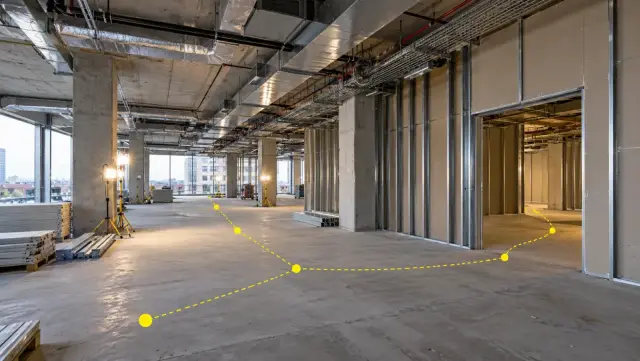
- Automatic placement. 360° camera systems work out where each frame was taken along the walking route, which removes the manual step entirely. Route planning and walk frequency for that approach are set out in 360 cameras for construction.
Whichever method you use, take a wide shot to show context and then the detail, keep the original date and time stored in the file, and photograph the same key locations from the same position each time so changes are easy to compare.
Checklists that make "complete" mean something
The biggest weakness of mobile status updates is that "complete" means different things to different people. A trade may call a room complete when the main work is done but the testing and labelling are not. Short, activity-specific checklists fix this by defining what complete means before anyone records it.
A good progress checklist:
- Has five to ten items, each one visible or testable on site.
- Includes the hold points: inspections, tests and sign-offs that must happen before the next trade starts.
- Requires a photo for the items most likely to be disputed or covered up.
- Records who ticked each item and when.
- Is the same across every area, so results can be compared.
Checklists also protect the sequence. If the pre-closure checklist for a ceiling is not complete, the ceiling should not be closed, whatever the programme says.
Working offline and syncing to the office
Offline is the normal case
Signal disappears in basements, lift cores, plant rooms and behind thick concrete. A mobile tool used on site must store drawings, forms and checklists on the device, let the user carry on working without a connection and queue everything for upload. Test this before you buy: put the phone in flight mode, complete a full inspection with photos and see what happens when you reconnect.
Make sure what was recorded actually arrives
Most lost updates are not app failures. They are photos that never synced because the user left site with the app closed, or a device that ran out of storage. Build a habit of checking the sync status before leaving site, and set the app to upload over site Wi-Fi where it is available.
Decide how conflicts are handled
When two people update the same item while offline, the app has to decide which change wins. Find out how your tool handles it, and agree a simple rule, such as the person responsible for that area having the final say.
Same day, not end of month
The value of mobile capture is speed. Updates should be visible in the office the same day, ideally feeding the progress report and the payment check without anyone retyping them. If the office still asks site staff to send a separate weekly summary, the mobile system has not replaced anything.
Phone or tablet?
| Consideration | Phone | Tablet |
|---|---|---|
| Always carried | Yes | Often left in the cabin |
| Quick photos and snags | Best | Awkward |
| Reading drawings and marking up plans | Hard on a small screen | Best |
| Long checklists and inspections | Possible | Easier |
| Use with gloves | Difficult | Slightly easier with a larger screen |
| Cost and replacement | Usually personal or low-cost | Higher; needs a rugged case |
Many teams use both: tablets for planned walk-throughs and inspections, phones for capture as people move around. Whatever the device, manage it centrally where possible so apps, drawings and security settings stay up to date, and keep spare charging packs on site.
Where mobile capture stops being enough
Mobile tracking captures what a person decides to record, where they happen to be standing. That has limits that grow with the size and pace of a project.
- Coverage. Nobody photographs everything. Areas that nobody visited that week simply have no record, which is exactly where disputes later arise.
- Consistency. Different people photograph different things from different angles. Comparing the same spot over time is hard.
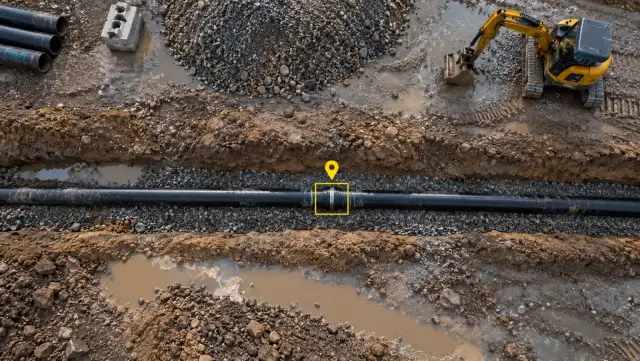
- Context. A close-up of a pipe joint proves the joint exists. It does not show the rest of the floor, the sequence around it or whether the run is complete.
- Measurement. Phone photos rarely support reliable measurement of quantities, volumes or positions. The LiDAR sensor in some phones and tablets helps in small rooms but does not scale to a whole site.
- Independence. Progress reported by the party being paid is always open to challenge. An owner or lender usually needs evidence that does not depend on who took the photo.
The construction photo documentation guide covers what to photograph at each stage when you rely on manual capture.
How systematic capture fills the gaps
Systematic capture covers the whole site on a fixed routine, regardless of who is on duty that day. Fit-out is a good example. In our interior fit-out work, any member of the site team can carry a 360° camera along each floor without a specialist, and the walk is rebuilt as a spatial twin of the interior that can be navigated like the real building. Because every frame knows where it was taken, last week and this week can be opened next to each other, and quality issues are marked on the view itself instead of described in a message. On that project, time spent coordinating the site fell by 70 per cent and snags were closed five times faster.
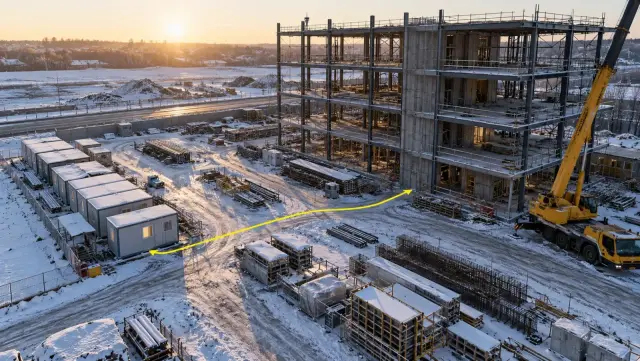
Bigger, open sites suit the air. In the construction progress capture use case, a drone flight each week produced orthomosaics of the entire site that could be measured from a browser. When progress drives payment, the resolving contractor billing disputes use case shows capture timed to each billing cycle, so a claim is checked against a dated record rather than against a photo chosen by the claimant.
Construct IQ supports offline data collection for remote sites. Its progress reports export to Procore, Autodesk and MS Project, which means the systematic record sits alongside a team's existing field apps instead of competing with them.
Checklist: setting up mobile progress tracking
- Load the programme's activity names and location breakdown into the mobile tool before work starts.
- Decide, for each activity, whether progress is counted in units or in defined steps.
- Write a short completion checklist for each repeated activity, with hold points and required photos.
- Choose a photo location method that works indoors: pin on plan, reference points or 360° capture.
- Test offline working and syncing on site, in the worst signal area, before rollout.
- Agree who owns each area's status and how conflicting updates are settled.
- Set the expectation that updates reach the office the same day and feed the progress report directly.
- Review coverage monthly: if areas are going unrecorded, add systematic capture by drone, 360° walk or fixed camera.