

Key takeaways
- The Question: What can generative AI actually do with construction project data, how do you keep its answers tied to the real records, and what are the risks?
- The Answer: Assistants built on large language models are useful for finding information, answering questions in plain language, drafting reports and checking documents against a specification. They are only as trustworthy as the sources they are connected to, so grounding, citations, access control and routine spot checks matter more than the model chosen.
- The YelloSKYE Angle: An assistant can only report site progress if a dated, located record of the site exists. Construct IQ builds that record by drone flight, 360° walk and fixed camera, which gives any reporting tool something verifiable to work from.
Generative AI in construction is the use of large language models to answer questions, write documents and summarise information from a project's records. In practice that means asking a question in plain words, such as "which variations on this job mention the stair cores?", and getting back a written answer, a table or a draft report. The value is speed of access: information already held in contracts, minutes, schedules and progress data becomes easier to reach. The risk is that the same fluency makes wrong answers sound right.
This guide looks at what these assistants do with project data, how they are kept anchored to source records, the errors and security risks that come with them, and how they differ from AI agents. It also covers the part most articles skip: an assistant asked about progress can only be as accurate as the site record behind it, which is where reality capture such as Construct IQ comes in.
What generative AI is, in plain terms
A large language model is trained on a very large body of text to predict which words are likely to come next. Given a request, it builds an answer one piece at a time. It does not look facts up by default: it produces text that fits the patterns it learned. That is why a model with no access to your project can write a convincing method statement in general terms but cannot tell you when the level 3 screed was laid.
To be useful on a live project, the model has to be connected to the project's information. Most construction assistants work by combining three parts:
- The model, which understands the request and writes the answer.
- A store of project sources, such as documents, the schedule, the issue log and progress data.
- A retrieval step, which finds the relevant pieces of those sources and hands them to the model with the question.
The retrieval approach is widely known as retrieval-augmented generation, a term from a 2020 research paper by Patrick Lewis and colleagues at Facebook AI Research. The idea is simple: instead of trusting what the model remembers, make it read the relevant records first and answer from them.
For a wider view of the different kinds of AI on a project, including computer vision and predictive models, see our guide to AI in construction.
What assistants do with project data
The useful jobs fall into five groups. Each one depends on a different kind of source and fails in a different way.
| Task | Typical request | Source it should answer from | How to check the answer |
|---|---|---|---|
| Question and answer | "When did the façade package start on block B?" | Schedule, daily reports, progress data | The answer cites the record and date it used |
| Document search | "Which RFIs mention the transfer beam at gridline 4?" | RFI log, correspondence, minutes | Open two or three of the cited documents |
| Report drafting | "Draft this week's progress summary for the owner" | Progress data, issue log, photos | Compare the totals with the dashboard they came from |
| Specification checks | "Does this submittal meet the fire rating in section 07?" | Specification, submittal, product data | A qualified reviewer reads the clause and the data sheet |
| Summaries of long records | "Summarise the last month of site meeting minutes" | Minutes, action logs | Check that open actions in the summary match the log |
Answering questions about the project
This is where most teams start. Instead of filtering a dashboard or opening several reports, a manager types a question and gets an answer with a short explanation. It works best for questions that have a definite answer in structured data: a start date, a percentage, a count of open issues by area. It works worst for questions that need judgement, such as whether a subcontractor is likely to recover lost time.
Finding things in documents
A large project generates tens of thousands of documents. Language models are good at finding passages that match the meaning of a question, not just its keywords, so a search for "who pays for the temporary lighting" can find a clause that never uses those words. The weakness is completeness: the assistant may find three relevant clauses and miss the fourth in an amendment.
Drafting reports and minutes
First drafts of routine documents are a sensible use. A weekly report, a meeting summary or a cover letter can be produced in seconds and then edited. The danger is that a draft becomes the final version without anyone checking the figures in it.
Checking documents against a specification
Comparing a submittal or a method statement against a specification is slow, detailed work. An assistant can list the requirements in a section and mark where the submitted document appears to meet or miss them. It is a strong aid to a reviewer and a poor substitute for one, because a missed requirement in a fire, structural or life-safety item carries real consequences.
Grounding: keeping answers tied to the records
Grounding means making sure every answer comes from, and can be traced back to, a specific project source. It is the single most important property to look for in any assistant used on project data.
What good grounding looks like
- Every statement has a citation. The answer names the document, record or data point it came from, with a date, and links to it.
- The assistant can say "I don't know". If the sources do not contain the answer, it should say so rather than fill the gap.
- It shows the working. For a calculated figure, such as a percentage complete or a count, it explains which records it used and how it combined them.
- It respects revisions. It answers from the current drawing or specification, and says so when an older revision exists.
- It separates fact from suggestion. Recommendations, such as where to focus a trade next week, are labelled as suggestions, not presented as findings.
Why the source matters more than the model
An assistant asked "is level 5 ready for ceiling close-up?" can only answer from what has been recorded. If the latest information is a trade's self-reported percentage from last Tuesday, the answer will repeat that figure with confidence. If the source is a dated 360° walk of level 5 compared with the model, the answer can be checked against what was actually there.
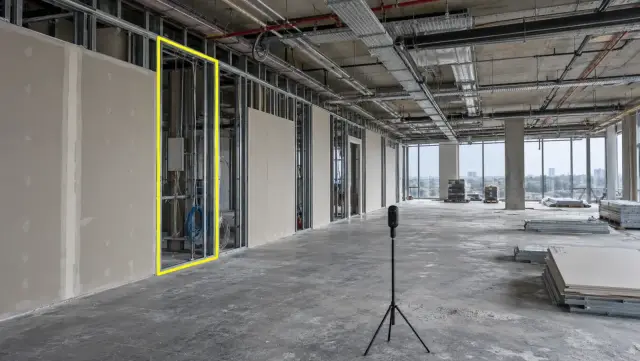
This is why we see reality capture as the foundation, not an add-on. In our interior fit-out use case, a site team member walks the floor with a 360° camera, and each image is placed at its location so different capture dates can be compared side by side. In resolving contractor billing disputes, aerial captures timed to billing cycles give a shared reference for claimed progress. Records like these give any reporting tool, human or automated, something concrete to cite.
Where generative AI goes wrong
Hallucination
A hallucination is an answer that is fluent, specific and false. It happens because the model is predicting likely text, and a likely-sounding answer is not always a correct one. On a project it can take the form of a clause number that does not exist, a start date taken from the wrong block, or a summary that quietly merges two separate issues. Grounding reduces it. It does not eliminate it.
Stale or incomplete sources
Even a well-grounded assistant gives a wrong answer if its sources are out of date. If the schedule has not been updated for three weeks, or photos from the last site walk were never uploaded, the answer reflects that gap. The assistant rarely knows what it is missing.
Over-confident summaries
Summaries drop detail by design. A summary of a month of minutes may leave out the one action that was never closed. Anything with contractual weight, such as a notice period, a delay event or a payment condition, needs a person to read the original.
Errors that look like arithmetic
Language models are not calculators. Good assistants hand calculations to separate tools, but where they do not, totals and percentages can be slightly off in ways that are hard to spot. Ask to see the working for any figure that will go into a report.
Data security and confidentiality
Project data includes contract values, personal information about site staff, drawings of secure facilities and commercial positions in disputes. Putting it into an AI tool raises the same questions as any cloud system, plus a few new ones.
- Training use. Check whether anything you enter can be used to train or improve the provider's models. Enterprise agreements normally exclude this; consumer tools often do not by default.
- Retention and location. Ask how long prompts, answers and uploaded files are kept, and in which country they are stored. Data protection rules differ by country and by client.
- Permissions. The assistant should only see what the person asking is allowed to see. A site engineer should not be able to retrieve the commercial team's cost reports by asking the right question.
- Prompt injection. A document can contain hidden instructions written to manipulate an assistant that reads it. Tools that read external documents, such as supplier submittals, should treat their contents as data and never as commands.
- Audit trail. Keep a record of what was asked, which sources were used and what was returned, especially for anything shared outside the team.
Frameworks such as the NIST AI Risk Management Framework, published in the United States in 2023, and the ISO/IEC 42001 standard for AI management systems give a structure for these questions. For site imagery in particular, where to store it and who may open it are set out in our guide to drone data security.
How assistants differ from agents
An assistant responds to a request and stops. A person reads the answer and decides what to do with it. An agent is given a goal and plans its own steps, such as pulling records, comparing them, drafting an output and updating a system, often using a language model to decide each step.
The distinction matters for risk. A wrong answer from an assistant is a wrong answer on a screen. A wrong decision by an agent can become a changed record, a sent notification or a closed issue. Many products now offer both. Ask exactly what the tool can change, not only what it can read. Our guide to AI agents in construction goes into autonomy levels and the questions to ask before allowing one to act.
Where YelloSKYE fits
YelloSKYE does not sell a generative AI assistant. Our part is the site record that such tools, and the people using them, rely on.
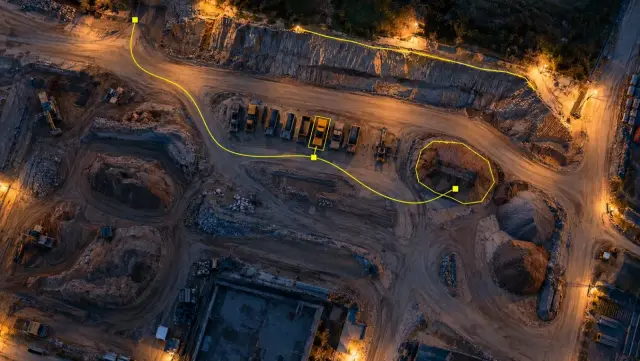
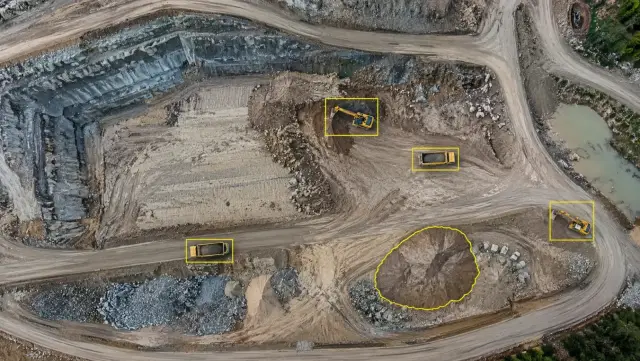
Capture comes first. A YelloSKYE pilot, or a member of the client's own site team, records the project by drone, 360° camera, fixed camera or laser scanner on an agreed routine. DEX, our platform, lines each capture up with the CAD or BIM model, marks where the built work departs from the design, works out volumes and keeps a progress dashboard up to date. Within Construct IQ, what has been built is set against the 4D schedule baseline, and a notification can go out when a key milestone is hit. Before anything appears on a dashboard, one of our civil or geospatial engineers checks the processed output. The resulting progress data can leave DEX as an export to Procore, Autodesk Construction Cloud or MS Project, or through the API, so it can feed the reporting and AI tools a team already runs.
At portfolio level, the portfolio monitoring with DEX use case shows every site captured with the same parameters and brought into one dashboard with a timeline for each site. A consistent record like that is what makes questions across many projects answerable at all.
Checklist before you rely on an assistant
- Write down the handful of questions people on the project ask every week, and note where the answer to each one is held today.
- Make sure those sources are current: schedule updated, site capture on a fixed routine, issue log maintained.
- Choose tools that cite a source for every answer and can say they do not know.
- Confirm in writing whether your data is used for training, where it is stored and for how long.
- Match the assistant's permissions to each user's existing access.
- Ban use of AI-drafted figures in contractual documents until someone has checked them against the source.
- Spot-check ten answers a week against the cited records for the first two months, and keep a log of errors.
- Decide in advance what the tool may change, and keep anything that alters a record behind a human approval.