Drone Photogrammetry: How It Works and What to Ask Your Provider For
By Kush Agarwal, President and CEO, YelloSKYE. Published .
Executive Summary
- The Question: What is drone photogrammetry, how does it get measurements out of photographs, and what should a project manager ask a provider to deliver?
- The Answer: Drone photogrammetry measures a site by photographing it many times from known positions and working out where each visible feature sits in 3D. It produces orthomosaics, elevation models, point clouds and meshes from one flight, but its accuracy is set by planning and ground control, not by the drone.
- The YelloSKYE Angle: Survey IQ plans the capture around the decision the data must support and delivers every output, with its accuracy evidence, into the DEX platform.
Drone photogrammetry is the practice of taking measurements from overlapping aerial photographs captured by a drone. Because each feature on the ground is photographed from several positions, software can calculate its location in three dimensions, much as two eyes judge depth. The outcome is a set of measurable products, including a true-to-scale map, a surface model and a 3D model of the site.
For a project manager, the useful question is not how the mathematics works in detail but what the method can be trusted for, and what to put in a brief so the data arrives fit for its purpose. At YelloSKYE, photogrammetry is the core of Survey IQ, the YelloSKYE service for terrain data and land surveys. This guide explains the principle in plain terms, walks through what happens from flight to files, sets out what each output is good for, names the limits honestly and ends with a specification you can adapt for your own projects.
The idea behind it: measuring with sight lines
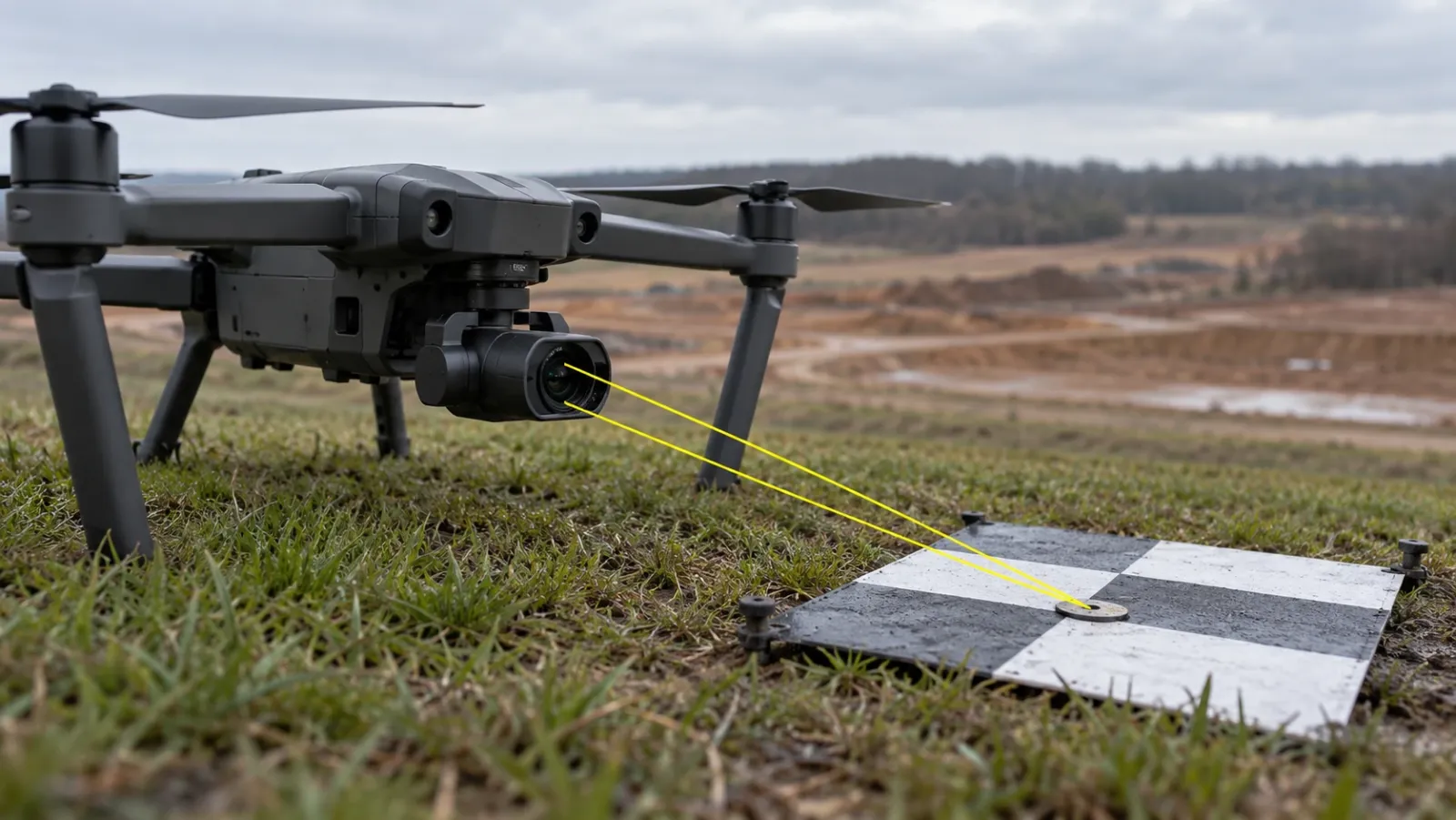
Every photograph records directions. If you know exactly where a camera was and which way it was pointing, each pixel corresponds to a line running from the lens out into the world. One photo alone tells you that a fence post lies somewhere along that line, but not how far away it is.
Photograph the same post from a second position and you get a second line. Where the two lines cross is where the post is. Add a third and fourth view and the position becomes firmer, because any small error in one line is outvoted by the others. This is triangulation, and it is the whole basis of photogrammetry. Surveyors used the same geometry with paired film photographs from aircraft for most of the twentieth century; drones and modern software have made it cheap enough to repeat on a single building site every week.
Two practical consequences follow from the principle:
- A feature must be seen from several places. That is why mapping flights overlap their photos so heavily. Ground that only one or two photos cover is weakly measured or missing.
- A feature must be recognisable. The software has to find the same spot in different photos. Textured ground such as gravel, grass or broken soil is easy; glass, still water, fresh tarmac and plain roof sheeting are hard.
From flight to files: what actually happens
Producing survey data from photographs runs through a predictable sequence. Our drone image processing guide goes through the software stages one by one; here is what a project manager needs to know about each step.
Capture
The drone flies an automated route over the site, firing the camera at set intervals so each frame shares most of its area with the next and with the neighbouring flight line. Where vertical faces matter, such as cut slopes, retaining walls or structures, extra passes are flown with the camera tilted. The flight height sets the ground sampling distance, the size of ground represented by a single pixel, which limits the smallest feature you can measure later.
Tie points
Software scans each photo for distinctive marks, such as a stone, a kerb corner or a tyre rut, and looks for the same marks in overlapping photos. Each mark found in more than one image becomes a tie point. A typical survey produces a very large number of them, and they are the raw material for everything that follows.
Bundle adjustment
With the tie points in hand, the software works out where every camera stood and how it was tilted, the shape of the lens and the 3D location of every tie point, all in one calculation. The name comes from the bundles of sight lines running from each camera through its tie points; the calculation nudges every camera and point until the bundles meet as closely as possible. When it converges, the model is internally consistent.
Ground control
Internal consistency is not the same as being in the right place. Ground control points fix the model to the project's coordinate system and height datum. They are painted or printed targets laid around the site, each one surveyed with survey-grade GNSS or a total station. Drones fitted with RTK or PPK positioning record corrected photo positions and reduce how many targets are needed, but independent checkpoints are still what prove the result.
Products
Once the cameras are solved and controlled, the software computes depth for nearly every pixel to make a dense point cloud, then derives surfaces, a mesh and the orthomosaic from it.
What one flight gives you
The value of photogrammetry is that a single capture supports several deliverables. They differ in what they answer and in how sensitive they are to the quality of the flight.
| Output | What it answers | Most sensitive to | Common format |
|---|---|---|---|
| Orthomosaic | Where things are and how large they are, seen from above | Ground sampling distance, control | GeoTIFF |
| Digital surface model (DSM) | Height of whatever is on top: ground, stockpiles, plant, roofs | Overlap, texture of the surface | GeoTIFF |
| Digital terrain model (DTM) | Height of bare ground with objects removed | Vegetation, ground classification | GeoTIFF, DXF |
| Contours | Shape of the land at a chosen interval | DTM quality, chosen interval | DWG, DXF |
| Dense point cloud | Measurable 3D surfaces for engineering checks | Overlap, oblique coverage | LAS, LAZ, RCP |
| Textured mesh | A realistic 3D view for reviews and presentations | Oblique passes around structures | OBJ, FBX |
| Volume report | Quantities of cut, fill and stockpiled material | DTM or DSM, choice of base surface |
A Survey IQ package can include all of these, plus slope analysis, every file georeferenced and exported for the CAD and GIS software engineers already use. The orthomosaic is usually the first thing people open; for how to read and use one, see what is an orthomosaic.
Where photogrammetry earns its place
Photogrammetry is strongest where the ground is open, textured and changing, and where a picture is as useful as a number.
Before land is bought
A single capture shows usable area, slope, drainage paths and likely earthwork before a purchase is agreed. On YelloSKYE's pre-acquisition land survey work, due diligence of this kind is completed 5× faster than with a conventional ground survey.
Design on real ground
Laying a CAD layout over a fresh terrain model shows whether roads, platforms and drainage sit where the designer assumed. Our terrain-based design validation use case gives 100% terrain verification before construction starts, so level problems are fixed on paper rather than on site.
Earthworks and stockpiles
Comparing surfaces from two dates, or a surface against the design level, gives cut, fill and stockpile quantities that both client and contractor can check. In our earthwork volumetrics work on a highway project, the wait for survey figures dropped from a fortnight to a matter of hours.
A dated record
Because each capture is controlled to the same coordinates, a series of flights becomes an aligned history of the site, useful for progress reporting, variations and claims long after the work is covered.
Where it falls short
Being clear about limits is what stops a photogrammetry survey being used for the wrong job.
- It sees the top of vegetation. Under dense trees or tall crops, the cameras never see the ground, so the terrain there is interpolated. Aerial LiDAR is the usual answer; our guide to photogrammetry vs LiDAR sets out when it is worth the cost.
- It needs texture and light. Uniform, shiny or moving surfaces produce gaps and noise. Flights in harsh low sun or under fast-moving cloud give uneven results.
- Thin objects disappear. Power lines, rebar, railings and antenna masts are often too thin to reconstruct reliably.
- Accuracy is earned, not bought. The same drone can produce a pleasant picture or a survey-grade surface. The difference is ground control, checkpoints and a disciplined method.
- It does not see inside. Interiors, enclosed plant rooms and services above ceilings need laser scanning or 360° capture instead.
- It is not a legal boundary survey. Fixing a legal boundary remains work for a licensed land surveyor in most jurisdictions; drone data supports the check but does not replace it.
How to specify a photogrammetry survey
Most disappointing drone surveys were under-specified rather than badly flown. The table below turns the decisions above into lines you can put in a brief or a request for quotation.
| Line in the brief | What to write | Reason |
|---|---|---|
| Purpose | The decision the data supports, such as earthwork billing or design checking | Sets every other line below |
| Area and boundary | A site boundary file and any exclusion zones | Avoids gaps and arguments over coverage |
| Resolution | The smallest feature you need to measure | Drives flight height and ground sampling distance |
| Accuracy | Horizontal and vertical tolerance, and how it will be proven | Determines control, checkpoints and positioning method |
| Coordinate system and datum | The grid and height reference used by the design team | Prevents a surface that sits a fixed amount high or low |
| Vertical faces | Whether walls, slopes or structures need oblique coverage | Changes the flight plan and the mesh quality |
| Deliverables and formats | The list of outputs and the software they must open in | Avoids conversion work later |
| Evidence | Checkpoint results and a processing report | The only proof the accuracy was met |
| Repeat cadence | How often the site will be flown and compared | Requires fixed control and settings from the first flight |
Two lines deserve extra attention. Accuracy should always come with its proof: ask for the error on checkpoints the software was not allowed to use, not only the fit to the control points. Coordinate system and datum should be agreed with the designers before the first flight, because a surface on the wrong height datum looks perfect and is wrong everywhere.
What changes when you fly the same site again
Photogrammetry becomes more valuable with every repeat flight, provided the flights are comparable. Keep the control points permanent and protected, reuse the flight plan, hold the camera, height and overlap constant, and process each capture with the same settings. Two surveys flown differently will disagree in places where nothing on the ground has changed, and that disagreement will be read as progress or loss of material.
YelloSKYE handles this by publishing each Survey IQ capture to the DEX platform on a single timeline for the site, lined up against previous flights and overlaid on the design drawings and BIM. Anyone on the team can then measure distances, areas and volumes in a browser. The photos can be flown by YelloSKYE's certified pilots or by the client's site staff, provided the method stays the same each time.
A short checklist before you commission one
- Write the purpose in one sentence and share it with the provider.
- State the smallest thing you need to measure and let resolution follow from it.
- Set a tolerance and ask for checkpoint evidence on every survey-grade deliverable.
- Hand over the coordinate system and height datum the design team uses.
- Flag vegetation, water and vertical faces so the method can be adjusted, or LiDAR considered.
- List the deliverables and formats your team will actually open.
- Plan for repeat flights from the start, with permanent control and fixed settings.
- Confirm flight permissions with the aviation regulator in the country concerned, for instance the GCAA in the UAE or the FAA in the US, because flying regulations are set nationally and differ.
Frequently asked questions
What is drone photogrammetry in simple terms?
Drone photogrammetry is a way of measuring the ground from photographs. A drone takes hundreds of overlapping pictures from known positions, and software works out the 3D location of each feature it can see in more than one picture. The result is a measurable map, an elevation model and a 3D model of the site.
How accurate is drone photogrammetry?
It depends on the flight height, the camera, the overlap between photos and, most of all, on ground control. With RTK-GNSS positioning on the drone and surveyed ground control points, YelloSKYE drone surveys achieve sub-5 cm horizontal and vertical accuracy. Without control, a map can look sharp and still sit metres away from its true position.
Is photogrammetry the same as LiDAR?
No. Photogrammetry calculates geometry from photographs, while LiDAR measures distance directly with laser pulses. Photogrammetry gives a sharp colour map and good terrain over open ground at lower cost; LiDAR is the better choice where vegetation hides the ground or where thin features such as cables must be captured. Our photogrammetry vs LiDAR guide compares them by use case.
How many photos does a drone photogrammetry survey need?
There is no fixed number. The count follows from the area, the flight height and the overlap needed, so a small building plot might need a few hundred images and a large parcel a few thousand. What matters is that every point on the ground appears in several photos taken from different positions.
Can photogrammetry be done with any drone?
Many drones with a good camera can capture photos for photogrammetry, but survey-grade results need more: a camera with a stable, known lens, automated flight planning, corrected positioning such as RTK or PPK, and ground control measured by a surveyor. The flight must also comply with the flying regulations of the country where the site is, as set by its aviation regulator.