As-Built Survey: What It Is, When You Need One and How It Is Done
By Kush Agarwal, President and CEO, YelloSKYE. Published .
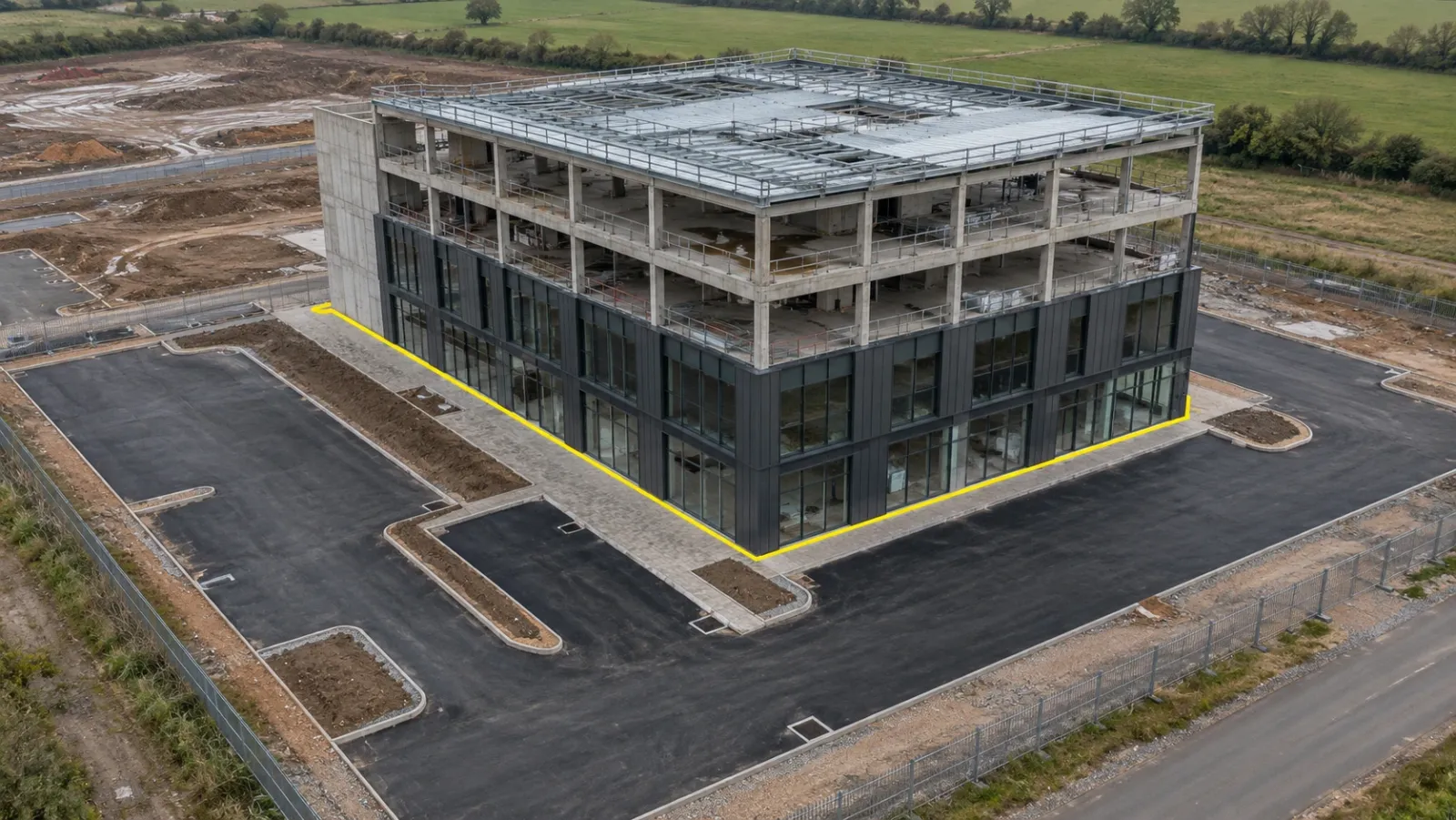
Executive Summary
- The Question: What is an as-built survey, when do you need one, and which method gives the owner a record they can rely on?
- The Answer: An as-built survey measures what was actually built and ties it to the project's coordinates. It is required at handover, before work is concealed, and whenever a contract, authority or dispute needs proof. Drones cover external works quickly; GNSS, total stations and laser scanners handle tight tolerances and interiors. Most good surveys use a mix.
- The YelloSKYE Angle: Survey IQ captures site-wide external works by drone and BIM IQ scans buildings into point clouds and as-built models, both delivered on the DEX platform so the record stays dated and comparable with the design.
An as-built survey is a measured record of the finished works: where things actually are, at what level and to what dimensions, tied to the same coordinate system as the design. It answers a simple question that drawings alone cannot: does what was built match what was approved, and if not, by how much?
The survey is the bridge between construction and operation. It confirms compliance, supports the final account and gives the owner a reliable starting point for maintenance and future alterations. At YelloSKYE, external as-built work runs through Survey IQ, our land survey solution, and building as-builts through BIM IQ. This guide covers when an as-built survey is needed, how the methods compare, what deliverables to ask for, how to check accuracy, and how the result feeds handover and BIM.
What an as-built survey records, and what it does not
An as-built survey measures physical reality at a point in time. Depending on the scope, it captures building footprints and corners, finished floor and roof levels, columns and walls, road and kerb lines, drainage inverts and covers, retaining structures, fences, landscaping, and the finished ground surface across the site.
It is easy to confuse with three related records:
| Record | What it is | How it is produced |
|---|---|---|
| As-built survey | Independent measurement of the finished works | Surveyed on site by drone, GNSS, total station or scanner |
| As-built (red-line) drawings | Design drawings marked up with changes made during construction | Compiled by the contractor and trades as work progresses |
| Record drawings | The clean final drawing set issued to the owner | Prepared by the design team from mark-ups and survey |
| As-built BIM model | The design model updated to reflect what was built | Modelled from survey data, usually a point cloud |
The difference matters because mark-ups depend on someone remembering to record every change. The survey does not. Where the two disagree, the survey is usually right, and it is often used to correct the drawings before the record set is issued. Our construction documentation checklist shows where each of these sits in the handover file.
An as-built survey also has limits. It records what is visible and measurable when the surveyor is on site. Anything already concealed, such as services under a slab, reinforcement in a wall or pipes in a backfilled trench, has to be captured earlier, at the stage when it was still exposed.
When an as-built survey is required
Requirements come from contracts, authorities, owners and lenders, and they vary by project and jurisdiction. The common triggers are:
- Practical completion. Most construction contracts require an as-built record as part of the handover package, and some withhold part of the final payment until it is delivered.
- Before concealment. Foundations, buried drainage, utilities and cast-in services must be surveyed before they are covered. Our guide to utility as-built mapping covers this stage for pipes and cables.
- Adoption. Roads, sewers and utility networks taken over by a public authority or utility owner usually need surveyed as-builts in a prescribed format before adoption.
- Planning and building conditions. Authorities may ask for proof that a building sits within its permitted footprint, setbacks and height. Where legal boundaries are involved, a licensed surveyor is still required in most regions.
- Final account and disputes. Measured quantities settle arguments about what was built far faster than competing estimates.
- Before alteration. For an existing building with no reliable drawings, an existing-condition survey is essentially an as-built survey carried out years later.
The best time to plan an as-built survey is at the start of the project, not at the end. Staged surveys of work that will be hidden, a defined deliverable format and a known control network all depend on decisions made at mobilisation.
Methods: drone, conventional and scanning compared
No single instrument suits every part of an as-built survey. The choice depends on what is being measured, how tightly, and whether it can be seen from the air.
| Method | Best for | Typical strengths | Limits |
|---|---|---|---|
| GNSS rover | Open external points: corners, kerbs, covers, levels | Direct coordinates, quick per point | Needs a clear sky view; one point at a time |
| Total station | Structural setting-out checks, building corners, inverts, interiors | Highest point accuracy, works under cover | Line of sight needed; slow over large areas |
| Drone photogrammetry | Site-wide external works, roads, car parks, earthworks, roofs | Continuous coverage of large areas in one visit, with imagery | Sees only from above; accuracy depends on control |
| Drone LiDAR | External works under vegetation, complex terrain | Penetrates gaps in canopy to the ground | Higher cost; less useful for visual detail |
| Terrestrial laser scanning | Building frames, facades, plant rooms, interiors | Dense, millimetre-level 3D record | Large data volumes; registration and modelling time |
Where the drone does the most work
On a typical commercial or industrial site, most of the as-built survey area is external: car parks, roads, drainage, landscaping and building roofs. A drone covers all of it in one visit and records an orthomosaic that shows every kerb, cover and line marking, along with a surface model for levels. Survey IQ covers 50 to 200 hectares per day, so even large logistics parks are flown in a short visit rather than walked point by point.
Where conventional instruments still lead
Building corners against the permitted footprint, column positions against the structural grid, drainage inverts inside chambers and anything indoors need GNSS or a total station. The drone survey and the ground survey should share the same control, so both datasets sit in one coordinate system. Our guide to hybrid construction surveys explains how to split the work.
Where scanning is worth the cost
When the owner wants an as-built BIM model, or tolerances are tight enough that a few centimetres matter, terrestrial laser scanning is the right tool. It records the frame, facade, plant and services as a dense point cloud that can be measured, compared with the design model and modelled into BIM.
What you should receive
Agree the deliverables before the survey starts. The most common set:
| Deliverable | Format | Main use |
|---|---|---|
| As-built drawing | DWG or DXF, in project coordinates | Comparison with design, record drawing updates, future design |
| Orthomosaic | GeoTIFF | Visual record of external works, base map for GIS |
| Surface model and contours | DTM, DSM, contour lines | Finished levels, drainage checks, earthwork close-out |
| Point cloud | LAS, LAZ, E57 or RCP | 3D measurement, BIM modelling, future reference |
| As-built BIM model | Native BIM or IFC, at an agreed level of development | Facility management, alterations, clash checks |
| Deviation report | Tables and colour maps | Shows where and by how much the works differ from design |
| Survey report | Document | Control used, coordinate system, height datum, accuracy check results |
The survey report is the deliverable most often left out and the one most needed later. Without it, nobody can tell which coordinate system the drawings use or how well the survey was checked.
Checking accuracy
An as-built survey is only as useful as its proven accuracy. Four practices make the difference:
- Set tolerances in advance. The specification should state the required accuracy for each element type: tighter for structural positions, looser for landscaping.
- Use independent check points. Measure points by GNSS or total station that were not used to process the drone or scan data, and report the differences. This is the only real evidence of accuracy.
- Report absolute and relative accuracy separately. A model can be internally consistent yet shifted as a whole. Owners need to know both how well it fits the project coordinates and how well it measures between features.
- State the reference frame. Coordinate system, projection and height datum must be written on every drawing and in the report.
For drone work, Survey IQ uses RTK-GNSS drones over ground control points to reach better than 5 cm in both position and height. For building geometry, BIM IQ's laser scanning captures millimetre-level point clouds. Both figures should be confirmed on each job by check points rather than assumed.
How the as-built survey feeds handover and BIM
The as-built survey becomes more valuable the further it travels after handover.
Comparison with design. Overlaying the survey on the design drawings or model shows deviations by element: a column off grid, a slab out of level, a road kerb off line. Our guide to as-built vs as-planned covers that comparison during construction; at handover, the same comparison becomes the formal record of what was accepted.
The as-built model. When the owner wants BIM, the point cloud is modelled into building elements and aligned to the project coordinates. YelloSKYE delivers these models from LOD 200 up to LOD 400, with the level agreed per project according to the capture method and what the owner will use the model for. Our as-built vs BIM clash detection use case shows scanning catching structural deviations before the next trades arrived.
Facility management. An accurate as-built gives maintenance teams a record they can trust when planning repairs or alterations. In our warehouse operator handover use case, the operator received access to the full dated record on the DEX platform at completion.
The next project. Years later, a renovation team will need existing-condition data. A well-kept as-built saves them from starting again; where it is missing, the building has to be scanned and modelled from scratch, as in our scan to BIM for renovation use case.
How to scope an as-built survey
A short scope prevents most disputes about what was delivered. Cover these points:
- Extent. Which areas, buildings and floors; external only, or interiors too.
- Elements. The feature list: buildings, roads, kerbs, drainage, utilities, fences, landscaping, levels.
- Timing. A final survey at completion, plus staged surveys before concealment.
- Methods. Which parts by drone, which by ground instruments, which by scanning.
- Accuracy. Tolerances by element type and the number of check points.
- Reference frame. Coordinate system, projection and height datum, matching the design.
- Deliverables. Formats, layer names, level of development for any model, and the survey report.
- Comparison. Whether a deviation report against design is included, and against which drawing revision.
As-built survey checklist
- Plan staged surveys of foundations, drainage and buried services at mobilisation.
- Share one control network between drone, GNSS, total station and scanning work.
- Fly external works and scan structures in the same coordinate system.
- Measure independent check points and report the results.
- Deliver CAD, orthomosaic, point cloud, surface model and survey report as a set.
- Compare with the latest approved design and list every deviation.
- Hand the owner a dated record they can open without specialist software, and keep it accessible for the life of the asset.
Frequently asked questions
What is an as-built survey?
An as-built survey is a measured record of what has actually been constructed: the positions, levels and dimensions of the finished works, tied to the project's coordinate system. It is compared with the design to confirm compliance and is handed to the owner as the reference for operating, maintaining and altering the asset.
When is an as-built survey required?
Most often at practical completion, as a contract handover requirement. It is also commonly required before buried or concealed work is covered, when a utility or road is adopted by a public owner, when a planning or building authority asks for proof of position or height, and when a final account or dispute depends on measured quantities.
Can a drone be used for an as-built survey?
Yes, for external works and anything visible from above: earthworks, roads, car parks, drainage, roofs and the overall site layout. Drone photogrammetry with RTK and ground control gives accuracy of a few centimetres. Building interiors, concealed services and tight structural tolerances still need GNSS, a total station or laser scanning, so most as-built surveys combine methods.
What is the difference between an as-built survey and as-built drawings?
As-built drawings are usually marked-up design drawings showing changes made during construction, and they rely on the trades recording those changes. An as-built survey is an independent measurement of the finished works. The survey is often used to check and correct the drawings before the final record set is issued.
How much does an as-built survey cost?
Cost depends on the size of the site, how much of it is visible from the air, the accuracy required, and the deliverables, particularly whether a BIM model is needed. Drone capture is usually the cheapest way to cover large external areas, while interior scanning and modelling to a high level of detail take more time. A clear scope is the best way to get comparable prices.