Reality Capture for Subcontractors: How Trades Protect Their Work and Prove Completion
By Kush Agarwal, President and CEO, YelloSKYE. Published .
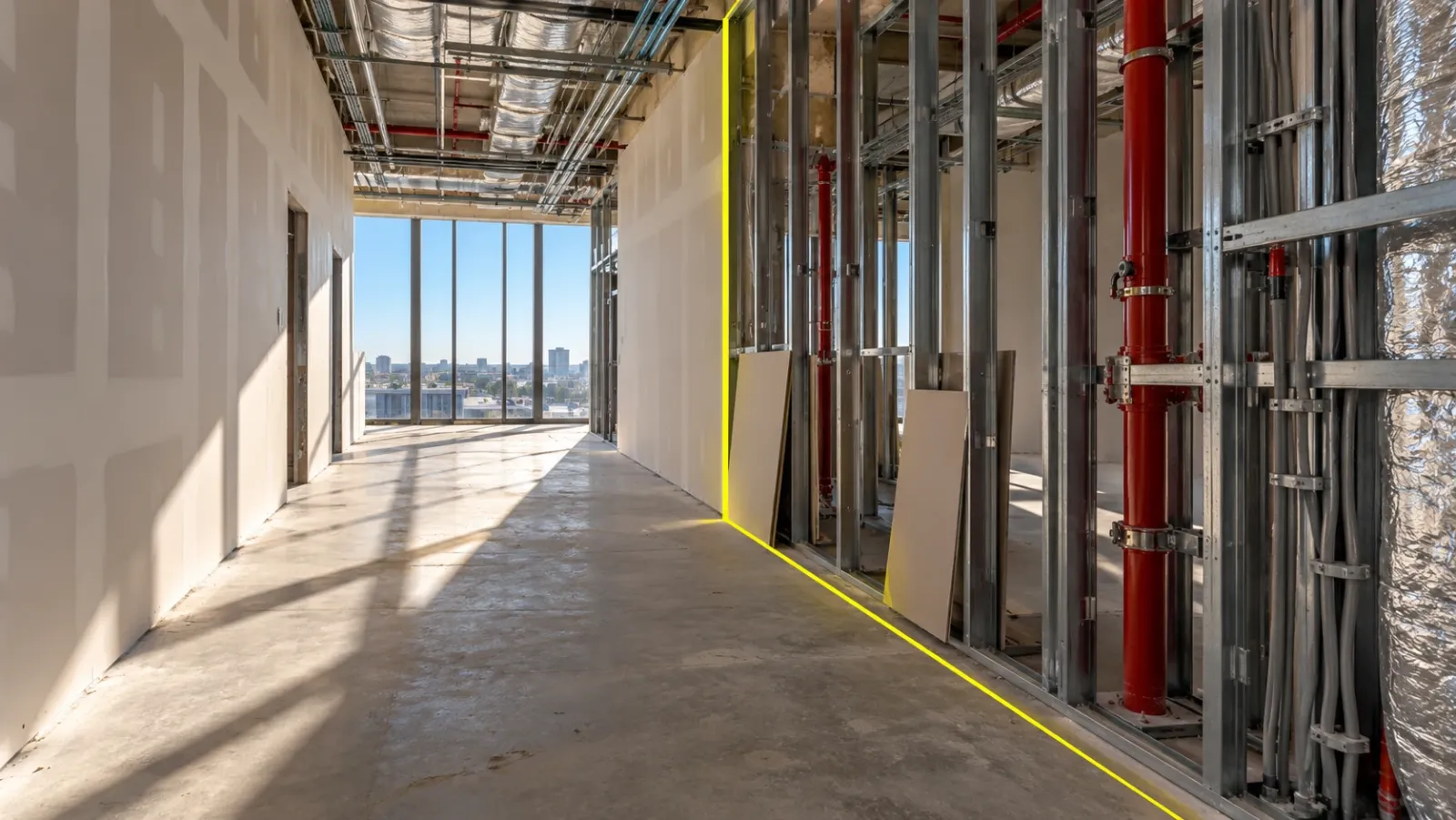
Executive Summary
- The Question: How can a specialty trade, such as an electrical, mechanical, fire protection or drywall contractor, use site capture to protect its own work, get paid for what it has finished and avoid paying for damage it did not cause?
- The Answer: By recording its areas at a few predictable moments: when it takes an area over, when its work is complete but still visible, when it hands the area on and when it comes back. A dated, located record made at those moments answers most completion, payment and damage questions before they turn into deductions.
- The YelloSKYE Angle: Construct IQ records interiors with 360° walks that any site worker can carry out, keeps them on the DEX platform beside drone and fixed-camera captures, and lets every party pin issues to the exact spot on the record.
Reality capture for subcontractors is a trade keeping its own dated, location-referenced record of the work it installs and of the areas it works in, so it can show what was done, when it was finished and what condition it left behind. For a specialty contractor this is less about reporting progress to the owner and more about protecting margin: getting progress payments approved, defending against back-charges and avoiding repairs to damage caused by others. Construct IQ, YelloSKYE's construction monitoring service, supports exactly this kind of record through interior 360° capture on the DEX platform.
This guide is written from the trade's side of the contract. It covers when to capture, what each trade should focus on, how to use the record against back-charges and in payment claims, and how to fit capture into a crew's normal day.
Why trades carry more evidence risk than anyone else
A subcontractor's position in the contract chain makes it unusually exposed to arguments about facts.
- Your work is covered by someone else. Conduit disappears behind boarding, ductwork behind ceilings and sprinkler pipe behind bulkheads, often within days of completion and by a different company.
- You leave before the building is finished. Once your crew moves to the next floor, other trades work around what you installed, and you are not there to see what happens to it.
- Deductions arrive without warning. Back-charges for damage, clean-up or delay are often set off against your next payment, and the burden of disproving them falls on you.
- Payment depends on someone else's view of progress. The general contractor decides how much of your claimed work is complete, usually from a site walk you may not attend.
- Retention is held to the end. Final payment often waits until every snag in your scope is closed, including snags that are really damage by others.
In each case the question is the same: what did this area look like on a particular date? A trade that can answer with a located image from that date is in a far stronger position than one relying on a foreman's memory.
Five moments every trade should capture
Capturing everything all the time is not realistic for a trade crew. Capturing the right moments is.
| Moment | What to capture | What it protects you from |
|---|---|---|
| 1. Accepting an area | The condition of the area when you start: existing damage, missing work by others, obstructions | Being blamed for defects that were already there |
| 2. Work complete, still visible | Your installation before anyone boards, ceils or insulates over it | Rework claims about hidden work you cannot reopen |
| 3. Inspection day | The installation as presented to the inspector or the main contractor | Disputes about what was inspected and approved |
| 4. Handing the area on | Your finished work as the next trade takes over | Back-charges for damage that happened after you left |
| 5. Return visits | Damage found, the repair and the reason you were called back | Paying for repairs that should be charged to another trade |
Add a short weekly walk of every area where your crew is active. That fills the gaps between events and gives you a running record of progress for payment claims.
The capture itself should follow the route and naming the main contractor uses, so your images line up with theirs. If the project already runs a 360° capture routine, our guide to 360 cameras for construction explains how routes and rhythms are usually set; the trade's job is to add the five moments above where the general walk does not reach.
What to record, trade by trade
Every trade has a short list of items that tend to cause trouble later. Those are the items to make sure the record shows clearly.
| Trade | Items worth recording clearly | The argument it usually settles |
|---|---|---|
| Electrical | Conduit cast into slabs, box heights and positions, cable tray routes and fill, labelling at boards | Whether a box or route was installed as drawn, or moved by others |
| Mechanical and plumbing | Duct and pipe routes, supports, insulation, valve and damper access, pressure test set-ups | Who caused a clash, and whether access panels were left where agreed |
| Fire protection | Sprinkler head positions against the ceiling layout, hanger spacing, test gauges, penetrations through rated walls | Whether heads were knocked or moved after installation, and who sealed each penetration |
| Drywall and interiors | Stud layout, blocking for wall-hung fixtures, rated wall build-ups, head and deflection details, finished boards at handover | Whether missing blocking or damaged boards were present when the area was handed on |
Electrical contractors
The costliest electrical arguments involve work cast into concrete. A walk the day before each pour showing every conduit and box in place answers questions that would otherwise need a core drill. Later, a capture of finished boards and labelling helps the commissioning team and the operator.
Mechanical and plumbing contractors
Overhead services are where trades collide. If your duct was installed to the coordinated model and another trade later forced a pipe through the same space, a dated record of your installation before they arrived shows the order of events. Where the stakes are high, a laser scan compared with the model, as in our as-built versus BIM clash detection work, shows whether your installation matches the design to a measured tolerance.
Fire protection contractors
Sprinkler heads and pipe are easily damaged by ceiling installers, lifting equipment and other trades, and heads are often moved to suit a ceiling grid without anyone telling you. Capture the system once it is tested and again when ceilings close. Penetrations through fire-rated walls need special care, because the record should show which trade sealed each one.
Drywall and interior finish contractors
Drywall crews close the building in, so they inherit every problem left by the trades before them. Recording the open wall on the day you start boarding shows what services and blocking were in place. Recording finished walls when painters or ceiling fixers take over protects you against the dents, holes and cut-outs that appear afterwards.
Using the record against back-charges
A back-charge is a claim by the main contractor that you owe the cost of something: repairing damage, cleaning up, rework or delay. Many are fair. The unfair ones tend to share a pattern, and a dated record answers most of them.
| Back-charge claim | Evidence that answers it |
|---|---|
| "Your crew damaged the finished wall" | Capture of the wall at handover, then the first capture showing the damage, with dates that fall after your crew left |
| "Your installation clashed with the ductwork" | Your installation recorded before the duct arrived, and the coordinated model it followed |
| "You left debris on the floor" | Capture of the area at handover showing its condition |
| "Your late finish delayed the next trade" | Captures showing when the area was actually released to you and when your work was complete |
| "Your work failed inspection" | Capture from inspection day and the record of the correction |
Three habits make the evidence persuasive:
- Respond quickly. Check your contract's notice period and answer within it, attaching the specific views rather than a general denial.
- Point to the exact place. Send a link or screenshot that shows location and date, not a loose photo that the other side can question.
- Raise damage when you find it. If you notice damage to your work during a later visit, tag it on the record that day. A note made at the time carries more weight than one made after a charge arrives.
Our guide to construction dispute documentation covers what makes a site record hold up in a formal dispute. For a trade, the point is earlier and simpler: most back-charges are settled in a meeting once both sides look at the same dated view.
Proving completion for progress payments
Progress payment claims are usually based on percentage complete by area or by system. The main contractor checks them, often by walking the floor with the trade's own foreman or without them. Disagreements about whether a floor is 60 or 80 per cent complete slow payment for everyone.
A weekly walk of every active area gives the main contractor something to check the claim against without a joint site visit. Attach the relevant views to the claim, organised by the same areas the claim lists. When the final account and retention come round, the same record shows that each snag in your scope was closed, with the closing capture located against the original item. Our construction punch list guide explains how located evidence speeds up closeout generally; for a trade, it is the difference between retention released on time and released months later.
Using the main contractor's platform or your own
Trades usually face one of three situations.
| Situation | What works | What to watch for |
|---|---|---|
| The main contractor runs a capture platform and gives you access | Use it, add your own walks at the five moments, tag issues there | Access ending at project close; ask how you will keep your evidence for the warranty period |
| The main contractor captures but will not share | Run your own walks and keep them on your own account | Use the same area names, so your record lines up with theirs if it is ever compared |
| Nobody captures | Run your own record from day one | Agree the route and naming with the main contractor anyway, so it is easy for them to accept |
In every case, the trade needs continued access to its evidence after it leaves site. Platforms with role-based access make this simpler: in our warehouse handover documentation use case, the developer gave the incoming operator its own access to the full build history, an approach that works equally well for a trade that needs to look back at its work during the warranty period.
Fitting capture into a crew's normal day
The record only exists if crews actually make it. The most reliable approach is to attach capture to things the foreman already does.
- Walk at the end of the closing day. When an area is finished, the foreman walks it with a 360° camera on the way out. On most floors that takes minutes.
- Make it part of handover. No area passes to the next trade until it has been walked, and the walk is referenced in the handover note.
- Tag issues where they are. Problems found during a walk go onto the record at their exact location, so they reach the right person with a clear instruction.
- Review from the office. Project managers can check progress, answer questions about existing conditions and price variations from the record, which saves trips to distant sites.
On interior work, YelloSKYE's 360° capture is built so that any site worker can walk it with no specialist technician, and the software maps each image to its place on the plan. In our interior fit-out use case, teams using this approach cut coordination time by 70 per cent and closed snags five times faster. On DEX, Time Travel Playback lets a trade step back to the exact date its work was finished, geo-referenced annotations pin issues to a location, and stakeholder dashboards mean the trade, main contractor and owner review the same record. Captures and issues can also flow into Procore, Autodesk BIM 360 or Autodesk Construction Cloud through Construct IQ integrations.
Checklist for a trade starting on a new project
- Ask about the existing record. Does the main contractor capture the site, how often, and will you have access during and after the project?
- Agree area names. Use the main contractor's names for floors, zones and rooms in every capture and claim.
- Capture on arrival. Record each area's condition when you accept it, before your crew starts.
- Make the five moments routine. Assign a named person, usually the foreman, to capture each one.
- Link evidence to claims. Attach the relevant views to each progress payment claim, organised by area.
- Tag damage the day you see it. Do not wait for a back-charge to raise it.
- Keep it. Confirm how you will keep your evidence through the warranty period and any period in which a claim could still be made.
Frequently asked questions
What is reality capture for subcontractors?
It is a trade keeping a dated, location-referenced visual record of its own work and of the areas it works in, usually with a 360° camera walked on a fixed route. The record shows what was installed, when it was finished and what condition the area was in when the crew left. Trades use it to support payment claims, answer back-charges and plan work remotely.
Should a subcontractor capture its own record if the general contractor already does?
Ask for access to the general contractor's record first, because it may already cover most of what you need. Then check whether its timing matches your key moments, such as the day you finish rough-in or hand an area to the next trade. If it does not, add your own walks at those moments, and make sure you keep access to the evidence after the project closes.
How can a site record help a subcontractor dispute a back-charge?
Most back-charges turn on when damage happened or what state work was in at a given date. A located capture of the area on the day you handed it over shows its condition at that point, and later captures show when it changed. Respond within your contract's notice period and send the specific views, not a general statement. This is general guidance, not legal advice.
When should a trade capture its work on site?
At five moments: when you accept an area from the previous trade, when your work is complete but before anyone covers it, on inspection days, when you hand the area on, and whenever you return to repair damage or carry out a variation. A short weekly walk of active areas fills the gaps between those events.
How long should a subcontractor keep its site captures?
Keep them for as long as you could face a claim on the work, which normally extends through the defects or warranty period and often beyond it under the applicable law. Hosted visual records make long retention cheap. Confirm the exact period for your contracts with your legal adviser.