Remote Construction Site Monitoring: How to Track Progress Without Being on Site
By Kush Agarwal, President and CEO, YelloSKYE. Published .
Executive Summary
- The Question: How can a developer, EPC or PMO know what is actually happening on a construction site without being there?
- The Answer: By capturing the site on a regular schedule with the right sensors, mapping every capture to a location and date, and putting that record in one place where every stakeholder can review, compare and measure it.
- The YelloSKYE Angle: Construct IQ brings together drone, 360° camera and fixed camera capture, and delivers the record through the DEX platform, so progress is verified from evidence rather than reported from memory.
Remote construction site monitoring means capturing a site's physical condition on a regular schedule and reviewing it from anywhere, so progress, quality and disputes can be judged without travelling to site. Done properly, it replaces most status-checking visits with a dated, searchable visual record that every stakeholder reads the same way.
At YelloSKYE we deliver this through Construct IQ, our construction monitoring solution, using drones, 360° cameras and fixed cameras on the ground and the DEX platform to organise what they capture. This guide explains how remote monitoring works, what you can and cannot check from a desk, and how to set it up so the record is useful when it matters.
Why site visibility is still the weak link
Most construction projects already generate plenty of photos. The problem is where they end up. Progress sits in WhatsApp groups, email threads, Excel trackers and verbal updates on the Monday call. Each site reports in its own format, and by the time a weekly report is compiled the site has moved on.
That creates three familiar failures:
- Delayed visibility. Leadership learns about a slipped pour or an idle work front after the fact, when recovery costs more.
- Unverifiable claims. Contractor bills and progress percentages are hard to check without sending someone to site.
- Version confusion. The PMO, the site team and the client each hold a slightly different picture of the same project.
The gap is rarely a shortage of images. It is a shortage of structure: images that are not tied to a location, not captured on a consistent cadence, and not stored anywhere a reviewer can compare one date with another. Public research points the same way. The FMI and PlanGrid "Construction Disconnected" report linked a large share of construction rework to poor communication and missing project information.
Remote monitoring is the discipline of closing that gap.
How remote construction site monitoring works
A working remote monitoring system has four parts. Each one can fail independently, which is why it helps to think about them separately.
1. Capture on a fixed cadence
Different parts of a site need different sensors. No single device covers a township, a tower interior and a crane yard equally well.
| Sensor | What it records best | Typical cadence | What it answers remotely |
|---|---|---|---|
| Drone | Site-wide aerial imagery, orthomosaic maps, terrain and stockpile models | Every 1–2 weeks, or per milestone | How far has the whole site moved? How much earth has been cut or filled? |
| 360° camera | Interiors, MEP runs, floors and finishes | Weekly or per fit-out stage | What is installed on this floor, and what changed since the last walk? |
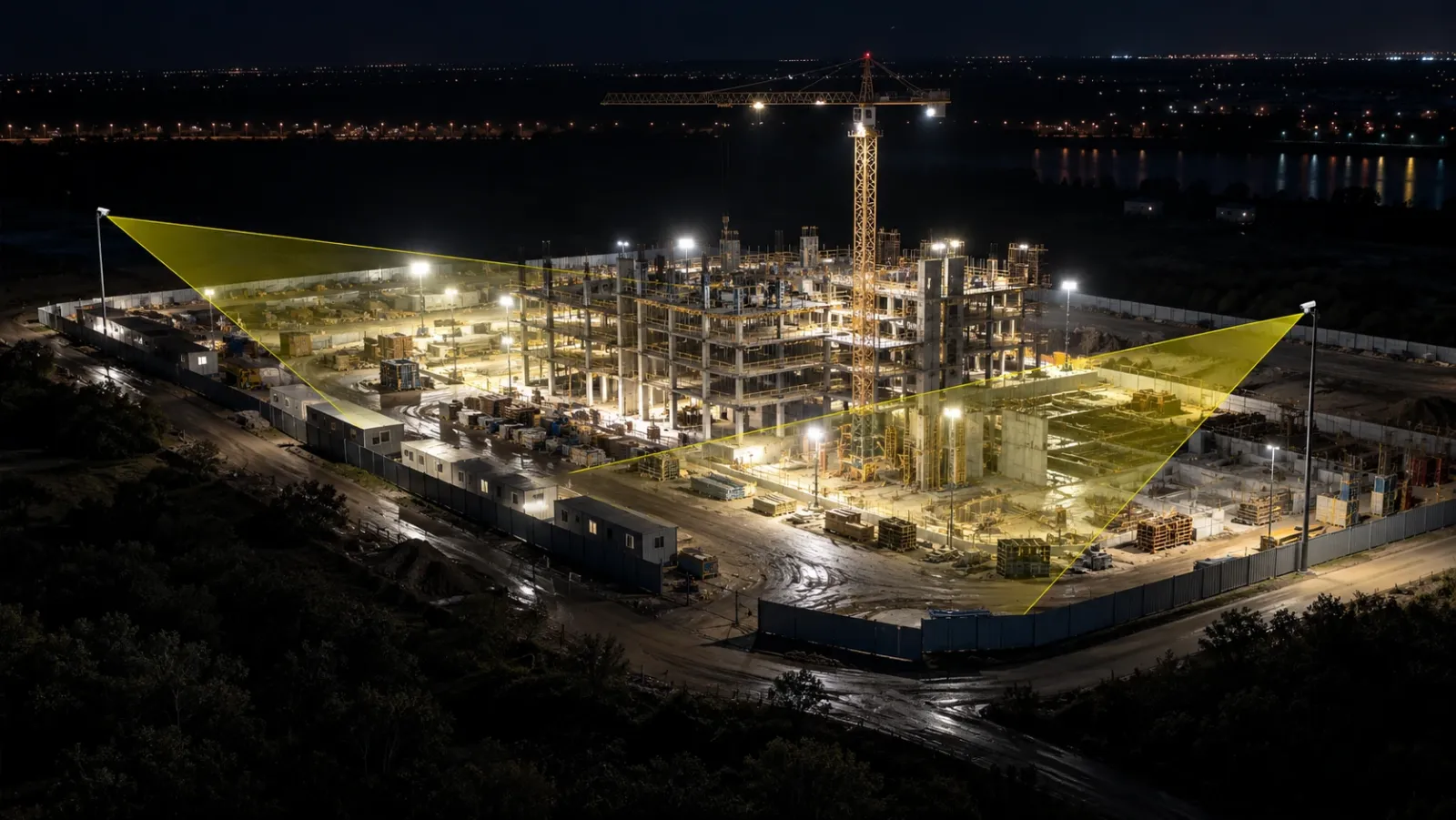
| Fixed camera | One priority zone from a stable viewpoint | Continuous, at set intervals | What happened in this zone today, and when did activity stop? |
| Laser scanner | Precise as-built geometry and point clouds | At key stages, before close-up | Does what was built match the design, to engineering tolerance? |
The developers we work with typically combine aerial maps updated every seven to fourteen days with fixed cameras on the busiest zones and 360° walkthroughs once interiors begin. The construction progress capture use case shows how that mix plays out on a live project.
2. Map every capture to place and time
A photo without a location is a memory, not evidence. Every capture needs a date stamp and a position: an orthomosaic tile on the site plan, a 360° frame pinned to a floor plan, a fixed camera tied to a known viewpoint. Once that is in place, anyone can return to the same spot on any date and see exactly what was there.
3. Analyse against the plan
With a structured record, the questions change from "what does the site look like?" to "is it where it should be?" Construct IQ supports progress-versus-plan overlays against the schedule, cut-and-fill calculations from drone surveys, geo-referenced annotations so contractors see exactly where a fix is needed, and automated alerts when a milestone is reached or when activity stops in a priority zone. On DEX, teams can measure distance, area and volume from their desk, with an error rate below one per cent.
4. Share one version of the truth
The last step is access. If only the survey team can open the data, monitoring has not really become remote. DEX gives site engineers, PMOs, consultants, clients and leadership role-based access to the same timeline, and Construct IQ connects to Procore, Autodesk BIM 360 and ACC so findings sit inside existing workflows rather than in another inbox.
What you can verify remotely, and what most teams miss
The obvious use is progress tracking: confirming that work is advancing by zone, floor or package, and spotting where the pace is slowing before it becomes a delay. But the value of a remote record grows the longer it runs.
Progress and milestones
Drone maps show site-wide movement, such as excavation completed, raft cast or a podium slab poured. Fixed cameras show the daily rhythm of a single zone, including crew presence and material movement. Together they give a PMO enough to validate a milestone without a visit. Fixed-camera sequences also produce construction time-lapse records for milestone reviews and investor updates.
Quantities and contractor billing
This is where remote monitoring pays for itself fastest. Earthwork volumes, stockpiles and slab areas can be measured from drone data and checked against what a contractor has billed. Billing review becomes a factual comparison rather than a negotiation. Our contractor billing disputes use case covers this workflow in detail.
Quality and hidden work
360° walkthroughs let quality teams inspect MEP installations and finishes floor by floor before ceilings and walls close. Time travel playback means you can scroll back to the date a service was installed and see what was there before it was covered.
What most teams miss: the record itself
A single capture documents a moment. A capture every week for the life of a project becomes a dated history that is more reliable than any report assembled by hand. It answers questions nobody thought to ask at the time: when did the water first pool at that retaining wall, what was in place on the day of the incident, which floor was complete when the payment was released. That history is what settles disputes and closes out projects cleanly.
Remote monitoring for developers and owners
For developers, lenders and owners, remote monitoring is a risk control first and a documentation tool second.
A Managing Director overseeing a dozen active sites across cities cannot visit each one often enough to verify what is being reported. Without an independent view, they rely on reports produced by the same contractors whose work they are paying for. A consistent visual record changes that relationship.
Three things matter most at portfolio level:
- A common baseline. Every site captured with the same sensors, parameters and cadence, so a "green" status means the same thing everywhere.
- Fast review. In our portfolio monitoring with DEX work, leadership reviews ten or more sites in about 30 minutes from the boardroom, toggling between site timelines.
- Disclosure readiness. Developers often have to keep buyers, lenders or regulators informed of construction progress. A dated visual record makes that disclosure continuous rather than a scramble before each update, and it gives overseas buyers and investors the same view the project team sees.
The outcome we see most often is fewer visits rather than no visits. Deployments combining Construct IQ, fixed cameras and DEX have delivered up to 80% fewer site visits, as described in our fixed-camera construction monitoring use case. Developers using drone and fixed-camera monitoring report around 60% fewer site visit hours, with teams travelling when the data flags something that needs physical attention.
Remote monitoring compared with traditional site reporting
| Area | Traditional site reporting | Remote construction site monitoring |
|---|---|---|
| Source of truth | Site engineer's report, photos on phones | Dated, location-tied captures from multiple sensors |
| Frequency | Weekly or monthly, compiled by hand | Set cadence per sensor, continuous for fixed cameras |
| Verification | Requires a site visit | Reviewed and measured from any browser |
| Billing checks | Negotiated against contractor estimates | Compared with measured quantities |
| History | Scattered and incomplete | Full timeline, comparable date to date |
| Stakeholder view | Different versions per team | One shared record with role-based access |
The limits: what makes remote monitoring fail
Remote monitoring is only as good as the discipline behind it. The most common reasons it disappoints:
Irregular capture
A drone flight one month and none the next leaves holes exactly where disputes tend to fall. Fix the cadence before mobilisation and tie it to the schedule and billing cycle.
Images without structure
Uploading photos to a shared drive is not monitoring. If a capture cannot be found by location and date, it will not be used.
The wrong sensor for the question
A drone cannot see inside a finished floor, and a fixed camera cannot measure a stockpile. Match each sensor to the decision it supports, as in the table above.
Site constraints left too late
Fixed cameras need power, connectivity and a stable mounting point. Drone flights need permissions and may be restricted near sensitive installations. Agree camera positions, flight plans and any security restrictions with the owner and site team before work starts, not after.
Nobody owns the review
A record that nobody opens changes nothing. Name who reviews what, at which meeting, and what triggers a site visit.
How to get started
Start small and specific. Pick the project where visibility is weakest or billing disputes are most frequent, define the decisions you want the data to support, and choose sensors and cadence to match. With YelloSKYE, most projects are set up and captured for the first time within 48 to 72 hours, with our team handling mobilisation, equipment and onboarding to DEX.
From there, the record builds itself week by week. Once one site is running, extending the same capture standard across the portfolio is what turns remote monitoring from a reporting aid into the way your projects are managed.
Frequently asked questions
What is remote construction site monitoring?
Remote construction site monitoring is the practice of capturing site conditions on a fixed schedule with drones, 360° cameras, fixed cameras or laser scanners, and reviewing that record from an office or another city. Each capture is dated and tied to a location, so teams can check progress, compare dates and settle questions without travelling to site.
How often should a site be captured for remote monitoring?
It depends on the pace of work and what you need to decide. Fixed cameras record selected zones continuously, aerial surveys are commonly flown every one to two weeks, and interior 360° walkthroughs follow the fit-out sequence. A steady cadence matters more than a high one, because gaps in the record are what weaken it.
Can remote monitoring replace site visits completely?
No. It removes visits whose only purpose is to check status, so people go to site when the record shows something that needs a decision, a test or a conversation on the ground. Quality sign-offs, safety audits and contractor negotiations still benefit from being there in person.
Is remote site monitoring useful for progress reporting to buyers and lenders?
Yes. Developers often have to report construction progress to buyers, lenders or regulators, and a dated visual record makes those updates easier to prepare and easier to defend. The same record also serves investors and internal management reviews.
Does remote monitoring work with existing project management software?
It should. YelloSKYE's Construct IQ integrates with Procore, Autodesk BIM 360 and ACC, so progress data and flagged deviations can sit alongside the schedules, RFIs and documents your teams already use.