Drone-in-a-Box: How Docked Drones Work and Which Sites Suit Them
By Kush Agarwal, President and CEO, YelloSKYE. Published .
Executive Summary
- The Question: What is a drone-in-a-box, how does it fly without anyone on site, and is it the right way to capture my site or asset?
- The Answer: A docked drone lives on site, charges itself and flies stored routes on a schedule while a remote pilot supervises. It pays off where the same area needs capturing often for months or years. Flying it remotely usually needs specific approval from the national aviation authority, and that approval, not the hardware, often decides what is possible.
- The YelloSKYE Angle: What matters after the flight is the same however the drone took off: consistent, dated, measurable captures that engineers can compare. Inspect IQ and Construct IQ deliver that record through the DEX platform.
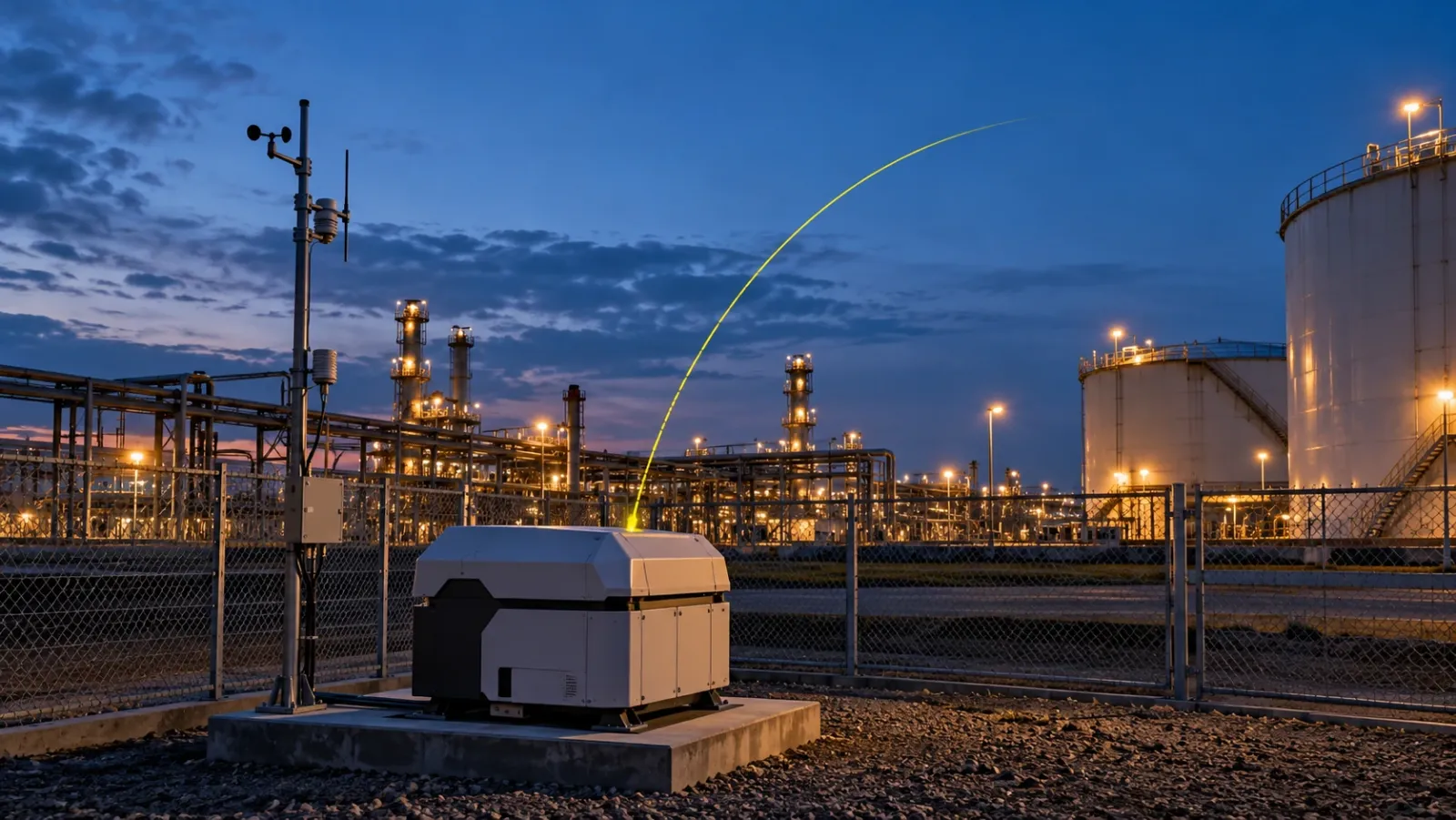
A drone-in-a-box is a drone that is based permanently on site inside a weatherproof dock. The dock protects and charges the aircraft, checks the weather, launches it on a schedule, receives it when the mission ends and uploads the data, while a pilot supervises the flight from somewhere else. The result is frequent, repeatable aerial capture without sending a crew to site each time.
For owners of industrial sites, energy assets and long construction projects, that sounds like an obvious upgrade. Sometimes it is. But a dock is a fixed installation with real costs, and remote flight is regulated differently in every country. This guide explains how docked drones work, how remote operations are approved, which sites suit them, and how they compare with crewed drone flights and fixed cameras. At YelloSKYE we look at it from the data side, through Inspect IQ, our asset inspection solution.
What is in the box
The name undersells the system. A working dock installation has several parts, and each one can be the weak link.
| Component | What it does | What to check |
|---|---|---|
| Dock housing | Shelters the aircraft from weather, dust and tampering; opens for launch and landing | Weather rating, operating temperature range, footprint and mounting needs |
| Charging system | Recharges or swaps batteries between missions | Turnaround time between flights, battery life and replacement cost |
| Weather sensors | Measure wind, rain and temperature to decide whether a flight can go | Whether limits can be set per mission, and what happens when they are crossed |
| Positioning base | Gives the aircraft precise position corrections for accurate landing and mapping | Whether it supports the mapping accuracy you need |
| Communications link | Carries control, telemetry and live video between aircraft, dock and remote pilot | Coverage across the whole flight area, backup link, data security |
| Aircraft and sensors | The drone itself, with its camera, zoom or thermal payload | Whether one sensor set covers all your questions |
| Remote operations software | Plans routes, schedules missions, shows the flight live and moves data on | Who can launch or stop a flight, audit logs, integration with your data platform |
| Power and backup | Mains supply plus a reserve to land the aircraft safely during an outage | Reliable power at the chosen location |
The aircraft is the most visible part and usually the easiest to replace. Site power, the radio link and the approval to fly remotely tend to cause the delays.
How a remote mission runs
A typical scheduled mission follows the same sequence every time, which is what makes the data comparable from week to week.
- Schedule or request. A mission is set to run at a fixed time, or an operator triggers it after an event such as a storm or an alarm.
- Pre-flight checks. The dock and aircraft check battery, sensors, positioning and link quality. The weather sensors confirm wind and rain are within limits.
- Pilot confirmation. The remote pilot checks airspace, any notices for the area and the live feeds, then authorises the launch.
- Flight on a stored route. The drone flies the same path, height and camera angles as last time. The pilot watches telemetry and video and can pause, divert or land it.
- Return and landing. The aircraft lands back on the dock using precise positioning. If it cannot, it heads for a pre-agreed alternative landing spot.
- Data transfer. Images are sent over the network for processing into maps, models or inspection records.
- Recharge and standby. The dock charges the aircraft and closes, ready for the next mission.
The repeatability in step 4 is the real benefit. When every capture follows the same route, change detection between dates becomes far more reliable, which our guide to AI drone inspection explains in more detail.
BVLOS: why the rules shape everything
Most aviation rules for small drones start from the idea that the pilot can see the aircraft. Flying beyond visual line of sight, usually shortened to BVLOS, removes that safeguard, so in most countries it needs specific permission from the national aviation authority: the CAA in the UK, the GCAA in the UAE and the FAA in the US are three examples. The approach, paperwork and timescales differ from country to country and are being revised in many places. Treat any article, including this one, as a starting point and check the current rules where your site is.
What regulators generally want to see
Although the details vary, most approval processes come back to the same questions:
- Other aircraft. How will the drone avoid crewed aircraft, and how will they know it is there?
- People on the ground. Who is under the flight path, and what happens if the drone comes down?
- The control link. What happens if the connection between pilot and aircraft is lost?
- The operator. Is the remote pilot trained, and are there written procedures for normal and emergency operations?
- Track record. Has the operator shown it can fly this kind of mission safely?
Flights that stay low and close to structures, away from where crewed aircraft fly, are often easier to justify than flights across open airspace. Sites near airports, over public roads or over crowds are harder.
A sensible path to remote operations
Most teams do not start with fully remote flights. They install the dock, fly it with a pilot or observer on site who can see the aircraft, and build up a record of safe automated missions. That record, plus written procedures, supports the application for remote operation. Plan for this stage in your timeline: a dock that can only fly with someone on site still saves battery handling and setup time, but not the travel.
Which sites suit a docked drone
A dock earns its cost when the same area needs flying often, for a long time, in a place that is awkward to reach. It struggles when sites are short-lived, spread out or need a mix of sensors.
| Site factor | Good fit for a dock | Poor fit for a dock |
|---|---|---|
| Capture frequency | Daily or weekly, or on demand after events | Monthly or one-off |
| Duration | Many months or years: operating assets, long builds | A few weeks |
| Footprint | One site or cluster within a few kilometres | Long corridors or scattered sites |
| Access | Remote, hazardous or slow to reach | Easy to reach, with staff already on site |
| Airspace | Low traffic, away from airports and crowds | Busy airspace, dense urban areas |
| Power and network | Reliable supply and good coverage at the dock location | No mains power, weak coverage |
| Sensor needs | One sensor set answers most questions | Varied payloads needed from mission to mission |
Operating assets such as solar farms, substations, quarries, ports, tank farms and large industrial plants often tick most of the left-hand column. So do long, large construction projects, such as major bridges or extended infrastructure builds, where a weekly survey of the whole site is valuable for years. A two-hectare building site with a site engineer who can fly a drone at lunchtime does not need one.
Long linear projects are a special case. A dock covers a circle around itself, so a road or pipeline route of many kilometres would need several docks, while a crewed team can drive along the route and fly it in sections. Our linear corridor mapping use case shows that crewed approach, with chainage-wise progress tracked on DEX.
Docked drones vs crewed drones vs fixed cameras
These three options are often presented as rivals. In practice they cover different questions, and many sites use two of them together.
| Docked drone | Crewed drone flight | Fixed camera | |
|---|---|---|---|
| Coverage | Whole site within range | Whole site, any site | One viewpoint per camera |
| Frequency | Daily or on demand | Each visit, typically weekly or fortnightly | Continuous or at short intervals |
| Measurable outputs | Maps, models, volumes, inspection imagery | Maps, models, volumes, inspection imagery | Time-lapse and activity record; limited measurement |
| Flexibility | Fixed location and sensor set | Any site, any sensor, any angle | Fixed view |
| Set-up | Installation, power, network, approvals | Pilot, aircraft, flight permissions per job | Mounting, power, connectivity |
| Regulation | Remote operation usually needs specific approval | Standard rules for flying within sight in most countries | Data protection and privacy rules |
| Cost profile | Higher fixed cost, low cost per extra flight | Cost mainly per visit | Low per camera, ongoing |
| Weather | Grounded when outside limits; can fly as soon as conditions clear | Depends on crew availability on the day | Works in most conditions, view may be obscured |
| Inside buildings | No | Specialised indoor flights only | Yes, if mounted inside |
YelloSKYE's construction monitoring combines scheduled drone flights for site-wide coverage with fixed cameras for continuous watch over selected zones. In the fixed-camera construction monitoring use case, cameras sit on high-priority zones, access points and material yards between drone missions, and verified YelloSKYE deployments recorded up to 80 per cent fewer site visits. For more on running a project without regular visits, see our guide to remote construction site monitoring.
What a dock does not change
A dock automates getting the aircraft into the air. It does not automate the rest of the job.
- Accuracy still needs control. Precise positioning helps, but survey-grade outputs still depend on flight height, overlap and independent checks against known points.
- Someone still has to review the data. More frequent flights mean more data. Without a named reviewer and a reason to look, daily captures pile up unread.
- Maintenance is real. Docks sit outdoors all year. Plan for cleaning, servicing, battery replacement and occasional repairs, and for what happens while the unit is away.
- Weather still grounds flights. A dock can launch the moment conditions improve, but it cannot fly through limits.
- Security matters. A permanently connected device on site is part of your network. Ask where data goes and who can command the aircraft; our guide on drone data security covers this.
Where YelloSKYE fits
YelloSKYE's captures are carried out by our certified pilots or by your own site teams, and the value we focus on is what happens to the data. Whichever way a drone gets airborne, the useful output is a consistent, dated and measurable record that the right people can open and compare.
Under Inspect IQ, findings are geo-tagged on the captured asset inside DEX, and maintenance teams can slide between historical captures to see when a defect first appeared. Our solar farm thermal inspection use case is a good example: each thermal anomaly is located to a GPS position so crews go straight to the faulty module, and replacing manual ground patrols with aerial capture brought inspection costs down by 75 per cent. On construction projects, Construct IQ compares each capture against the planned schedule and keeps every capture in one shared record. Those workflows depend on regular, comparable flights, which is exactly what a well-run dock or a well-run crewed programme provides.
Before you buy or lease a dock: a checklist
- Write down the questions the data must answer and how often. If monthly is enough, a crewed programme is usually simpler.
- Check the rules where the site is with the national aviation authority, including how long remote-operation approval takes.
- Survey the dock location for power, network coverage, security, line of sight over the flight area and nearby airspace.
- Plan a supervised first phase with someone on site, and collect the safety record your application will need.
- Fix routes and settings so that every mission is comparable with the last.
- Name the reviewers for each mission type and decide what triggers action.
- Agree maintenance and backup for when the dock or aircraft is out of service.
- Compare the total cost over the life of the site against crewed flights and fixed cameras, not just the hardware price. Our guide to building a construction drone programme covers the in-house versus service provider decision.
Frequently asked questions
What is a drone-in-a-box?
A drone-in-a-box is a drone that is kept on site in a weatherproof dock. The dock shelters the aircraft, charges it, checks conditions and launches it on a schedule or on request, then receives it back and sends the data off for processing. Flights are supervised remotely, so nobody has to travel to the site to fly.
Do docked drones need a pilot?
In almost every country, yes. The flight may be automated, but a remote pilot or operator is still responsible for it, usually watching from an operations centre and able to pause, divert or land the aircraft. What changes is that the pilot does not need to stand on the site.
Is BVLOS flying legal?
Flying beyond visual line of sight is allowed in many countries, but usually only with specific approval from the national aviation authority, such as the FAA in the US, the CAA in the UK or the GCAA in the UAE. The conditions, paperwork and timescales differ by country and change often, so check the current rules where the site is before planning around remote flights.
How far can a docked drone fly from its base?
Range depends on the aircraft, its battery, the radio link and the approval you hold, and the approval is often the tighter limit. In practice, plan a dock around one site or one cluster of assets within a few kilometres, and use crewed flights for long corridors or scattered sites.
Is a drone-in-a-box better than fixed cameras?
They do different jobs. Fixed cameras watch selected spots continuously from one viewpoint. A docked drone captures the whole site on a schedule and can produce measurable maps and models. Many sites that justify a dock also benefit from a few fixed cameras on the zones that need constant watching.