Construction Time-Lapse Video: Setup, Uses and How to Get Footage Worth Showing
By Kush Agarwal, President and CEO, YelloSKYE. Published .
Executive Summary
- The Question: How do you set up a construction time-lapse video that is good enough to use in marketing, bids and owner updates?
- The Answer: Decide where the film will be shown before the camera goes up. That choice sets the viewpoint, the capture interval and the edits you will need. Then capture often, keep every dated frame, and cut a different version for each audience.
- The YelloSKYE Angle: Studio IQ turns the same site capture used for progress monitoring into progress films and time-lapses for sales, investors and leadership, so the project is filmed once and used many times.
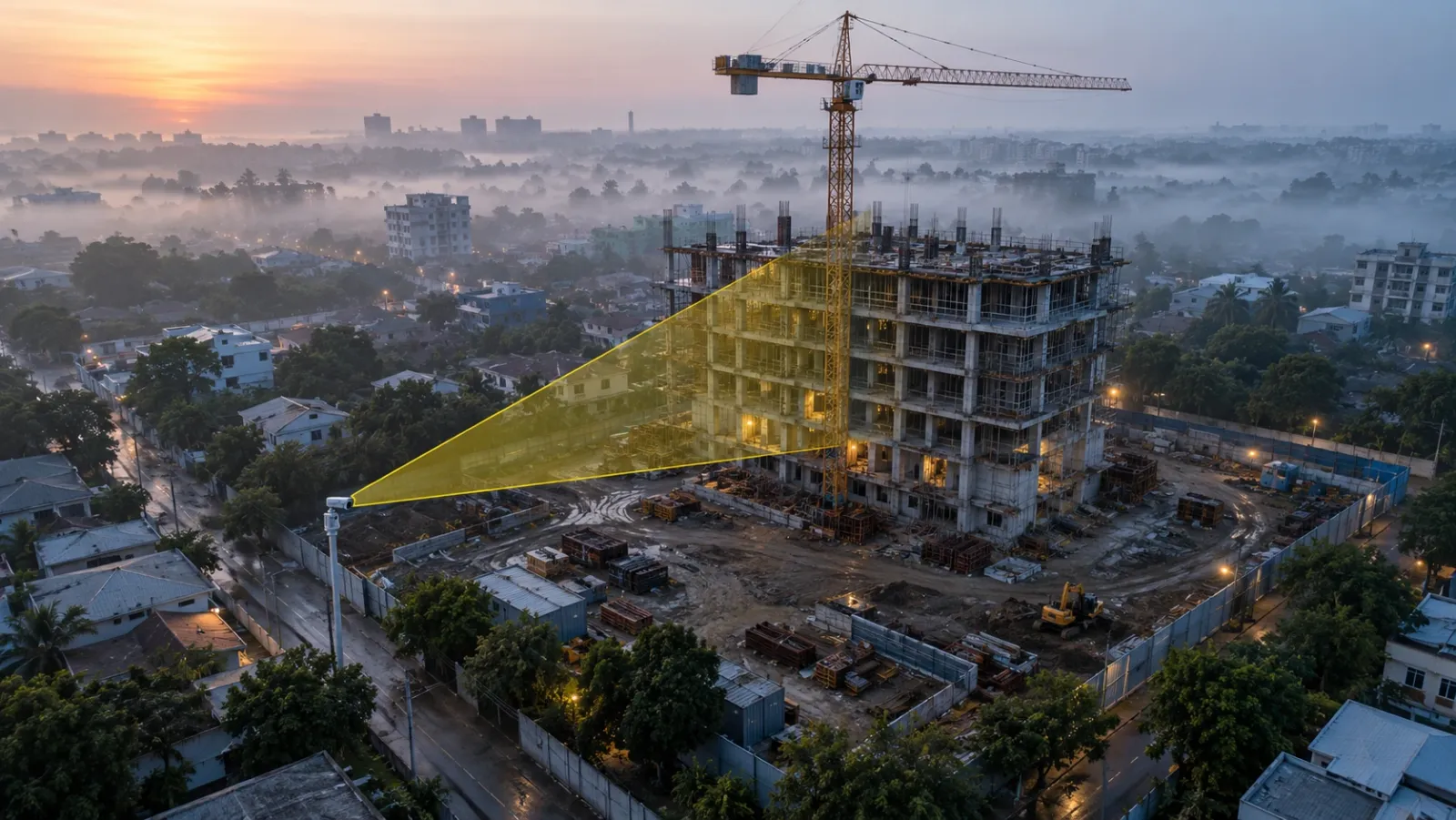
A construction time-lapse video is a sequence of still images taken from a fixed position at regular intervals over the life of a project, then played back fast so that months of building happen in a minute or two. It is one of the few formats that makes construction understandable to people who never visit the site: buyers, investors, owners, juries and future clients.
Good footage is mostly decided in the first week, by where the camera goes and how often it fires. This guide covers how to plan and set up a time-lapse, how the same footage serves bids, marketing and stakeholder reporting, and where it fits with drone and 360° media. At YelloSKYE, time-lapse sits within Studio IQ, our media and marketing solution, and draws on the fixed cameras and drone flights already capturing the site for monitoring.
What counts as a construction time-lapse
The term is used loosely. Four formats are worth separating, because each is captured differently and suits a different audience.
| Format | How it is captured | What it shows best | Typical use |
|---|---|---|---|
| Fixed-camera time-lapse | Camera on a mast, crane or neighbouring roof, firing at a set interval | One view of the building rising, day by day | Milestone films, owner updates, social clips |
| Drone progress film | Repeat drone flights along the same path, edited into a sequence | The whole site and its setting, change month by month | Investor updates, bid films, launch campaigns |
| Interior 360° sequence | 360° walks of the same route on different dates | Fit-out and finishes inside the building | Sales previews, owner reviews, handover |
| Combined project film | Edited mix of all three, often with graphics | The full story from cleared land to handover | Awards, corporate films, case studies |
Most memorable project films combine at least two of these. The fixed camera gives continuity; the drone gives scale and context.
Who watches it, and what they need from it
Before choosing a camera position, list where the footage will end up. Each audience needs something slightly different from the same images.
Sales and marketing teams
Marketing needs a steady supply of fresh material. A camera that captures every working day provides new clips each month for social channels, email and the project website, all drawn from reality capture rather than staged shoots. For off-plan projects, a rising structure is evidence that the project is moving, which renders alone cannot give.
Bid and pre-qualification teams
When a contractor or developer competes for new work, a short film of a comparable past project shows sequence, site logistics and finish quality in a way a written method statement cannot. Keep a library of short, project-specific cuts that bid teams can drop into submissions and presentations.
Owners, investors and lenders
Quarterly reports need visual proof, and a collection of mismatched site photos looks unconvincing. A dated time-lapse segment for each reporting period shows exactly what changed since the last update and where the money went.
Leadership and partners
Topping out, envelope completion and handover are moments worth marking. A milestone film shared with partners and the wider team records the achievement and gives leadership something to show at the next board or industry event.
Award submissions
Award juries rarely visit sites. A clean, well-composed film from start to finish, with accurate dates, is often the strongest piece of a submission.
Planning the camera position
The viewpoint cannot be changed halfway through without breaking the sequence, so treat it as a design decision.
Frame for the finished building, not today's site
The most common mistake is framing for the excavation. Work out the final height and footprint from the drawings and leave room around them, so the top floors and crane are not cut off in month eighteen. A slightly high, angled view usually reads better than a flat elevation because it shows depth and site activity.
Check what will block the view
Hoardings, site cabins, material stacks, tower cranes and future neighbouring buildings can all move into the frame. Walk the sightline, look at the logistics plan and ask about planned development next door.
Power, connectivity and access
A fixed camera needs reliable power, a data connection for uploads and a mount that can be reached for cleaning and maintenance. YelloSKYE plans each fixed camera position against the project layout, viewing range, power availability, connectivity and the reporting it has to support, as described in our fixed-camera construction monitoring work.
More than one camera
On large or phased sites, one view rarely tells the whole story. A second camera on a different elevation, or one dedicated to a key zone such as a tower core or the main entrance, gives editors alternative angles and protects the project if one camera fails.
Respect neighbours
Point cameras at the site, not at neighbouring windows or gardens, and follow any privacy requirements set by the site owner or local rules.
Choosing the capture interval
Capture is cheap compared with missing a key day. Take more images than you need and select frames when editing.
A quick calculation helps. A two-minute film at 25 frames per second uses 3,000 frames. Spread over a two-year project of roughly 730 days, that is only about four frames per day in the final cut. Capturing every 10 minutes across a ten-hour working day gives 60 images a day, so the editor can pick the best-lit frame, skip days lost to rain and slow down on days such as a large pour or a steel lift.
| Capture interval (working hours) | Images per 10-hour day | Best suited to |
|---|---|---|
| Every 1–2 minutes | 300–600 | Single events: a pour, a crane lift, a facade panel install |
| Every 5–15 minutes | 40–120 | Default for most building projects |
| Every 30–60 minutes | 10–20 | Long projects where storage or bandwidth is limited |
| Daily selected frame | 1 | Long-term record only; too sparse for smooth event sequences |
Schedule extra short-interval capture around planned milestones, and keep the camera clock correct, because the timestamps are what make the archive useful later.
Editing: one archive, several films
Raw time-lapse flickers. Light changes through the day, shadows swing and weather varies. Good editing selects frames at a similar time of day, smooths exposure, removes days when nothing happened and holds on the moments that matter.
From one archive, plan at least these cuts:
- Short social clips of 15 to 30 seconds, focused on a single visible change.
- A bid or pitch film of one to two minutes, showing sequence and logistics, with simple captions for the key stages.
- Period updates for owners and investors, each covering one reporting period with its start and end dates on screen.
- Milestone films for topping out or handover.
- A full project film combining fixed-camera footage with drone aerials and interior walkthroughs.
On YelloSKYE's media page, the construction progress film combines monthly progress tracking, automated time-lapse generation and side-by-side comparison, and sits alongside cinematic 4K aerials, FPV flythroughs and 360° virtual tours. That mix lets a single film move from the time-lapse view to an aerial overview of the finished project and then inside the building.
Adding drone footage and interiors
A fixed camera sees one face of the building. Drone flights add the whole site and its surroundings, and repeat flights along the same path can be cut into their own progress sequence. Our construction time-lapse monitoring use case describes how fixed cameras give continuous visual continuity while drones add periodic site-wide views, and the two together create a stronger project record.
Once the building is enclosed, the story moves inside. 360° walks of the same route on successive dates show fit-out taking shape, and they double as sales previews. For off-plan sales, Studio IQ can go further: in our view-from-floor marketing work, drones fly to the exact BIM-derived position and height of future units to capture the view buyers will have, long before the floor exists.
Time-lapse as a project record, not just a film
The same dated images that make a good film also make a useful record. Every frame carries a capture time and a fixed viewpoint, so the archive shows when each stage started and finished, when crews and materials were on site, and what the site looked like on a given day.
That record supports progress reviews and milestone reporting, and it can matter if a delay or scope question is disputed later. Our guide to construction dispute documentation explains why dated, located records hold up better than anything reconstructed afterwards. Two practical rules follow:
- Archive the original frames with their timestamps, separately from any edited film. A cut with music and transitions is a communication piece, not evidence.
- Store the archive where the project team can reach it. In YelloSKYE deployments, fixed-camera imagery, drone captures and progress views sit together in DEX, where stakeholders can compare capture dates from a shared reference. Teams combining Construct IQ, fixed cameras and DEX have recorded up to 80% fewer site visits.
For how time-lapse fits into wider remote oversight, see our guides to construction progress monitoring and remote construction site monitoring.
Mistakes that spoil construction time-lapse footage
- Starting late. The cleared site and first excavation are often the most dramatic part of the film. Install the camera before mobilisation if you can.
- Framing too tight. The building outgrows the frame and the top floors are lost.
- Moving the camera. Even a small knock breaks alignment. Use a rigid mount and check framing after storms or nearby works.
- Ignoring maintenance. Dirty lenses, condensation and power cuts create gaps that cannot be filled later.
- Keeping only the edit. Without the original dated frames, there is no record and no way to cut new versions.
- One film for every audience. A bid team, a marketing team and an investor need different lengths and emphasis.
Next steps: a setup checklist
- List every audience and channel the footage will serve, and the length each needs.
- Fix the camera position against the final building envelope, the logistics plan and likely obstructions.
- Confirm power, connectivity, mount stability and maintenance access.
- Set a capture interval of 5 to 15 minutes during working hours, with shorter bursts around planned milestones.
- Plan drone flights on a repeatable path and interior 360° walks on a fixed route, so their footage can be cut into the same story.
- Archive original frames with timestamps in a shared platform, and treat each edit as a separate output.
- Agree who approves each cut before it is published, and check that it shows nothing sensitive about the site or its neighbours.
A time-lapse is cheap to start and impossible to recreate later. Getting the camera up early, in the right place, is the decision that matters most.
Frequently asked questions
How does a construction time-lapse camera work?
A fixed camera is mounted at a stable point overlooking the site and takes a still image at a set interval, for example every few minutes during working hours. The images are stored with their capture times, and selected frames are later played back in sequence as video. Months of work then play out in a minute or two.
How long should a construction time-lapse video be?
Match the length to where it will be shown. Social clips usually work best under 30 seconds, a bid or pitch film between one and two minutes, and a full project film for handover or awards perhaps three to four minutes. It is easier to cut several lengths from one well-captured image archive than to stretch thin footage.
What capture interval should I use for a construction time-lapse?
Capture more often than you think you need, then choose frames in editing. An image every 5 to 15 minutes during working hours gives enough material for smooth sequences and close-ups of key days, while still keeping storage manageable. Long projects are usually condensed to a few selected frames per day in the final cut.
Can a time-lapse video be used as evidence of progress?
The underlying dated images can support progress reporting and a project record, because each one carries a capture time and the same viewpoint. A polished edit with music and transitions is a communication piece, not a record. Keep the original frames and their timestamps archived separately from any marketing cut.
Do I need permission to fly a drone for construction time-lapse footage?
Fixed cameras usually need only the site owner's agreement and attention to neighbours' privacy. Drone flights are regulated by the national aviation authority, for example the FAA in the US, the CAA in the UK or the GCAA in the UAE, and rules on pilot licensing, flight height and flying near people vary. Use a certified operator who handles those approvals.